
Is it possible to create azure maps SAS token programmatically? .. right now im doing manually and finding a way to do it programmatically.
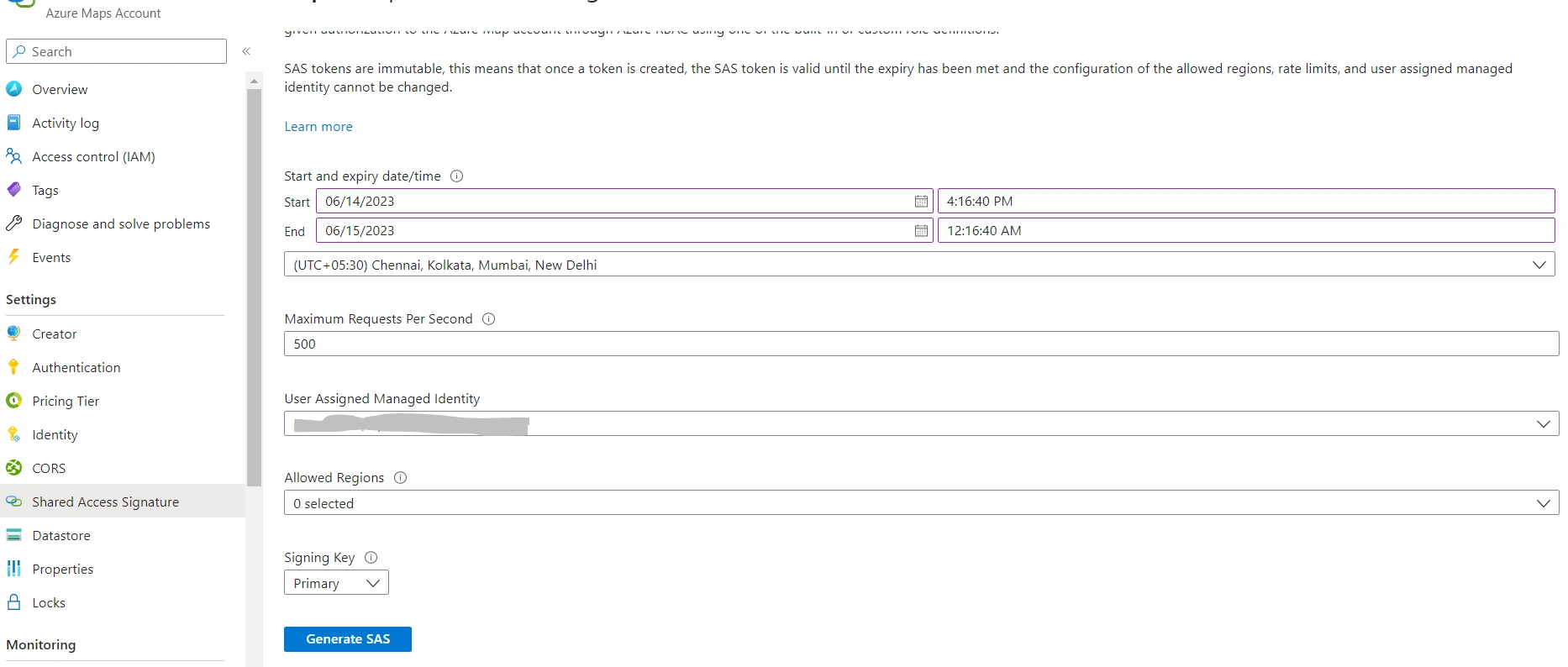
Is it possible to create azure maps SAS token programmatically? .. right now im doing manually and finding a way to do it programmatically.
Know the answer? Post it — somebody with the same question will find it here.
Sign in to answer this question
It is the same account you read, post and publish with — and you will come straight back to this page.
Saravanan PonnusamyPosted Jun 21, 2023, 8:04 AM
Hi Tuhin and Amit,
Thanks for your time and answers.
I have raised the same question with microsoft support team. i got a answer, that as of now there is no option for generate the azure maps SAS token programmatically. they'll include this feature in upcoming release.
FYR: https://learn.microsoft.com/en-us/answers/questions/1305191/is-it-possible-to-create-azure-maps-sas-token-prog?source=docs
Saravanan PonnusamyPosted Jun 16, 2023, 5:38 AM
Hi Tuhin, amit .. thanks for your usefull informations.
here i was using issuer as - clientid (9eda2f01-sdd......)
and audience as - "/subscriptions/{subscriptionkey}/resourceGroups/Dev/providers/Microsoft.Maps/accounts/{MapsAccountName}"
still im getting "tokensignatureismkeynotfound" .. am i missing anything in code wise or any azure permissions side?
Tuhin PaulPosted Jun 16, 2023, 2:14 AM
The issuer is responsible for generating and signing the tokens. The "audience" represents the intended recipient of the token. It specifies the entity or service that the token is intended for. For example, if you are using Azure Maps service and requesting a token, the audience would be the Azure Maps service endpoint where you want to authenticate and authorize your requests. The purpose of including the issuer and audience in a token is to ensure the security and validity of the token. The recipient (audience) can verify the token by checking if the issuer is trusted and if it matches the expected audience for the token. This helps prevent unauthorized use of the token and ensures that it is only accepted by the intended recipients.
Amit MohantyPosted Jun 15, 2023, 1:18 PM
Make sure the Issuer and Audience properties you're providing are valid values for these properties. The issuer represents the token issuer, typically the Azure Maps service, and the audience is the intended recipient of the token (e.g., your application or Azure Maps service endpoint).
Saravanan PonnusamyPosted Jun 15, 2023, 1:12 PM
Hi amit,that is full 32 character string, dont want to disclose the subscription id here. subscriptionid, jti and oid(objectid) all are 32 character string(GUID). still the error is there.
Amit MohantyPosted Jun 15, 2023, 1:08 PM
The value you passed to the SymmetricSecurityKey constructor should be a complete subscription key, typically a 32-character string. Make sure you are using the correct subscription key for your Azure Maps service.
Saravanan PonnusamyPosted Jun 15, 2023, 12:52 PM
Hi amit, your answer helped me some what to understand. following is what i tried,
public JwtSecurityToken CreateToken()
{
var now = DateTime.UtcNow;
var securityKey = new SymmetricSecurityKey(Encoding.UTF8.GetBytes("c109cd50-1")); //subscription id
var signingCredentials = new SigningCredentials(securityKey, SecurityAlgorithms.HmacSha256);
var claims = new List() {
new Claim("jti", "ceba6eb9-6e"),
new Claim("oid", "97c06f68-8"), -- objectid
new Claim("maxRatePerSecond","500"),
new Claim("regions","[\"north\"]")};
var token = new JwtSecurityToken(
issuer: Issuer,
audience: Audience,
claims: claims,
expires: now.AddMinutes(10),
signingCredentials: signingCredentials
);
var sasToken = new JwtSecurityTokenHandler().WriteToken(token);
return sasToken;
}
but still im getting error of "TokenSignatureKeyNotFound"
did i missing any claims??
Amit MohantyPosted Jun 15, 2023, 12:26 PM
If you are expecting a SAS token in the JWT format like the one you mentioned, you can modify the code like below:
Saravanan PonnusamyPosted Jun 15, 2023, 11:52 AM
How come this will work? in the last return token will return $"se={expiryTime:o}&skn=default&sig={Uri.EscapeDataString(signature)}"; string.. but im expecting a SAS token something like this "eyJhbGciOiJIUzI1NiIsInR5cCI6IkpXVCJ9.eyJqdGkiOiIxNzAxNDQ4OTQ4NDY2OTE2NDEzIiwibmJmIjoxNjg2NzkxMTkzLCJleHAiOjE2ODY3OTE3OTMsI" ..
is it possiable to get a token like this? pls. suggest
Amit MohantyPosted Jun 15, 2023, 11:46 AM
Try this