i am not able to view the test details , due to some settings misplaced, have attached the image
tried changing the group by view options but no success
tried doing the expand all options as well but still there is no view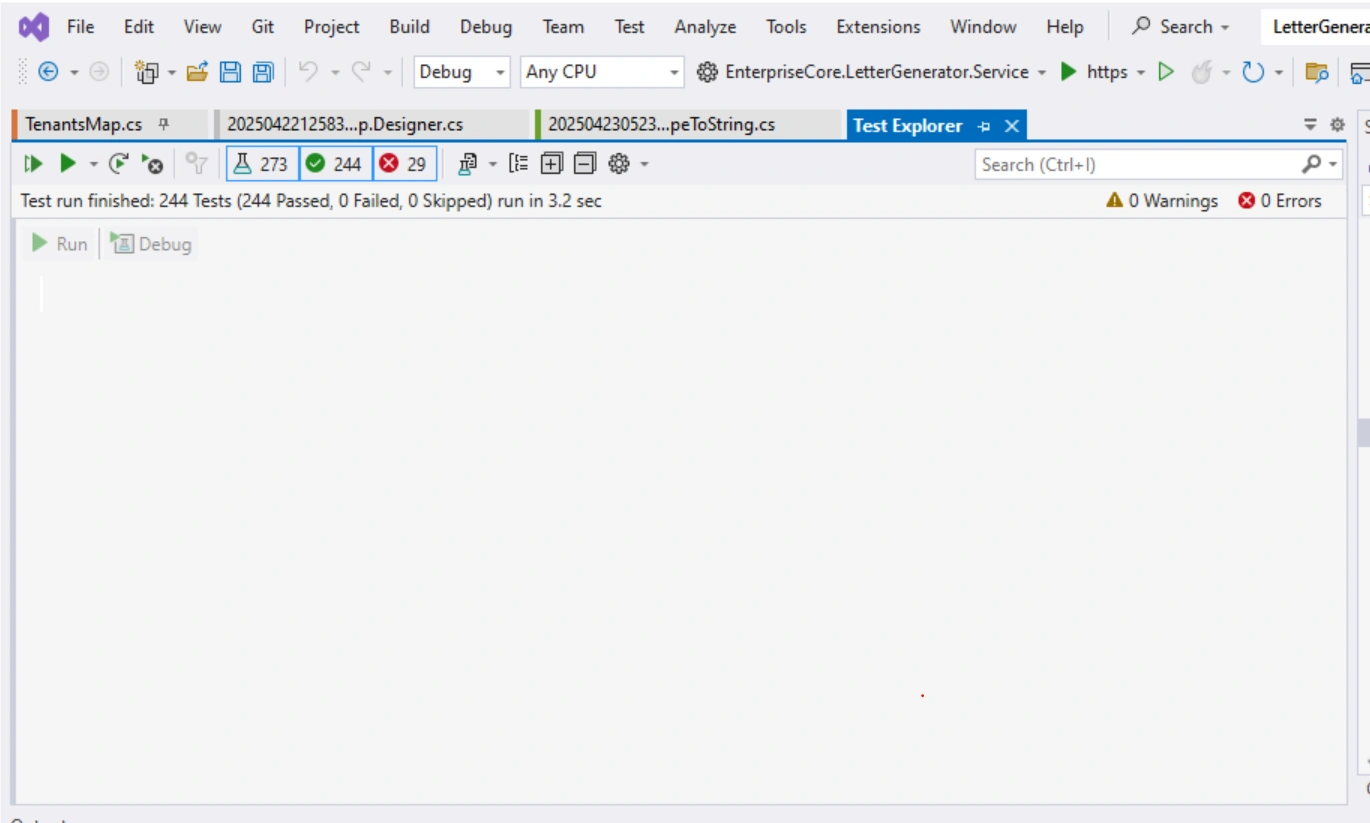
i am not able to view the test details , due to some settings misplaced, have attached the image
tried changing the group by view options but no success
tried doing the expand all options as well but still there is no view
Know the answer? Post it — somebody with the same question will find it here.
Sign in to answer this question
It is the same account you read, post and publish with — and you will come straight back to this page.
Jose HudakPosted Apr 23, 2025, 8:43 AM
Hey, thanks for sharing! Seeing the image helps. Have you checked your browser's zoom level or tried a different browser? Sometimes display settings can get wonky. Also, could it be a permission issue within the application, similar to getting stuck on an island in Poptropica? Double-check your user role's access rights. Hope that helps! https://poptropica.io/
Sophia CarterPosted Apr 23, 2025, 6:29 AM
It seems like you're facing challenges with viewing test details in Visual Studio 2022 due to some misplaced settings. Based on the information provided, changing the group by view options and attempting to expand all options have not resolved the issue.
For a more direct and precise solution, you may want to try the following steps:
1. Reset Test Window Layout:
- In Visual Studio, go to the Test Explorer window.
- Look for an icon or option that allows you to reset the window layout. This can often be found in the Test Explorer's menu or settings.
- By resetting the layout, you may be able to restore the default view that shows the test details.
2. Check Test Adapter Settings:
- Make sure that the test adapter for your specific testing framework (such as MSTest, NUnit, xUnit) is correctly configured in Visual Studio.
- Verify that the necessary test adapter is installed and updated to support the tests you are trying to view.
3. Update Visual Studio and Extensions:
- Ensure that you are using the latest version of Visual Studio 2022 and that all relevant extensions, including those related to testing, are up to date.
- Sometimes, issues with viewing test details can be resolved by updating the IDE and related components.
If these steps do not resolve the issue, it might be beneficial to provide more context or specific details about the settings you have adjusted. Feel free to share additional information or screenshots for further assistance. Remember, troubleshooting software issues can sometimes require a bit of trial and error, but with persistence, the problem can usually be resolved.