Hello, I am using this solution form youtube "Respond Tabular Data from FLOW to PowerApps without Premium Response action | Standard Connector" the solution works fantastic until I add my notes field. When the Notes field is added to the result string parts from the notes end up in other columns. This is the first line that gets the first column but of course it repeats several more times to get the rest of the columns.
Clear(colFlowOutput);Set(varResponse,Split(GetPbiResult.Run().Pbidata,";"));ForAll(varResponse,Collect(colFlowOutput,{ID:Substitute(Last(FirstN(Split(Last(FirstN(Split(Value,",").Value,1).Value).Value,":").Value,2).Value).Value,Char(34),"")
My question is how to deal with a notes field that has email, dates, line breaks, special characters. below is my workflow.
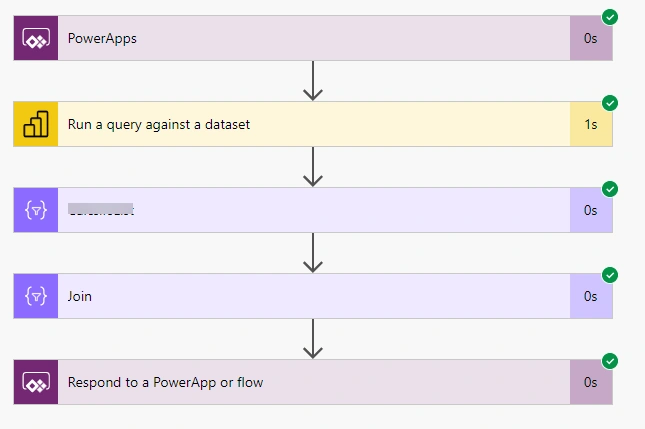
Any help would be great, thanks
Rajkiran SwainPosted Apr 13, 2023, 6:43 AM
One way to deal with this would be to modify the code that's used to split the data so that it can handle these special characters. For example, you might need to add additional logic to handle line breaks, or you might need to modify the code that's used to extract the ID from the data to take into account the presence of special characters.