Hello Team,
Am trying to load data in the textbox but is like my formart is not working
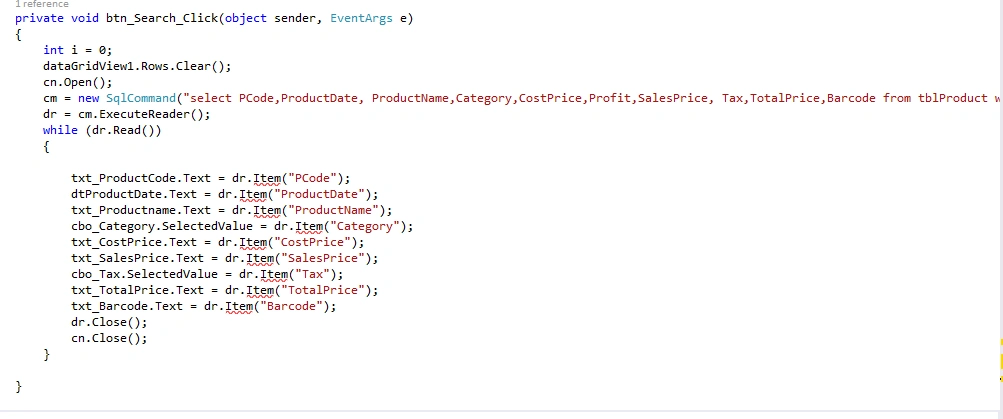
private void btn_Search_Click(object sender, EventArgs e)
{
int i = 0;
dataGridView1.Rows.Clear();
cn.Open();
cm = new SqlCommand("select PCode,ProductDate, ProductName,Category,CostPrice,Profit,SalesPrice, Tax,TotalPrice,Barcode from tblProduct where PCode like '%" + txt_SearchProduct.Text + "%'", cn);
dr = cm.ExecuteReader();
while (dr.Read())
{
txt_ProductCode.Text = dr.Item("PCode");
dtProductDate.Text = dr.Item("ProductDate");
txt_Productname.Text = dr.Item("ProductName");
cbo_Category.SelectedValue = dr.Item("Category");
txt_CostPrice.Text = dr.Item("CostPrice");
txt_SalesPrice.Text = dr.Item("SalesPrice");
cbo_Tax.SelectedValue = dr.Item("Tax");
txt_TotalPrice.Text = dr.Item("TotalPrice");
txt_Barcode.Text = dr.Item("Barcode");
dr.Close();
cn.Close();
}
}
Prasad RaveendranPosted May 26, 2024, 3:35 AM
I have modified your code with the below snippet. I have eliminated the use of SqlDataAdapter and DataTable. The SqlDataReader allows you to read the data in a forward-only stream
Please try this. If you are still facing the issue, please share a code snippet so we can analyze it further. Also, ensure to share the error message you are encountering.
Emmmanuel FIADUFEPosted May 25, 2024, 7:09 PM
Hello I re modified the code this way which prompt me of DataReader not close, mean while I close all the DataReader
try
{
int i = 0;
dataGridView1.Rows.Clear();
cn.Open();
cm = new SqlCommand("select PCode,ProductDate, ProductName,Category,CostPrice,Profit,SalesPrice, Tax,TotalPrice,Barcode from tblProduct where PCode like '%" + txt_SearchProduct.Text + "%'", cn);
SqlDataAdapter da = new SqlDataAdapter(cm);
DataTable dt = new DataTable();
da.Fill(dt);
dr = cm.ExecuteReader();
while (dr.Read())
{
da.Fill(dt);
if (dt.Rows.Count > 0)
{
txt_ProductCode.Text = Convert.ToString(dt.Rows[0]["PCode"].ToString());
dtProductDate.Text = Convert.ToString(dt.Rows[0]["ProductDate"].ToString());
txt_Productname.Text = Convert.ToString(dt.Rows[0]["ProductName"].ToString());
cbo_Category.SelectedValue = Convert.ToString(dt.Rows[0]["Category"].ToString());
txt_CostPrice.Text = Convert.ToString(dt.Rows[0]["CostPrice"].ToString());
txt_SalesPrice.Text = Convert.ToString(dt.Rows[0]["SalesPrice"].ToString());
cbo_Tax.SelectedValue = Convert.ToString(dt.Rows[0]["Tax"].ToString());
txt_TotalPrice.Text = Convert.ToString(dt.Rows[0]["TotalPrice"].ToString());
txt_Barcode.Text = Convert.ToString(dt.Rows[0]["Barcode"].ToString());
// txt_Stock.Text = Convert.ToString(dt.Rows[0]["TotalPrice"].ToString());
txt_ProductCode.Text = "";
txt_ProductCode.Text = "";
txt_Productname.Text = "";
cbo_Category.SelectedIndex = -1;
txt_CostPrice.Text = "";
txt_SalesPrice.Text = "";
cbo_Tax.SelectedIndex = -1;
txt_TotalPrice.Text = "";
txt_Barcode.Text = "";
}
}
dr.Close();
cn.Close();
}
catch (Exception ex)
{
dr.Close();
cn.Close();
throw ex;
}
}
Emmmanuel FIADUFEPosted May 25, 2024, 5:56 PM
Hello Rajanikant
Please all the columns exist and when I put dthe cursor on it this the error that popup, and may be the format was wrong.
Rajanikant HawaldarPosted May 25, 2024, 5:45 PM
May be column name passed to item not exist in table, check spelling