Hi,
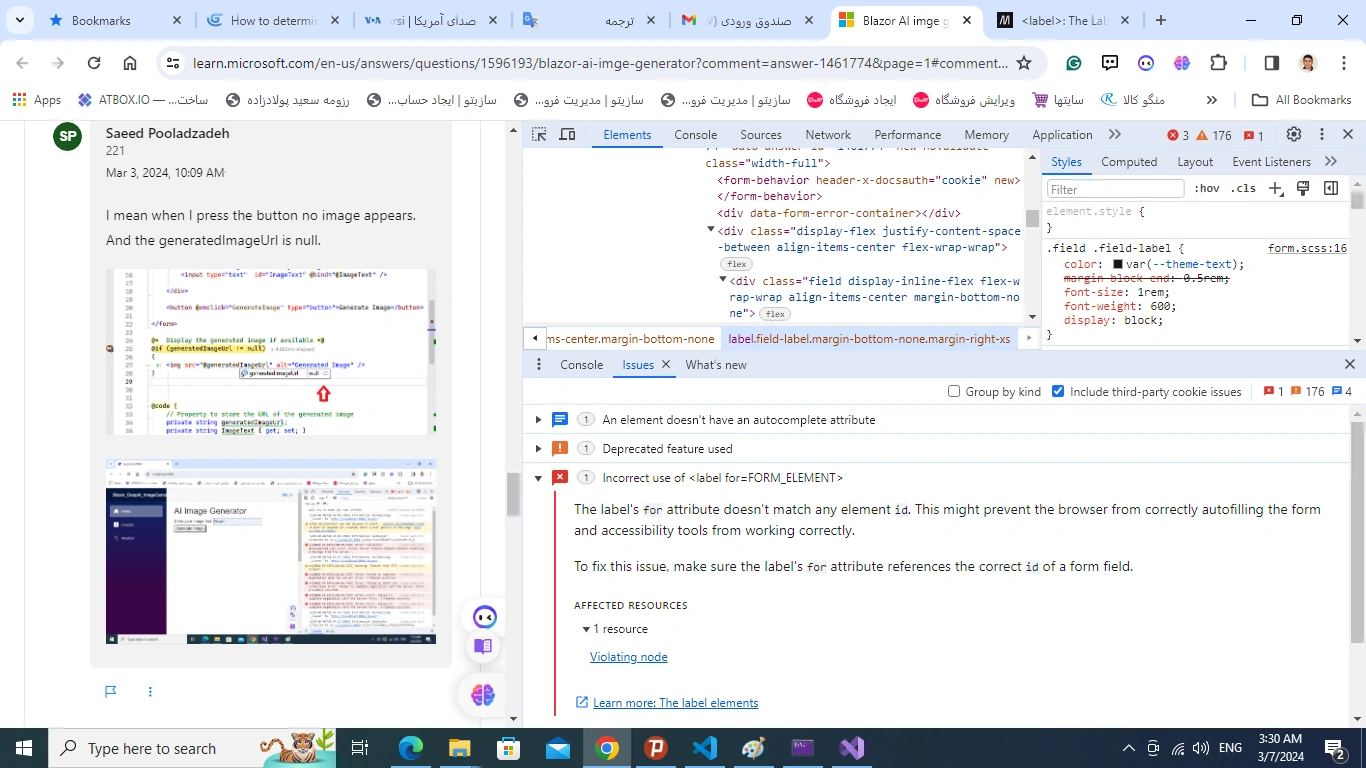
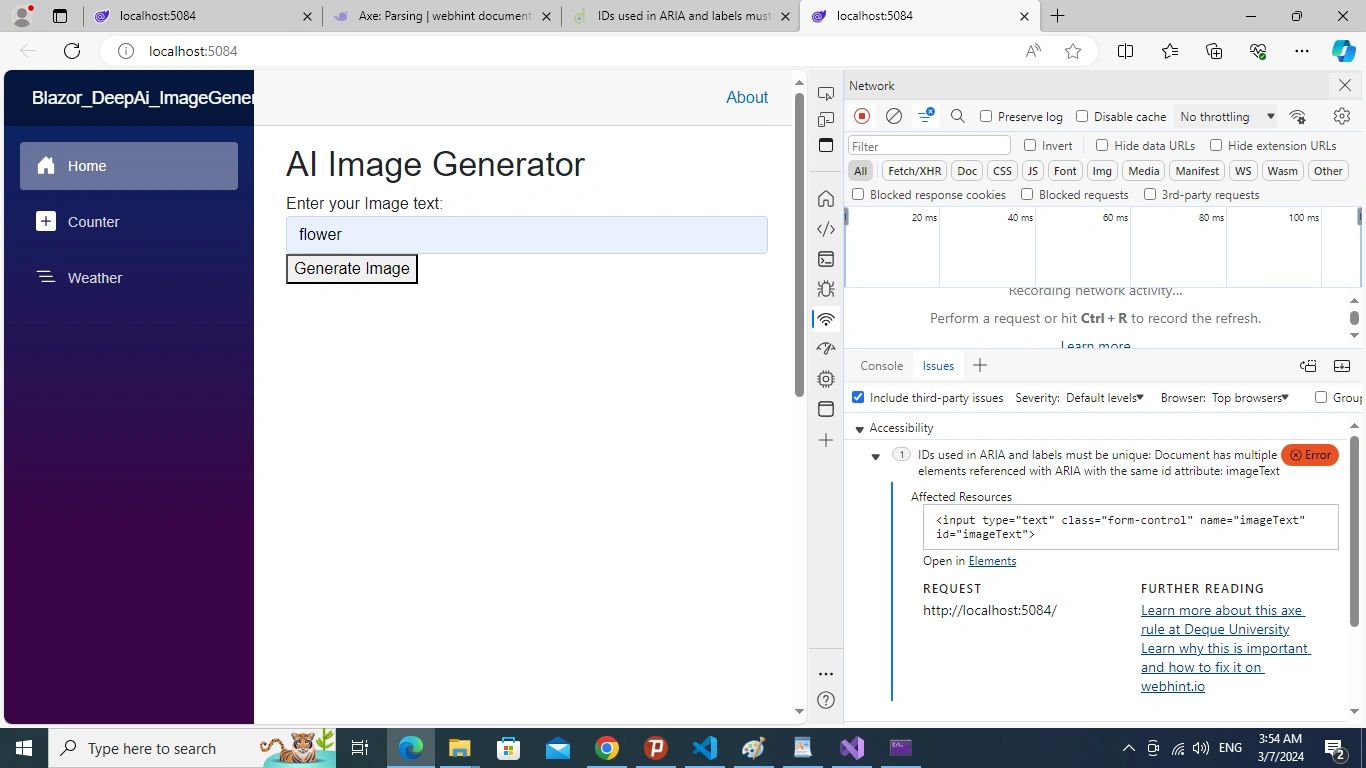
I keep encountering errors in my label and input tags despite having made several changes. When I check the code in both Visual Studio and AI, I can't seem to find any errors. However, when I run the code, the browser shows issues. What could be causing this problem?
Also, the Bazor type is web assembly.
@* Display the generated image if available *@
@if (generatedImageUrl != null)
{
 }
}
Mithilesh TataPosted Mar 11, 2024, 9:37 AM
The issues you're encountering could be due to various factors. Here are a few things to consider:
1. Syntax Errors:
2. Duplicate IDs:
imageText). IDs must be unique within a document.3. Binding Issues:
@bind) is properly set up in your Blazor component. Ensure that theImageTextproperty is correctly declared in your code-behind file and that it's being updated properly.GenerateImagemethod is correctly implemented and bound to the button's@onclickevent.4. Browser Cache:
5. Browser Developer Tools:
6. Blazor Component Rendering:
By carefully reviewing these aspects and debugging your code, you should be able to identify and resolve any issues causing discrepancies between your code editor and the browser rendering. If you're still facing problems, providing more specific error messages or details about the behavior you're observing could help in further troubleshooting.