
Hello Team,
I found an issue with our new website. In the Forums tab, when I try to submit an answer in the thread below, I get an error.
See the screenshot for reference.
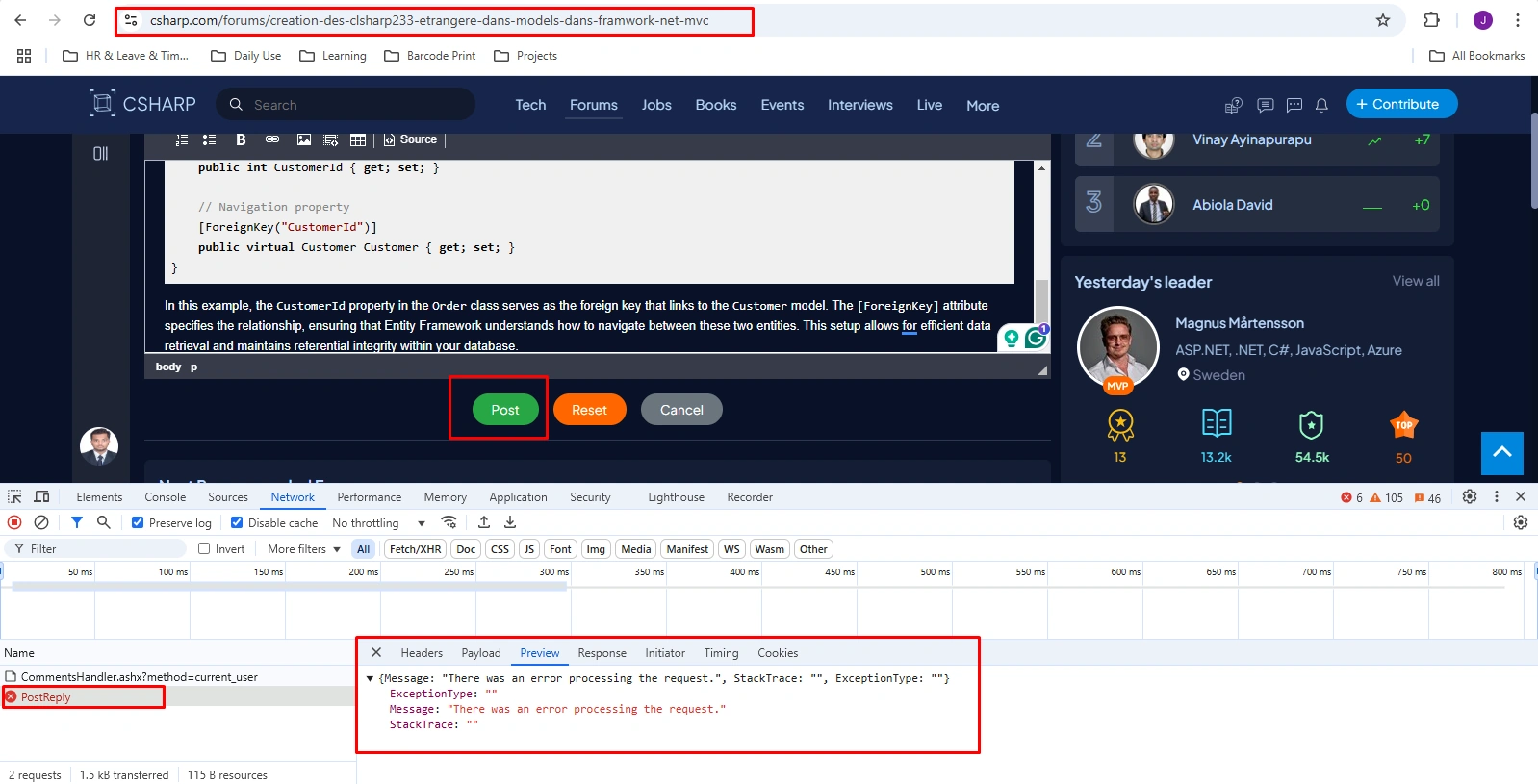
Hello Team,
I found an issue with our new website. In the Forums tab, when I try to submit an answer in the thread below, I get an error.
See the screenshot for reference.
Know the answer? Post it — somebody with the same question will find it here.
Sign in to answer this question
It is the same account you read, post and publish with — and you will come straight back to this page.
Tuhin PaulPosted Feb 6, 2025, 7:24 PM
Rich text editors often allow users to input special characters (e.g.,
&,<,>,"). If these characters are not escaped or handled correctly, they can cause issues during submission.Eliana BlakePosted Feb 6, 2025, 12:15 PM
Thank you for reaching out with the issue you're facing on the new website Forums tab. Based on the screenshot you provided, it seems like there might be a form submission error occurring when you try to submit an answer in a thread.
To troubleshoot this issue, here are a few things you can check or try:
1. Network Connectivity: Ensure that your internet connection is stable. A weak or intermittent connection could cause submission errors.
2. Browser Compatibility: Verify if you are using a supported browser and that it is up to date. Sometimes, certain website features may not work correctly on outdated browsers.
3. Form Validation: It's possible that there might be some form validation or input requirements causing the error. Make sure you are providing all the necessary information before submitting the answer.
4. Clear Cache and Cookies: Try clearing your browser's cache and cookies. Sometimes, old data stored in the browser can lead to unexpected issues.
5. Contact Support: If the issue persists, consider reaching out to the website's support team or developer. They will have more insights into the specific error you are encountering and how to resolve it.
By going through these steps, you may be able to identify the root cause of the problem and resolve the error you are experiencing on the website's Forums tab. If you provide more details about the error message or any specific steps you've already taken to troubleshoot, I can offer more tailored assistance. Let me know how it goes or if you need further guidance!