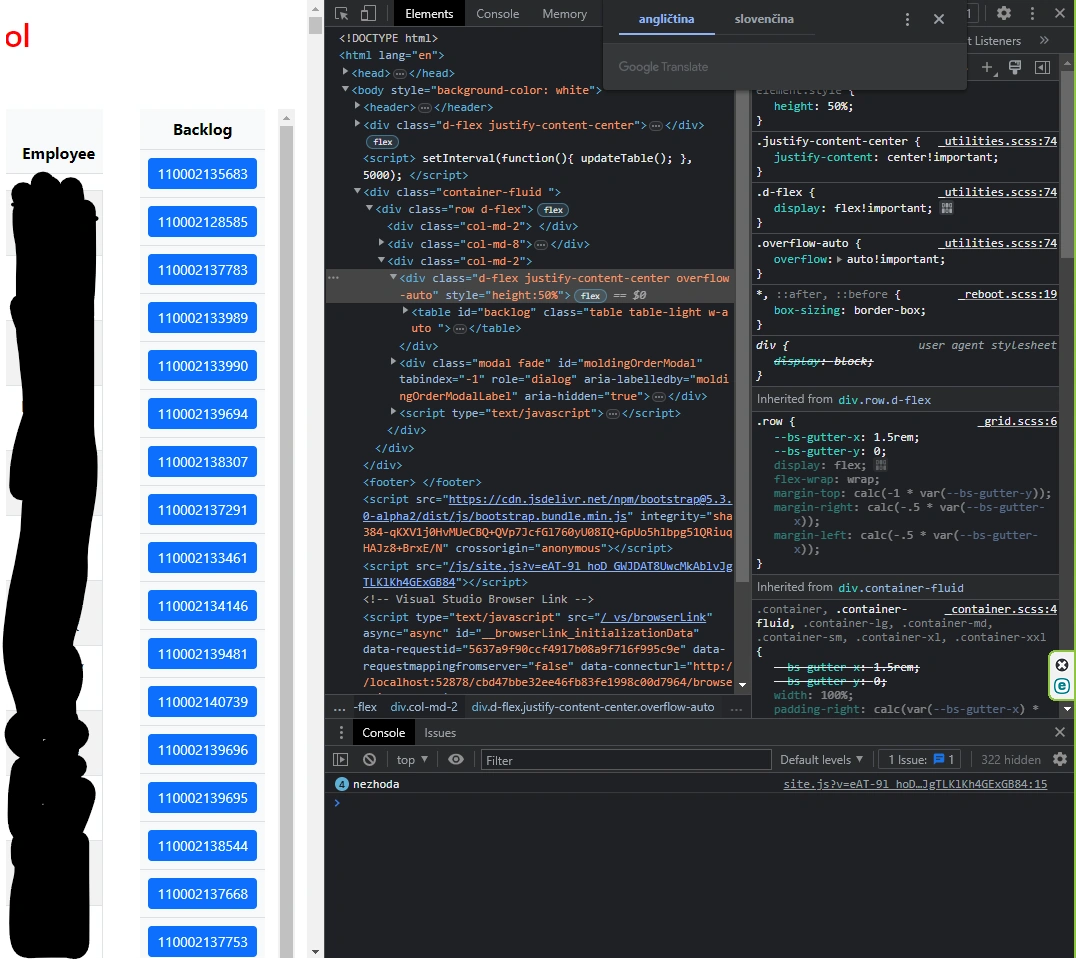
I have a problem wtih two scroolbars on webpage which does same length, backlog table is longer than this on right but when a set custom css class .table-responsive {
height: 100%;
overflow-y: scroll;
}. I am using bootstrap 5.3. I want have vertical scrollbar for backlog table and the short vertical scrollbar for table employee. Backlog table is ViewComponent. I am using Asp-Net.Core MVC.
Deepak RawatPosted Apr 27, 2023, 1:16 PM
vertical scrollbar for only the backlog table and a short vertical scrollbar for the employee table, you can use the CSS
overflow-y: autoproperty for the employee table andoverflow-y: scrollproperty for the backlog table.Here's an example of how you can achieve this:
n this example, we have added a CSS class
.employee-tableto the employee table and set itsoverflow-yproperty toauto. We have also added amax-heightproperty to limit the height of the employee table and show a short vertical scrollbar if needed.For the backlog table, we have added a CSS class
.backlog-tableand set itsoverflow-yproperty toscroll. This will add a long vertical scrollbar to the backlog table.Make sure to adjust the
max-heightvalue of the employee table based on your content and screen size. You can also adjust other CSS properties as per your needs.Tuhin PaulPosted Apr 2, 2023, 9:30 PM
Add this in your css class:
add the class table-responsive-backlog to the container of your backlog table, and add the class table-responsive to the container of your employee table. This will set the height of the backlog table container to be 100% of the parent container minus 16px for the height of the employee table container's scrollbar, and set the overflow-y property to scroll.