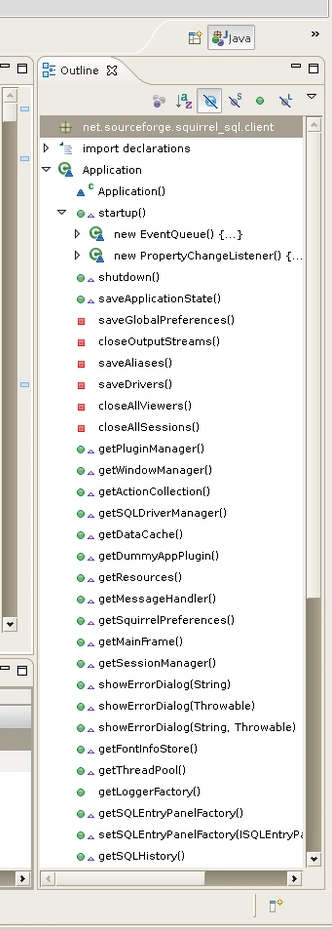
I was wondering if anyone here knows how can I get a list of my functions and variables beside the VS 2010 IDE. I tried almost everything in the view menu, but didnt get anywhere. I have this on in Eclipse when I am coding Java and it's very handy, because I can just click on function names and the cursor jumps to the beginning of the function / variable. The snapshot down here shows the bar I am talking about in Eclipse.
Javeed M ShaikhPosted Nov 2, 2011, 10:20 AM
1. Open your project.
2. Click on View-->Class View or Press Ctrl+Shift+C (shortcut)
ShahabPosted Nov 2, 2011, 9:18 AM
Sorry I made myself not clear by my question. I think you misunderstood the word beside. What I meant was simply to have a bar on the right side of the IDE to show a list over methods and variables in one program you are working on. See the picture attached again.
Javeed M ShaikhPosted Nov 2, 2011, 9:06 AM
What you mean by beside the Visual Studio IDE and you checked in the View menu (which view menu are you referring to?) Also Eclipse is an IDE for Java so I am not sure how beside IDE you want to see this option.