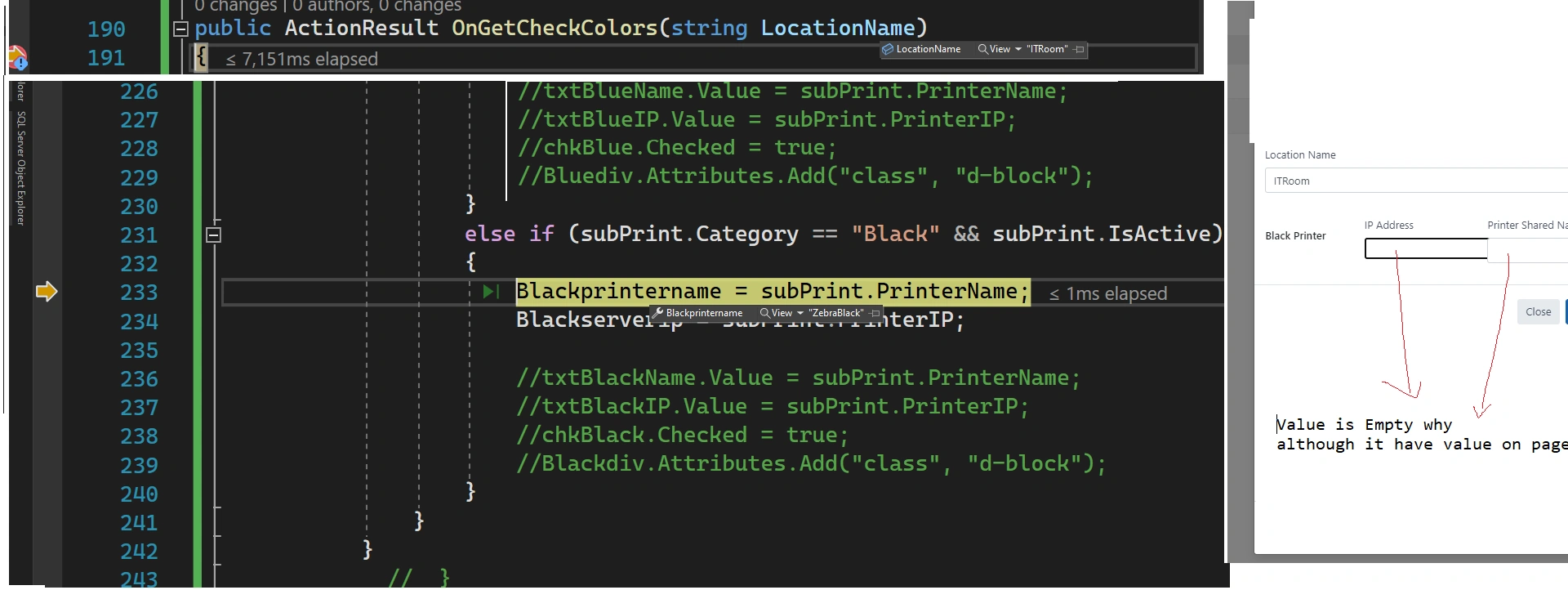
I work on razor asp.net . I face issue I can't get value of blackprintername on bootstrap model
although I get the values of this property on page model but on razor html not display on input text box Black server Ip or black printer name .
I execute method type function OnGetCheckColors to get black server IP and black printer name but this not happen so why this happen and how to solve this issue
code details
$('#editbootstarp tbody').on('click', 'tr', function () {
    // Get the data from the clicked row
    var rowData = $(this).children('td').map(function () {
        return $(this).text();
    }).get();

    // Set the values of the modal's input fields

    $('#editshelflabelModal #edit-id').val(rowData[0]);

    $('#editshelflabelModal #edit-Location').val(rowData[6]);

    // Show the modal
    $.ajax({
        url: '?handler=CheckColors',
        type: "GET",
        data: { LocationName: rowData[6]},
        success: function (result) {
            $('#editshelflabelModal').modal('show');
            console.log(result);
        },
        error: function (xhr, status, error) {
            console.log(error);
        }
    });
    $('#editshelflabelModal').modal('show');
});
public ActionResult OnGetCheckColors(string LocationName)
{
    List subPrintlist = _IAdcSupportService.GetAvailablePrintersLists(Session.GetString("BranchCodesSelected"), LocationName, "SUB");
    if (subPrintlist != null && subPrintlist.Count > 0)
    {
        foreach (SubPrinters subPrint in subPrintlist)
        {
            if (subPrint.Category == "Red" && subPrint.IsActive)
            {
                Redprintername = subPrint.PrinterName;
                Redserverip = subPrint.PrinterIP;

            }

            else if (subPrint.Category == "Black" && subPrint.IsActive)
            {
                Blackprintername = subPrint.PrinterName;
                Blackserverip = subPrint.PrinterIP;

            }
        }
    }
    return new JsonResult("success");
}
2 Replies
Know the answer? Post it — somebody with the same question will find it here.
Sign in to answer this question
It is the same account you read, post and publish with — and you will come straight back to this page.
Sachin SinghPosted Jul 3, 2023, 1:01 PM
make two changes
1.
2.
Note:- Why does property binding not affect:- because you are using ajax, so even though it is working you can't see the changes because the page is not refreshed when we use ajax. So when using ajax , you need to explicitely set the values.
Amit MohantyPosted Jul 2, 2023, 5:38 AM