

I. Introduction
I have been browsing multiple sites for a complete end-to-end tutorial or article upon CRUD operations using Knockout.JS and MVC 4. Unfortunately all I found were incomplete or short explanations. In my last article we learned about imlementation of CRUD in ASP.Net web forms using MVC and EntityFramework. This article is the continuation of the series. My effort in this article will be a kind of tutorial to explain how to set up the knockout.js environment in a MVC4 application and perform CRUD operations on it.
2. Our Road-Map
We'll stick to our agenda of Learning Knockout.JS as follows:
- Part 1: Introduction to Knockout.js and CRUD Operations in ASP.Net Web Forms using Knockout.JS and Entity Framework.
- Part 2: Complete end-to-end CRUD operations using Knockout.JS and Entity Framework in MVC4 application.
- Part 3: Complete end-to-end CRUD operations using Knockout.JS and Entity Framework in ASP.Net Web API's.
3.> Part 2: Complete end-to-end CRUD operations using Knockout.JS and Entity Framework in MVC4 application
We'll continue to explain KO step-by-step in this article;the following are the toics:
- Creating an MVC application.
- Creating CRUD action methods using Entity Framework 5.
- Perform CRUD operations using MVC4 and Entity Framework 5.
- Adding Knockout.JS to our MVC application.
- Perform CRUD operation using KO in our MVC 4 application.
Before we start, yet without going very deep into theory, I would like to provide an introduction to MVC, Entity Framework and Knockout.
4. MVC
Model: The business entity on which the overall application operates. Many applications use a persistent storage mechanism (such as a database) to store data. MVC does not specify the data access layer because it is understood to be encapsulated by the Model.
View: The user interface that renders the model into a form of interaction.
Controller: Handles a request from a view and updates the model that results in a change in a Model's state.
To implement MVC in .NET we need mainly three classes (View, Controller and Model).
5. Entity Framework
Let's have a look at the standard definition of Entity Framework given by Microsoft:
"The Microsoft ADO.NET Entity Framework is an Object/Relational Mapping (ORM) framework that enables developers to work with relational data as domain-specific objects, eliminating the need for most of the data access plumbing code that developers usually need to write. Using the Entity Framework, developers issue queries using LINQ, then retrieve and manipulate data as strongly typed objects. The Entity Framework's ORM implementation provides services like change tracking, identity resolution, lazy loading, and query translation so that developers can focus on their application-specific business logic rather than the data access fundamentals."
In simple terms, Entity Framework is an Object/Relational Mapping (ORM) framework. It is an enhancement to ADO.NET, an upper layer to ADO.Net that gives developers an automated mechanism for accessing and storing the data in the database.
I hope this gives a glimpse of an ORM and EntityFramework.
6. Knockout.JS
Knockout.JS (KO) is basically a JS library that enables Declarative Bindings using an "Observable" View Model on the client (browser) following an observer pattern approach, enabling the UI to bind and refresh itself automatically whenever the data bound is modified. Knockout.JS provides its own templating pattern that helps us to bind our view model data easily. KO works on the MVVM pattern, in other words Model-View-View Model.
As the architecture is shown, Views interact with View Models in a two-way binding manner, in other words when the model is changed the view updates itself and when the view is updated, the model too updates itself instantaneously.
KO provides the following 3 most important features:
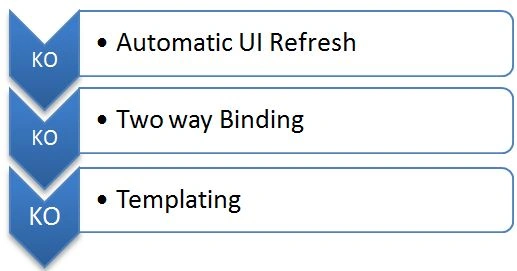
The entire idea of KO derives from these three major functionalities. KO also helps in developing Single Page Applications (SPAs). SPAs are an out-of-the box new way of developing Rich Internet Applications (RIAs) in today's era.
7. Application Architecture
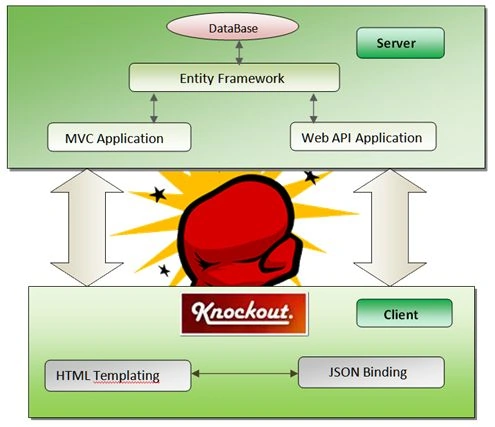
The architecture is very much self-explanatory. The application works on a client-server model, where our MVC application or Web API application (not covered in this tutorial) will interact with an EntityFramework layer on the server side. The Entity Framework layer will be responsible for data transactions with the database.
On the client side we have HTML templates that will communicate with the server using Ajax calls and the templates will be bound to data via JSON objects through knockout observables (already explained in the first part).
8. MVC Application
Step 1: Create a database named LearningKO and add a table named student to it. The script of the table is as follows:
- USE [LearningKO]
- GO
- /****** Object: Table [dbo].[Student] Script Date: 12/04/2013 23:58:12 ******/
- SET ANSI_NULLS ON
- GO
- SET QUOTED_IDENTIFIER ON
- GO
- CREATE TABLE [dbo].[Student](
- [StudentId] [nvarchar](10) NOT NULL,
- [FirstName] [nvarchar](50) NULL,
- [LastName] [nvarchar](50) NULL,
- [Age] [int] NULL,
- [Gender] [nvarchar](50) NULL,
- [Batch] [nvarchar](50) NULL,
- [Address] [nvarchar](50) NULL,
- [Class] [nvarchar](50) NULL,
- [School] [nvarchar](50) NULL,
- [Domicile] [nvarchar](50) NULL,
- CONSTRAINT [PK_Student] PRIMARY KEY CLUSTERED
- (
- [StudentId] ASC
- )WITH (PAD_INDEX = OFF, STATISTICS_NORECOMPUTE = OFF,
- IGNORE_DUP_KEY = OFF, ALLOW_ROW_LOCKS = ON, ALLOW_PAGE_LOCKS = ON) ON [PRIMARY]
- ) ON [PRIMARY]
- GO
- INSERT [dbo].[Student] ([StudentId], [FirstName], [LastName], [Age],
- [Gender], [Batch], [Address], [Class], [School], [Domicile]) VALUES (N'1',
- N'Akhil', N'Mittal', 28, N'Male', N'2006', N'Noida', N'Tenth', N'LFS',
- N'Delhi')
- INSERT [dbo].[Student] ([StudentId], [FirstName], [LastName], [Age],
- [Gender], [Batch], [Address], [Class], [School], [Domicile]) VALUES (N'2',
- N'Parveen', N'Arora', 25, N'Male', N'2007', N'Noida', N'8th', N'DPS',
- N'Delhi')
- INSERT [dbo].[Student] ([StudentId], [FirstName], [LastName], [Age],
- [Gender], [Batch], [Address], [Class], [School], [Domicile]) VALUES (N'3',
- N'Neeraj', N'Kumar', 38, N'Male', N'2011', N'Noida', N'10th', N'MIT',
- N'Outside Delhi')
- INSERT [dbo].[Student] ([StudentId], [FirstName], [LastName], [Age],
- [Gender], [Batch], [Address], [Class], [School], [Domicile]) VALUES (N'4',
- N'Ekta', N'Mittal', 25, N'Female', N'2005', N' Noida', N'12th', N'LFS',
- N'Delhi')
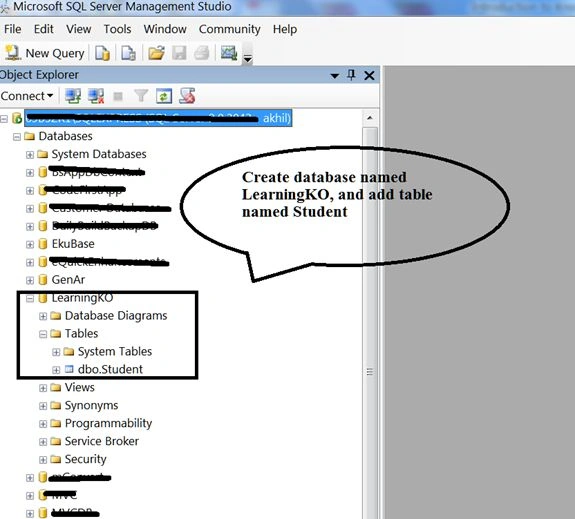
Step 2:Open your Visual Studio (the Visual Studio Version should be greater than or equal to 12 (Visual Studio 2013)) and add an MVC Internet application as in the following:
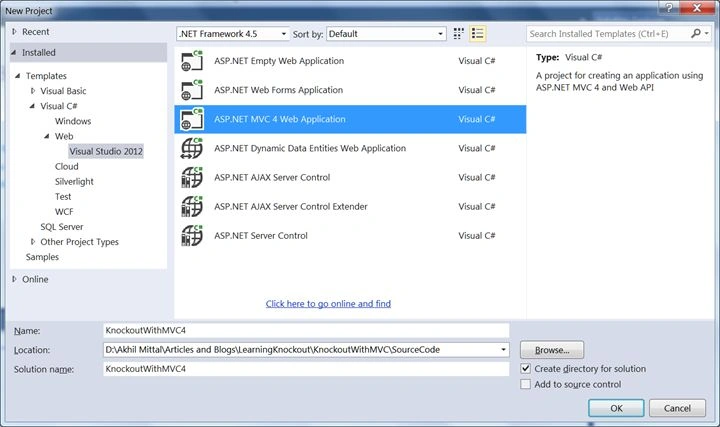
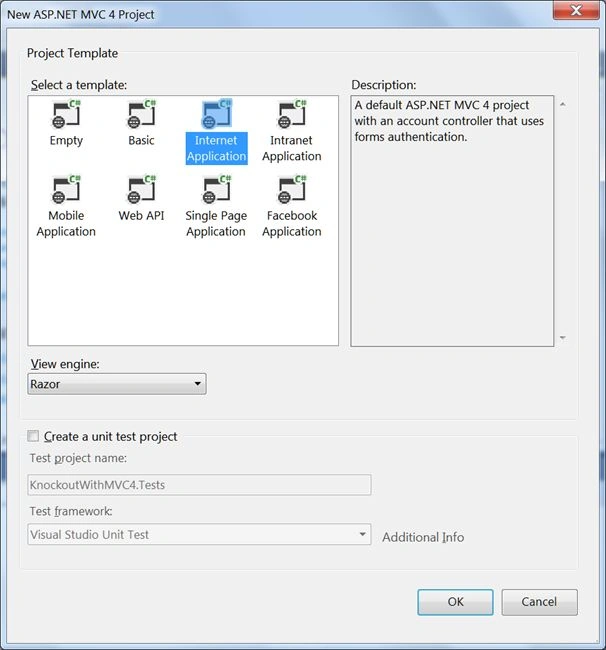
I have given it the name "KnockoutWithMVC4".
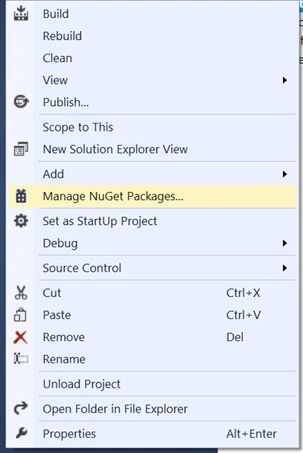
Step 3: Y>ou'll get a full structured MVC application with default Home controller in the Controller folder. By default Entity Framework is downloaded as a package inside the application folder; but if not then you can add an Entity Framework package by right-clicking the project, select "Manage Nugget packages" and search for and install Entity Framework as in the following:
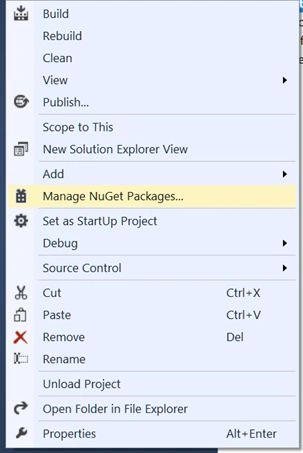
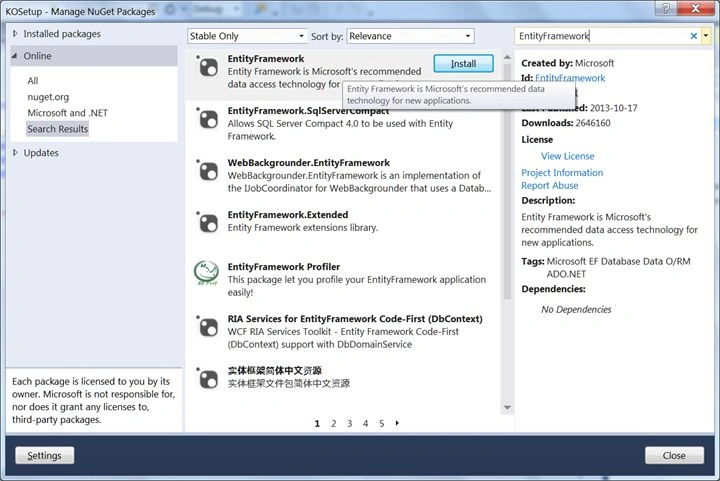
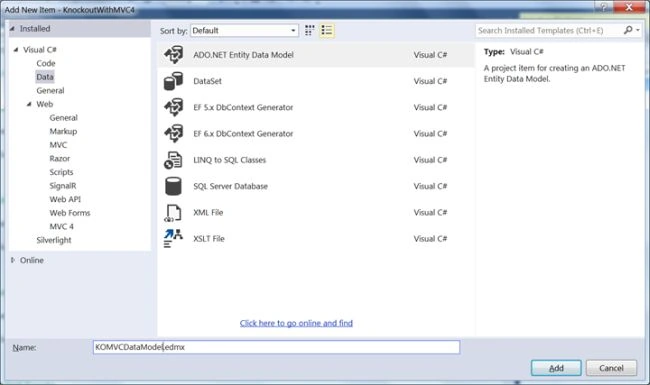
Step 4: Right-click on the project file, select "Add new item" and add an ADO .Net Entity Data Model, then use the following procedure in the wizard:
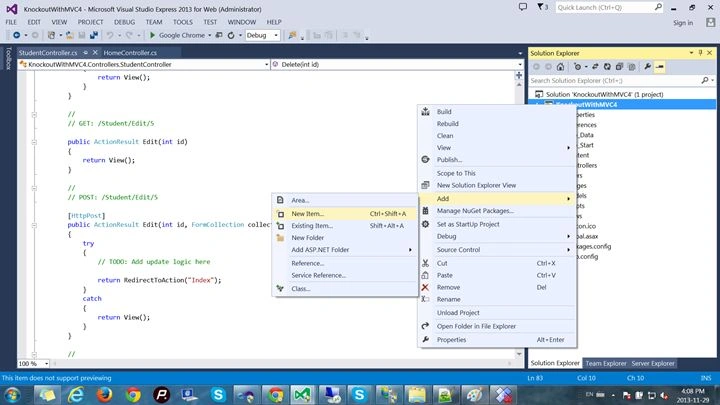
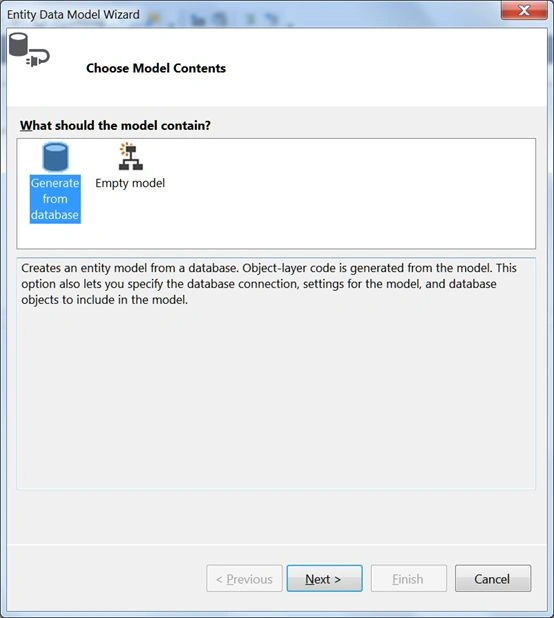
Generate a model from the database, select your server and LearningKO database name. The connection string will automatically be added to your Web.Config, name that connection string "LearningKOEntities".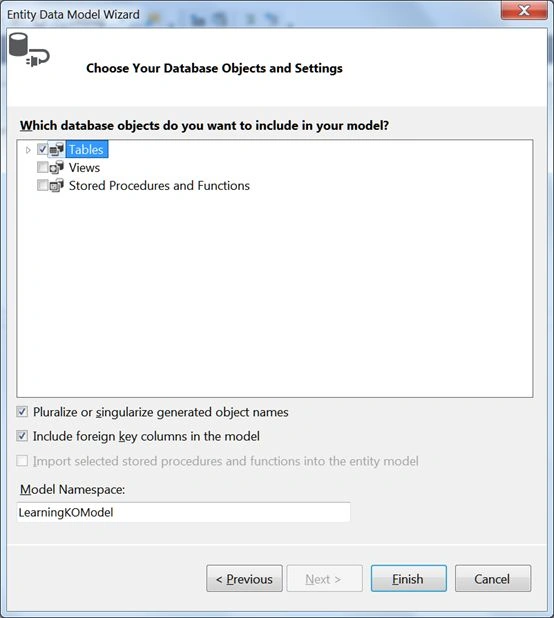
Select the tables to be added to the model. In our case it's Student Table.
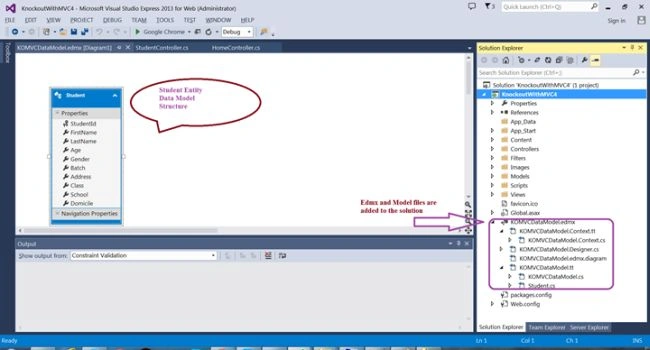
Step 5: Now add a new controller to the Controller folder, right-click the controller folder and add a controller named Student. Since we have already created our Datamodel, we can choose for an option where CRUD actions are created by the chosen Entity Framework Datamodel as in the following:
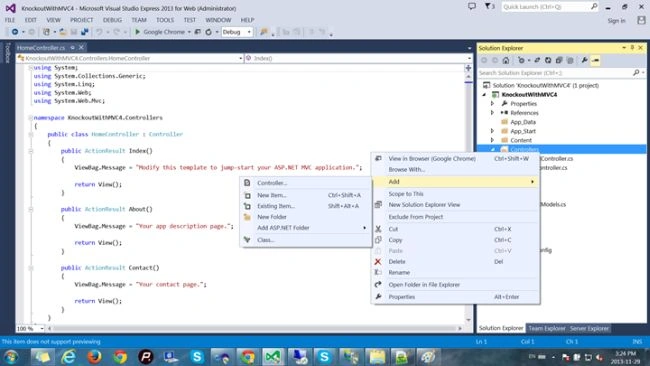
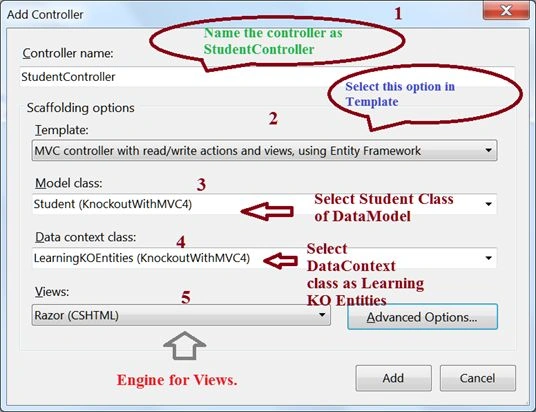
- Name your controller "StudentController",
- From the Scaffolding Options, select "MVC controller with read/write actions and views, using Entity Framework".
- Select the Student Model class in the solution.
- Select Data context class as LearningKOEntities that was added to our solution when we added the EF data model.
- Select "Razor" as the rendering engine for views.
- Click the "Advanced" options, select "Layout or master page" and select "_Layout.cshtml" from the shared folder.
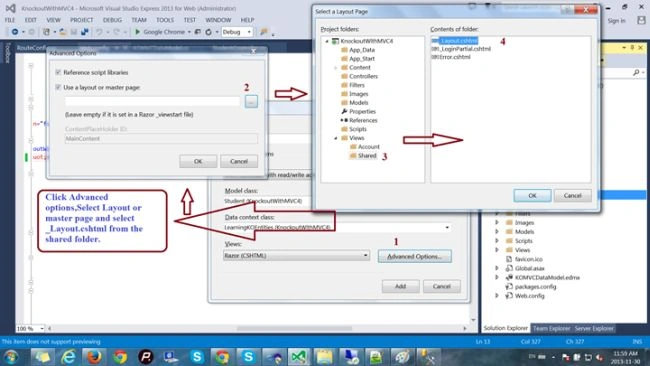
Step 6: We see our student controller prepared with all the CRUD operation actions as shown below:
- using System;
- using System.Collections.Generic;
- using System.Data;
- using System.Data.Entity;
- using System.Linq;
- using System.Web;
- using System.Web.Mvc;
- namespace KnockoutWithMVC4.Controllers
- {
- public class StudentController : Controller
- {
- private LearningKOEntities db = new LearningKOEntities();
- //
- // GET: /Student/
- public ActionResult Index()
- {
- return View(db.Students.ToList());
- }
- // GET: /Student/Details/5
- public ActionResult Details(string id = null)
- {
- Student student = db.Students.Find(id);
- if (student == null)
- {
- return HttpNotFound();
- }
- return View(student);
- }
- // GET: /Student/Create
- public ActionResult Create()
- {
- return View();
- }
- // POST: /Student/Create
- [HttpPost]
- [ValidateAntiForgeryToken]
- public ActionResult Create(Student student)
- {
- if (ModelState.IsValid)
- {
- db.Students.Add(student);
- db.SaveChanges();
- return RedirectToAction("Index");
- }
- return View(student);
- }
- // GET: /Student/Edit/5
- public ActionResult Edit(string id = null)
- {
- Student student = db.Students.Find(id);
- if (student == null)
- {
- return HttpNotFound();
- }
- return View(student);
- }
- // POST: /Student/Edit/5
- [HttpPost]
- [ValidateAntiForgeryToken]
- public ActionResult Edit(Student student)
- {
- if (ModelState.IsValid)
- {
- db.Entry(student).State = EntityState.Modified;
- db.SaveChanges();
- return RedirectToAction("Index");
- }
- return View(student);
- }
- // GET: /Student/Delete/5
- public ActionResult Delete(string id = null)
- {
- Student student = db.Students.Find(id);
- if (student == null)
- {
- return HttpNotFound();
- }
- return View(student);
- }
- //
- // POST: /Student/Delete/5
- [HttpPost, ActionName("Delete")]
- [ValidateAntiForgeryToken]
- public ActionResult DeleteConfirmed(string id)
- {
- Student student = db.Students.Find(id);
- db.Students.Remove(student);
- db.SaveChanges();
- return RedirectToAction("Index");
- }
- protected override void Dispose(bool disposing)
- {
- db.Dispose();
- base.Dispose(disposing);
- }
- }
- }
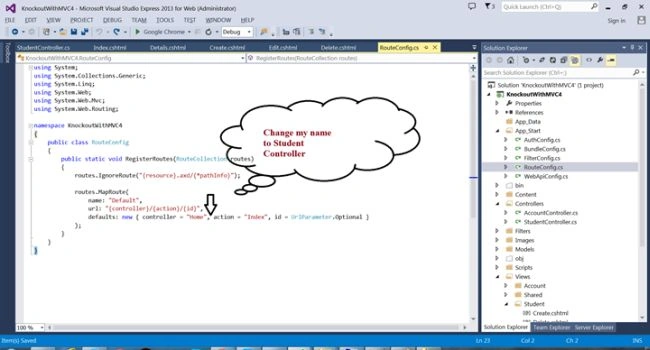
- public static void RegisterRoutes(RouteCollection routes)
- {
- routes.IgnoreRoute("{resource}.axd/{*pathInfo}");
- routes.MapRoute(
- name: "Default",
- url: "{controller}/{action}/{id}",
- defaults: new { controller = "Student", action = "Index", id = UrlParameter.Optional }
- );
- }
Note that views for all the operations are created in the Views Folder under the Student Folder name.
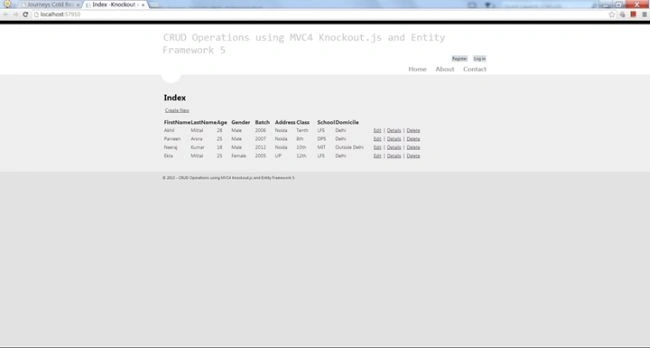
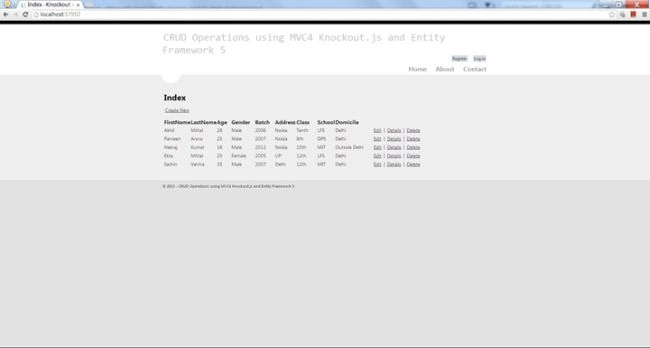
Now you can perform all the operations on this list.
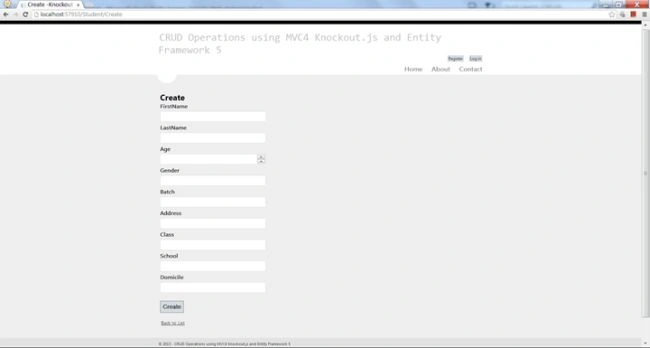
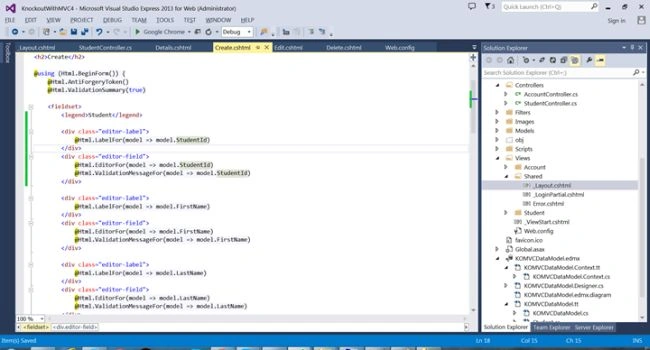
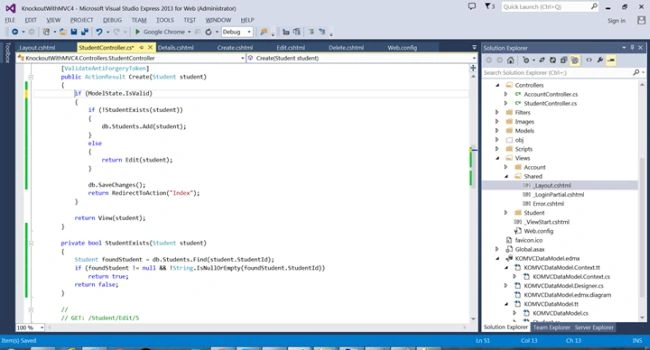
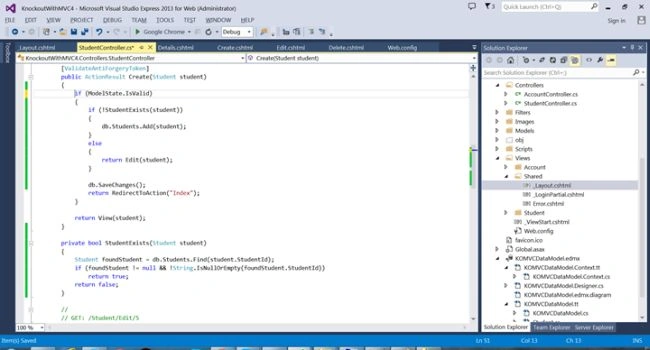
Since I have not provided any validation checks on the model or creating an existing student id, the code may break, so I am calling an Edit Action in the create when we find that the id already exists as in the following:
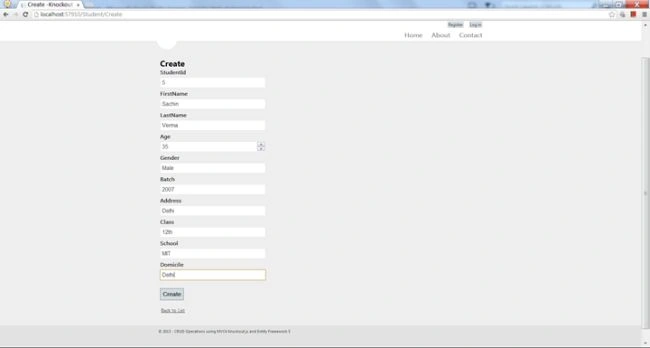
Now create new student as in the following:
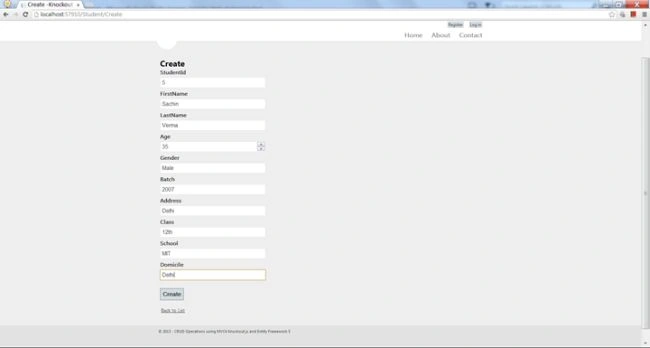
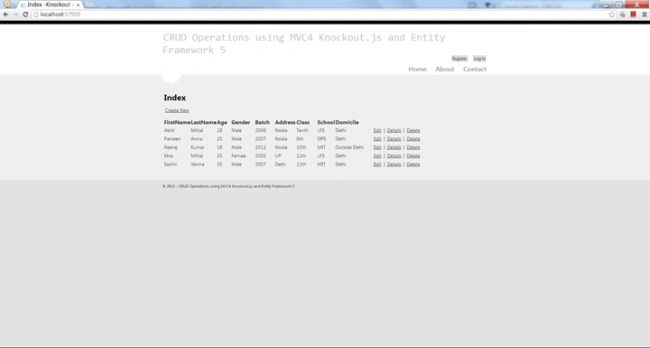
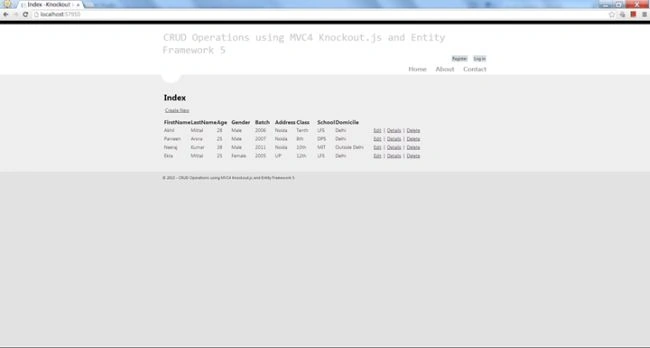
We see that the student is created successfully and added to the list as in the following:
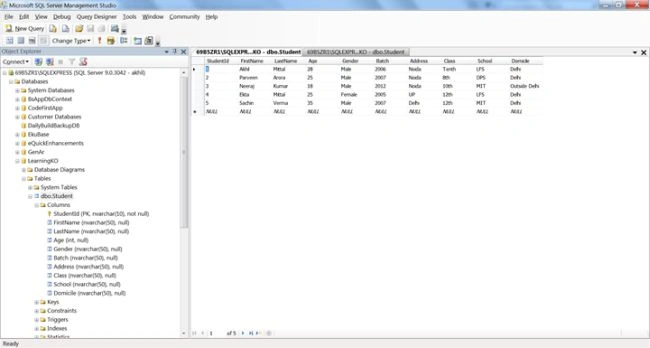
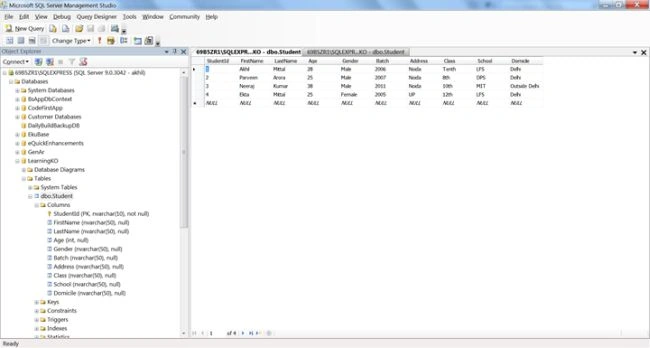
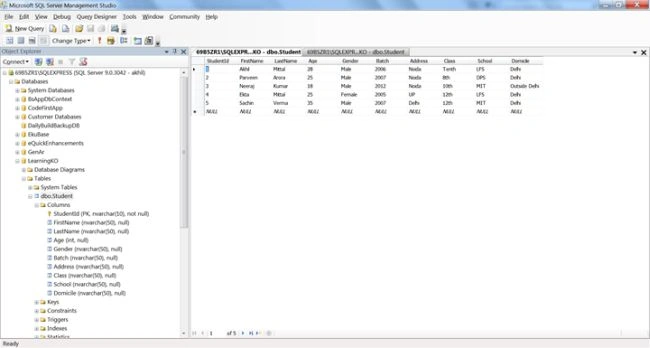
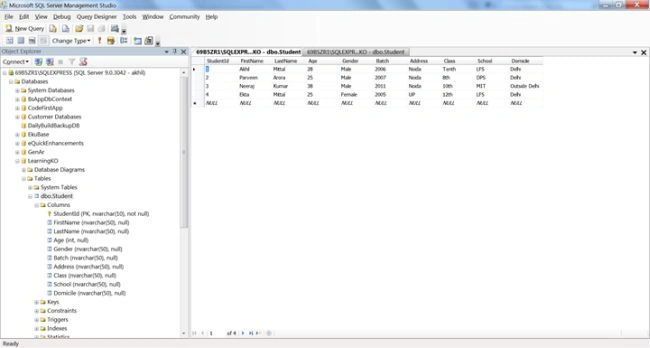
The database is as in the following:
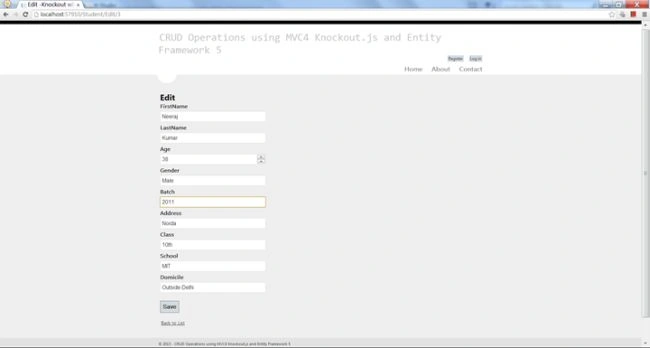
Similarly an Edit is as in the following:
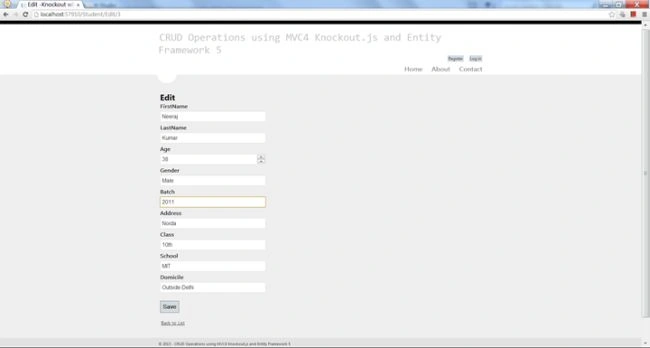
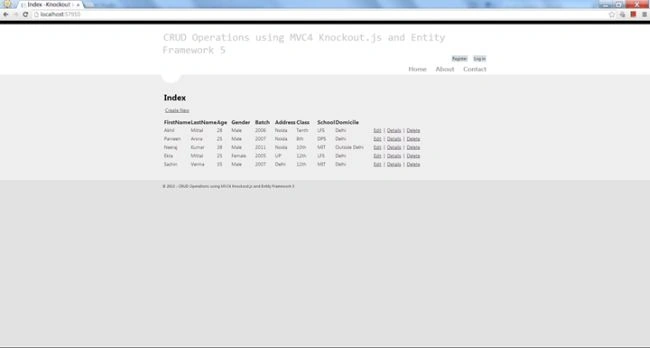
Change any field and press "Save". The change will be reflected in the list and database as in the following:
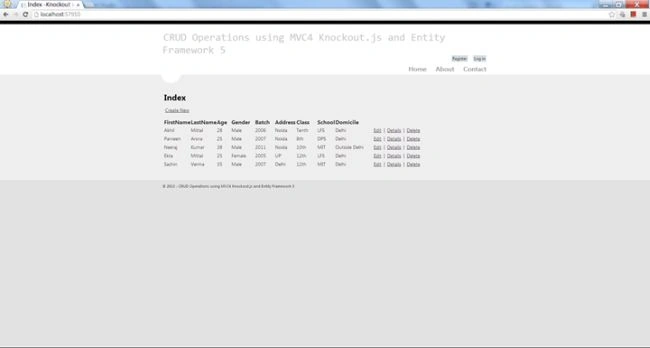
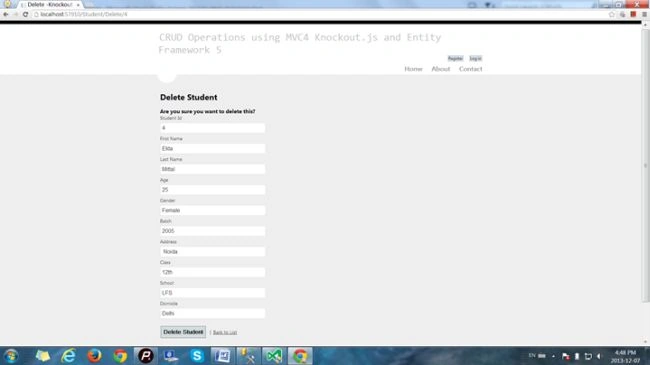
A Delete is as in the following:
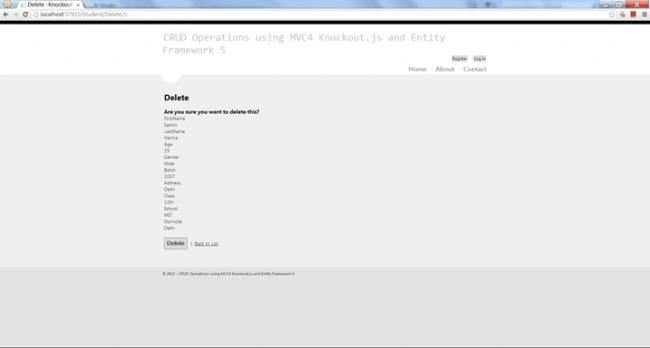
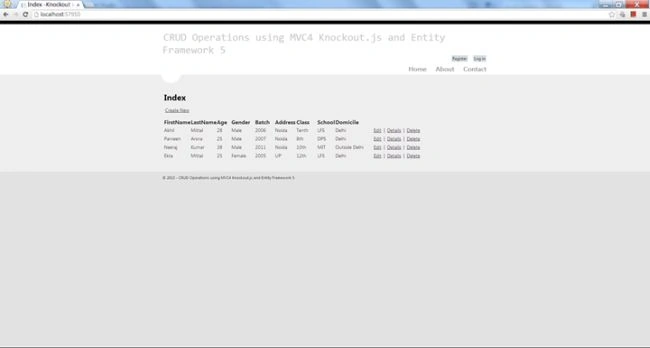
Student Deleted.
And the database will be as in the following:
So, that's it, our first job is completed, in other words to create an MVC application and perform CRUD operations using Entity Framework 5.You can see that until now we have not written a single line of code. Yes that's the magic of MVC and EF. Cheers!

9. Knockout Application
Our first job is well done, now to proceed to our primary target, in other words KO. Since KO depends largely on the MVVM pattern, we'll use MVVM at the client side and use our controller to be the same but modified just a little bit for returning JSON logic. You can learn about the MVVM pattern and KO theory in the first part of this article series.
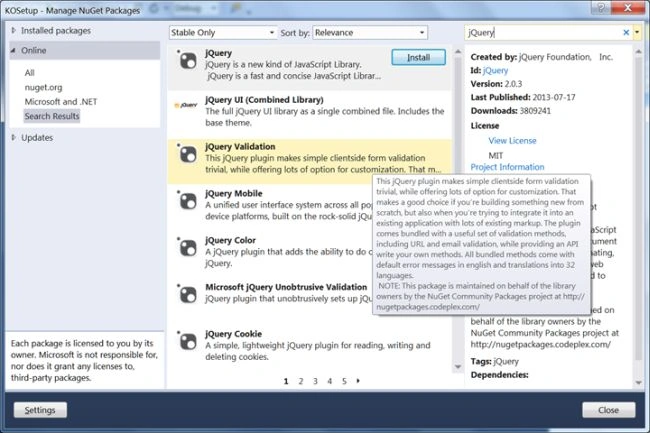
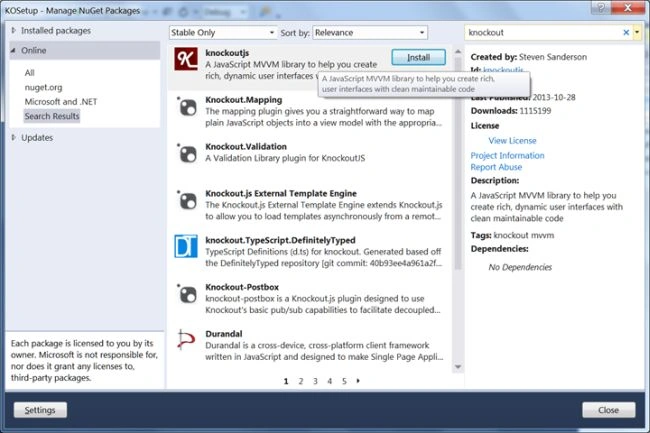
Step 1: The jQuery and Knockout.js files are very important to be in the solution's script folder. Look for them and if you do not find them then add the packages for jQuery and Knockout in the same fashion as you added Entity Framework. Right-click the project, select "Manage Nugget packages" and search for jQuery then install it , then search for the Knockout package and install it.
Step 2: Right-click the Scripts folder and on the folder named ViewModel. Add four JavaScript files to that folder, and name them as CreateVM.js, EditVM.js,DeleteVM.js and StudentListVM.js respectively.
These are View Model files added for communication with the Controller and ro render our View templates.
Step 3: Add some code to CreateVm.js as in the following:
- var urlPath = window.location.pathname;
- $(function () {
- ko.applyBindings(CreateVM);
- });
- var CreateVM = {
- Domiciles: ko.observableArray(['Delhi', 'Outside Delhi']),
- Genders: ko.observableArray(['Male', 'Female']),
- Students: ko.observableArray([]),
- StudentId: ko.observable(),
- FirstName: ko.observable(),
- LastName: ko.observable(),
- Age: ko.observable(),
- Batch: ko.observable(),
- Address: ko.observable(),
- Class: ko.observable(),
- School: ko.observable(),
- Domicile: ko.observable(),
- Gender: ko.observable(),
- SaveStudent: function () {
- $.ajax({
- url: '/Student/Create',
- type: 'post',
- dataType: 'json',
- data: ko.toJSON(this),
- contentType: 'application/json',
- success: function (result) {
- },
- error: function (err) {
- if (err.responseText == "Creation Failed")
- { window.location.href = '/Student/Index/'; }
- else {
- alert("Status:" + err.responseText);
- window.location.href = '/Student/Index/'; ;
- }
- },
- complete: function () {
- window.location.href = '/Student/Index/';
- }
- });
- }
- };
On document load we apply bindings for CreateVM, then inside the view model method we initialize the observables to the properties of the Student that will be bound to the respective view.You can read more about observables in KO in the first part of the series. There is a save function that sends an Ajax request to the Student Controller's Create method, and gets a string result. data: ko.toJSON(this), in other words sending the object in JSON format to the controller method.
Student/Create Controller Method
Modify the code of the controller method of Create, to return JSON to the caller.The HTML templates bound with objects are actually bound to JSON properties, set in the methods of the view model using Knockout Observables.
The work is on the observer pattern, so that when the model is updated the views are automatically updated and when the views are updated the models update itself, this is called two-way binding.
Controller Code
- [HttpPost]
- public string Create(Student student)
- {
- if (ModelState.IsValid)
- {
- if (!StudentExists(student))
- db.Students.Add(student);
- else
- return Edit(student);
- db.SaveChanges();
- return "Student Created";
- }
- return "Creation Failed";
- }
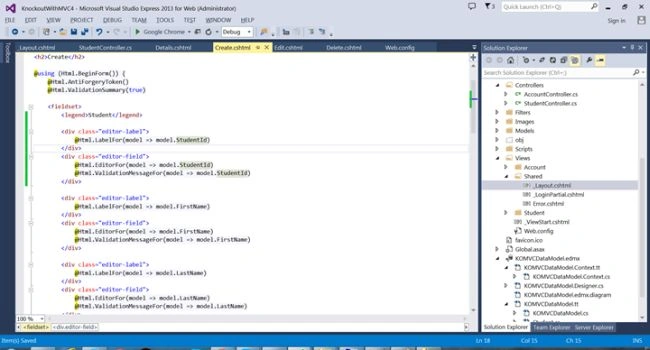
Change the code of the views created previously to work with KO.
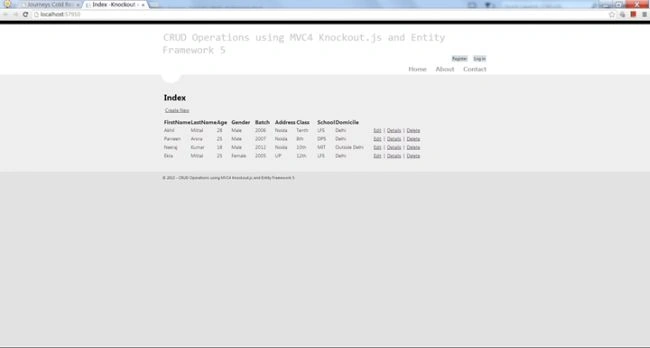
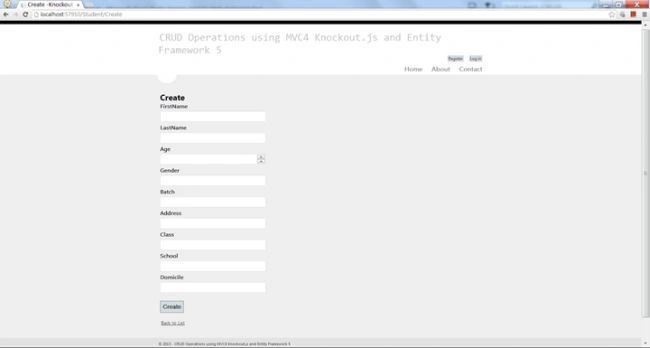
For "create.cshtml":


Sr KarthigaPosted Mar 2, 2016, 7:23 AM
good one
Sr KarthigaPosted Mar 2, 2016, 7:23 AM
Nice explanation
Rohit HarishPosted Nov 4, 2014, 7:40 AM
One more thing in EditVM the parsejson return 0x800a03f6 - JavaScript runtime error: Invalid character (im using MVC 5 & EF 6). i know the tutorial is for ef 6 and mvc 4 but can you help me out...Thanks
Rohit HarishPosted Nov 4, 2014, 2:57 AM
In code after creating CreateVM ActionResult is changed to string return type but its still returning action result Edit(Student). Is it correct or i missed something?
Ekta MittalPosted Dec 11, 2013, 12:09 AM
Very nicely covered.Good
Shiju JosephPosted Dec 10, 2013, 3:01 PM
Good post , Thanks for sharing