

Introduction
This article explains how to send Asynchronous Mail with multiple file attachments and multiple file uploads using SmtpClient.SendAsync.
My previous article explained sending asynchronous email in ASP.NET 4.5 I will now explain how to implement asynchronous mail with multiple file attachments and the ASP.NET File Upload Control using multiple file upload and uploadedFile.SaveAs Server.MapPath in ASP.NET 4.5.
So, let's proceed with the following procedure:
- Create an asynchronous ASP.NET web page
- Multiple file uploads and multiple file attachments
- Create and delete a directory folder
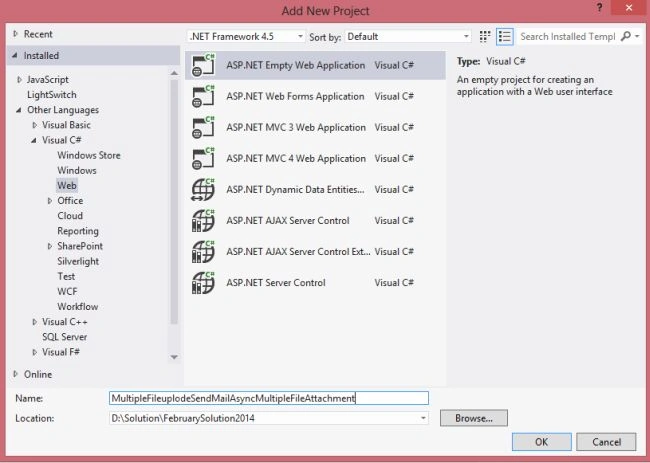
Create a new project using "File" -> "New" -> "Project..." then select web "ASP.NET Web Forms Application". Name it " MultipleFileuplodeSendMailAsyncMultipleFileAttachment".
Next, create the code-behind as follows: the first step is to build an asynchronous page and setting the Async attribute in the Page directive to true, as shown here: Async="true".
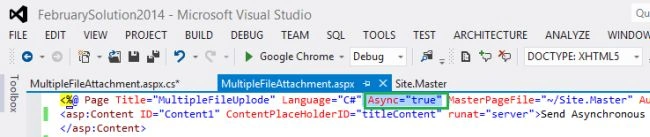
Now, in the code behind file MultipleFileAttachment.aspx use the following code.
MultipleFileAttachment.aspx
- <%@ Page Title="MultipleFileUplode" Language="C#" Async="true" MasterPageFile="~/Site.Master" AutoEventWireup="true" CodeBehind="MultipleFileAttachment.aspx.cs" Inherits="MultipleFileuplodeSendMailAsyncMultipleFileAttachment.MultipleFileAttachment" %>
- <asp:Content ID="Content1" ContentPlaceHolderID="titleContent" runat="server">Send Asynchronous Mail with Multiple File Attachment and Multiple File Upload using ASP.NET 4.5
- </asp:Content>
- <asp:Content ID="Content2" ContentPlaceHolderID="head" runat="server">
- <script type="text/javascript">
- function validationCheck() {
- var summary = "";
- summary += isvalidName();
- summary += isvalidEmail();
- summary += isvalidSubject();
- summary += isvalidMessage();
- if (summary != "") {
- alert(summary);
- return false;
- }
- else {
- return true;
- }
- }
- function isvalidName() {
- var id;
- var temp = document.getElementById("<%=txtName.ClientID %>");
- id = temp.value;
- if (id == "") {
- return ("Please enter Name" + "\n");
- }
- else {
- return "";
- }
- }
- function isvalidEmail() {
- var id;
- var temp = document.getElementById("<%=txtEmail.ClientID %>");
- id = temp.value;
- var re = /\w+([-+.']\w+)*@\w+([-.]\w+)*\.\w+([-.]\w+)*/;
- if (id == "") {
- return ("Please Enter Email" + "\n");
- }
- else if (re.test(id)) {
- return "";
- }
- else {
- return ("Email should be in the form [email protected]" + "\n");
- }
- }
- function isvalidSubject() {
- var id;
- var temp = document.getElementById("<%=txtSubject.ClientID %>");
- id = temp.value;
- if (id == "") {
- return ("Please enter Subject" + "\n");
- }
- else {
- return "";
- }
- }
- function isvalidMessage() {
- var id;
- var temp = document.getElementById("<%=txtMessage.ClientID %>");
- id = temp.value;
- if (id == "") {
- return ("Please enter Message" + "\n");
- }
- else {
- return "";
- }
- }
- </script>
- </asp:Content>
- <asp:Content ID="Content3" ContentPlaceHolderID="MainContent" runat="server">
- <table style="width: 100%;">
- <tr>
- <td>Name:</td>
- <td>
- <asp:TextBox ID="txtName" runat="server" CssClass="txt"></asp:TextBox></td>
- <td> </td>
- </tr>
- <tr>
- <td>Email ID:</td>
- <td>
- <asp:TextBox ID="txtEmail" runat="server" CssClass="txt"></asp:TextBox></td>
- <td> </td>
- </tr>
- <tr>
- <td>Subject:</td>
- <td>
- <asp:TextBox ID="txtSubject" runat="server" CssClass="txt"></asp:TextBox></td>
- <td> </td>
- </tr>
- <tr>
- <td>Attach a file:</td>
- <td>
- <asp:FileUpload ID="FileUpload1" runat="server" AllowMultiple="true" />
- </td>
- <td></td>
- </tr>
- <tr>
- <td>Message:</td>
- <td>
- <asp:TextBox ID="txtMessage" runat="server" Height="100px" Width="200px" CssClass="textarea" TextMode="MultiLine" ></asp:TextBox>
- </td>
- <td> </td>
- </tr>
- <tr>
- <td></td>
- <td>
- <asp:Button ID="btnSendMail" runat="server" Text="Send Mail" CssClass="button" OnClick="btnSendMail_Click" /></td>
- </tr>
- </table>
- </asp:Content>
Now, in the code behind file "MultipleFileAttachment.aspx.cs" use the following code.
MultipleFileAttachment.aspx.cs
- using System;
- using System.Collections.Generic;
- using System.Linq;
- using System.Web;
- using System.Web.UI;
- using System.Web.UI.WebControls;
- //Using namespaces
- using System.IO;
- using System.Net;
- using System.Net.Mail;
- using System.Net.Mime;
- using System.Threading;
- using System.ComponentModel;
- using System.Text;
- using System.Web.Util;
- namespace MultipleFileuplodeSendMailAsyncMultipleFileAttachment
- {
- public partial class MultipleFileAttachment : System.Web.UI.Page
- {
- protected void Page_Load(object sender, EventArgs e)
- {
- try
- {
- if (!Page.IsPostBack)
- {
- Deletefolder(); CreatesFolder();
- btnSendMail.Attributes.Add("onclick", "javascript:return validationCheck()");
- }
- }
- catch (Exception ex)
- {
- ShowMessage(ex.Message);
- }
- }
- #region show message
- /// <summary>
- /// This function is used for show message.
- /// </summary>
- /// <param name="msg"></param>
- void ShowMessage(string msg)
- {
- ClientScript.RegisterStartupScript(Page.GetType(), "validation", "<script language='javascript'>alert('" + msg + "');</script>");
- }
- #endregion
- #region SendAsyncCancel
- /// <summary>
- /// this code used to SmtpClient.SendAsyncCancel Method
- /// </summary>
- // static bool mailSent = false;
- void SendCompletedCallback(object sender, AsyncCompletedEventArgs e)
- {
- if (e.Cancelled)
- {
- ShowMessage("Send canceled.");
- }
- if (e.Error != null)
- {
- ShowMessage(e.Error.ToString());
- }
- else
- {
- ShowMessage("Email sent successfully");
- }
- }
- #endregion
- #region SendMailAsync
- /// <summary>
- /// this code used to SmtpClient.SendCompleted Event and Multiple File Attachment
- /// </summary>
- /// <param name="sender"></param>
- /// <param name="e"></param>
- protected void btnSendMail_Click(object sender, EventArgs e)
- {
- try
- {
- MailMessage message = new MailMessage();
- message.To.Add(txtEmail.Text.Trim());
- message.From = new MailAddress("[email protected]", "Sendmailasync with Attachment");
- message.Subject = txtSubject.Text.Trim();
- message.Body = txtMessage.Text.Trim();
- message.IsBodyHtml = true;
- //Multiple File Upload and Save all Attachment File
- if (FileUpload1.HasFiles)
- {
- foreach (HttpPostedFile uploadedFile in FileUpload1.PostedFiles)
- {
- uploadedFile.SaveAs(System.IO.Path.Combine(Server.MapPath("~/UploadedFiles/"), uploadedFile.FileName));
- }
- }
- //Multiple File Attachment
- string Uplodefile = Request.PhysicalApplicationPath + "UploadedFiles\\";
- string[] S1 = Directory.GetFiles(Uplodefile);
- foreach (string fileName in S1)
- {
- message.Attachments.Add(new Attachment(fileName));
- }
- SmtpClient smtp = new SmtpClient();
- smtp.Host = "smtp.gmail.com";
- smtp.Credentials = new System.Net.NetworkCredential("[email protected]", "YouPassword");
- smtp.SendCompleted += new SendCompletedEventHandler(SendCompletedCallback);
- smtp.EnableSsl = true;
- smtp.SendMailAsync(message);
- }
- catch (Exception ex)
- {
- ShowMessage(ex.Message);
- }
- clear();
- }
- #endregion
- #region clear,Deletefolder and CreatesFolder
- /// <summary>
- /// This Function is used TextBox Empty.
- /// </summary>
- void clear()
- {
- txtName.Text = string.Empty; txtEmail.Text = string.Empty; txtSubject.Text = string.Empty; txtMessage.Text = string.Empty;
- txtName.Focus();
- }
- /// <summary>
- /// This Function used to Directory Folder Delete (UploadedFiles)
- /// </summary>
- void Deletefolder()
- {
- DirectoryInfo thisFolder = new DirectoryInfo(Server.MapPath("UploadedFiles"));
- if (thisFolder.Exists)
- {
- thisFolder.Delete(true);
- }
- }
- /// <summary>
- /// This Code used to Directory Folder Create (UploadedFiles)
- /// </summary>
- void CreatesFolder()
- {
- DirectoryInfo thisFolder = new DirectoryInfo(Server.MapPath("UploadedFiles"));
- if (!thisFolder.Exists)
- {
- thisFolder.Create();
- }
- }
- #endregion
- }
- }
Now run the page, it will look like this:
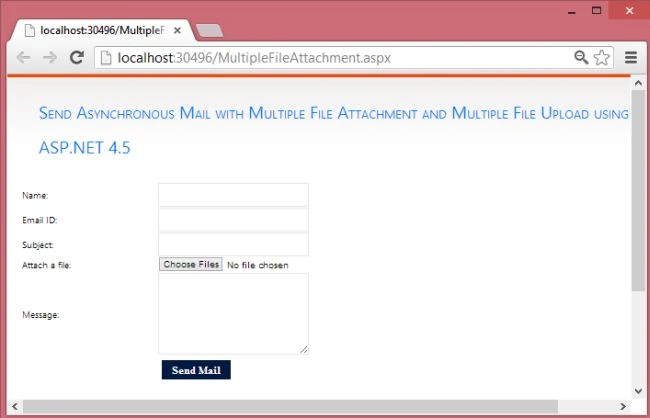
Now Info Fill this from
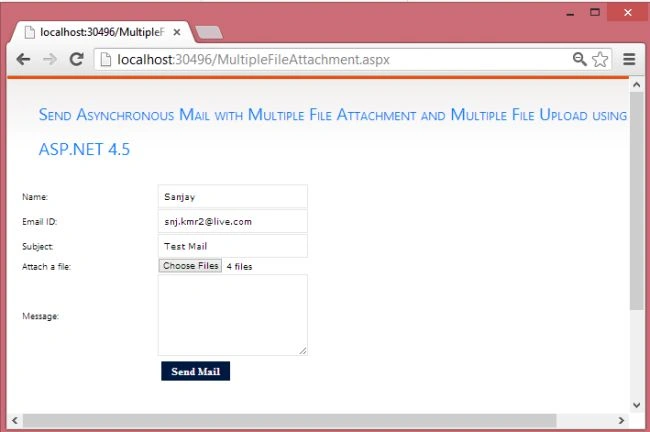
Now Choose Files > Open Windows Select File > Open
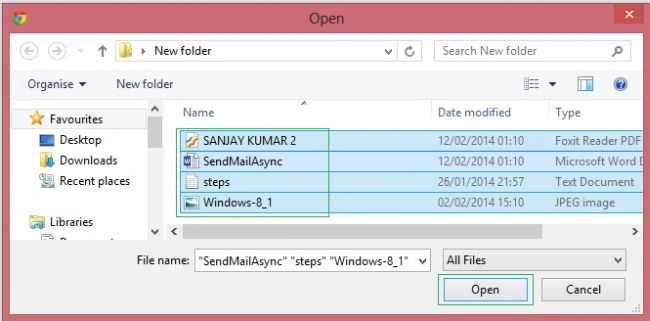
Now Attach Multiple File > Show 4 File Attach > click Send Mail

Now, show in the Message box “Email sent successfully”.
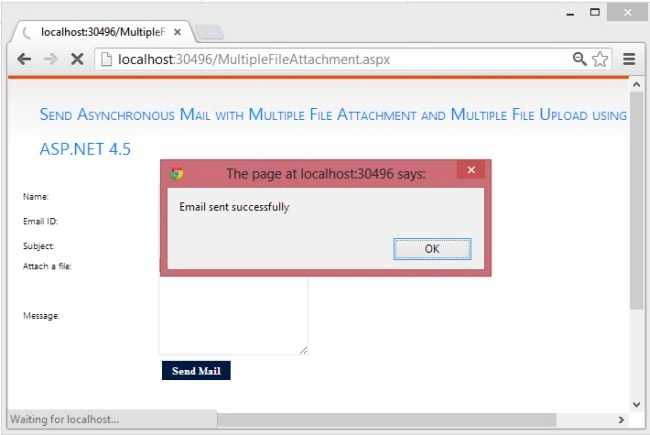
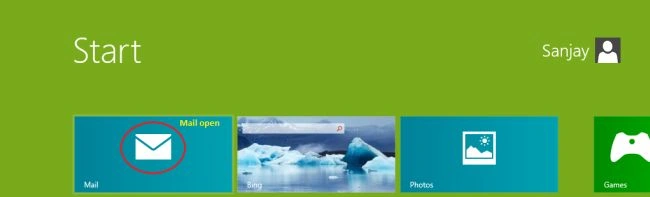
Now, see the following screen: Mail Open

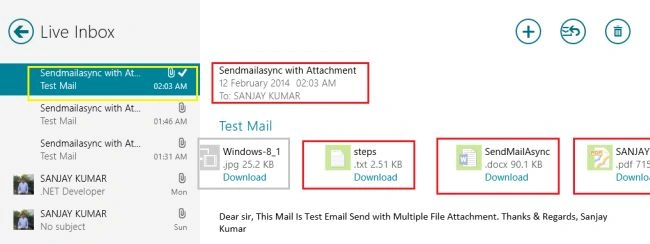
Now, see the following screen: Live Inbox Show > SendMailAsync with Multiple File Attach 4 type Files.
I hope this article is useful. If you have any other questions then please provide your comments in the following.
Gsevenitsolutions IrinjalakudaPosted Jul 24, 2017, 3:45 AM
Hello , I have applied the method when i Click send mail button fields are clearing but mail is not sending can u help me