

Introduction
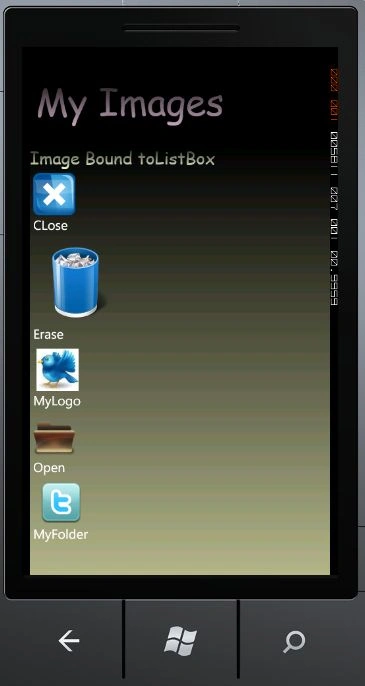
In this article we are going to explore how to bind images to a listbox in Windows Phone 7. We will also discuss in details how it is possible to bind a collection of images through the ListBox in Windows Phone 7. To do that we ask what's the simplest way to bind images to a ListBox in Windows Phone 7. In this article we are going to make a class in which we will define some properties named MyText and MyI_Uri for which we can bind these images as a collection to the ListBox. Before starting we will talk about a collection named ObservableCollection<T> used to represent a dynamic data collection that provides notifications when items are added, removed, or when the whole list is refreshed. Now to that you should follow the steps given below.
Step 1: In this step first of all we have to create a Windows Phone application let see how you will open it.
- Go to Visual Studio 2010
- File->New->Project
- Select the template named Silverlight for Windows Phone
- Select the Windows Phone application
- Give it a name as you want.

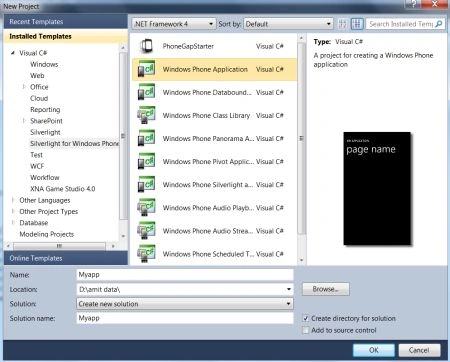
Step 2: In this step you will add some images to the images folder; let's see how it looks like as shown below.
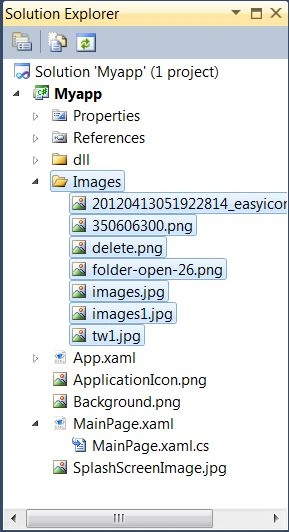
Step 3: So to use it you have to download the Silverlight toolkit for Windows Phone 7.
Step 4: In this step we will see the code for the MainPage.xaml.cs file which is shown below.
Code:
using System;
using System.Collections.Generic;
using System.Linq;
using System.Net;
using System.Windows;
using System.Windows.Controls;
using System.Windows.Documents;
using System.Windows.Input;
using System.Windows.Media;
using System.Windows.Media.Animation;
using System.Windows.Shapes;
using Microsoft.Phone.Controls;
using System.Collections.ObjectModel;
using System.Windows.Media.Imaging;
namespace Myapp
{
public class MyImageData
{
public string MyText
{
get;
set;
}
public string MyI_Uri
{
get;
set;
}
}
public partial class MainPage : PhoneApplicationPage
{
public MainPage()
{
InitializeComponent();
ObservableCollection<MyImageData> ds = new ObservableCollection<MyImageData>();
ds.Add(new MyImageData() { MyI_Uri = "Images/20120413051922814_easyicon_cn_64.png", MyText = "CLose" });
ds.Add(new MyImageData() { MyI_Uri = "Images/delete.png", MyText = "Erase" });
ds.Add(new MyImageData() { MyI_Uri = "Images/images1.jpg", MyText = "MyLogo" });
ds.Add(new MyImageData() { MyI_Uri = "Images/folder-open-26.png", MyText = "Open" });
ds.Add(new MyImageData() { MyI_Uri = "Images/350606300.png", MyText = "MyFolder" });
this.Mylist.ItemsSource = ds;
}
}
}
Step 5: In this step you will see the code for the MainPage.xaml file which is shown below.
Code:
<phone:PhoneApplicationPage
x:Class="Myapp.MainPage"
xmlns="http://schemas.microsoft.com/winfx/2006/xaml/presentation"
xmlns:x="http://schemas.microsoft.com/winfx/2006/xaml"
xmlns:phone="clr-namespace:Microsoft.Phone.Controls;assembly=Microsoft.Phone"
xmlns:shell="clr-namespace:Microsoft.Phone.Shell;assembly=Microsoft.Phone"
xmlns:d="http://schemas.microsoft.com/expression/blend/2008"
xmlns:mc="http://schemas.openxmlformats.org/markup-compatibility/2006"
mc:Ignorable="d" d:DesignWidth="480" d:DesignHeight="768"
FontFamily="{StaticResource PhoneFontFamilyNormal}"
FontSize="{StaticResource PhoneFontSizeNormal}"
Foreground="{StaticResource PhoneForegroundBrush}"
SupportedOrientations="Portrait" Orientation="Portrait"
xmlns:toolkit="clr-namespace:Microsoft.Phone.Controls;assembly=Microsoft.Phone.Controls.Toolkit"
shell:SystemTray.IsVisible="True">
<!--LayoutRoot is the root grid where all page content is placed-->
<Grid x:Name="LayoutRoot" Background="Transparent">
<Grid.RowDefinitions>
<RowDefinition Height="Auto"/>
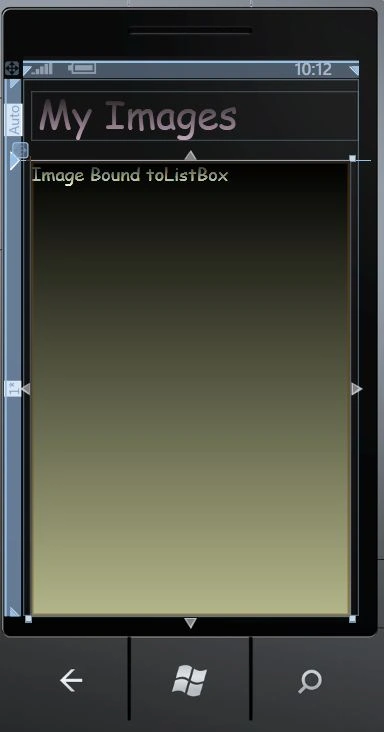
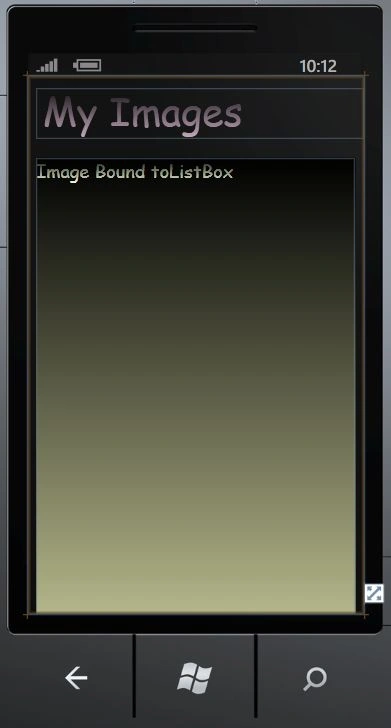
Tomas PerezPosted Sep 25, 2012, 3:18 PM
Hi There!! I really apreciate this post!! it was really useful! I would like to ask you. Is there a way to bind an Image Source.. to a Byte[] that comes from a DB? it is bcuz im saving some Images into a DB, from the Camera. And the i want to display it into a listbox. With some Name, description an so on, i have done it with the name and description, but i cant with the Image, i have something like this: var query = from articulos in ChosesDataContext.Current.Twitter where articulos.Favorito == "Si" select articulos; var resultados = query.ToList(); and Mi "articulos" are made by Nombre, Description and Image. I Bind the Name and description to 2 textblock and the Image in the XAML to an Source="{Binding Image"} do you have any idea of how to do it? Thanks!