
Introduction
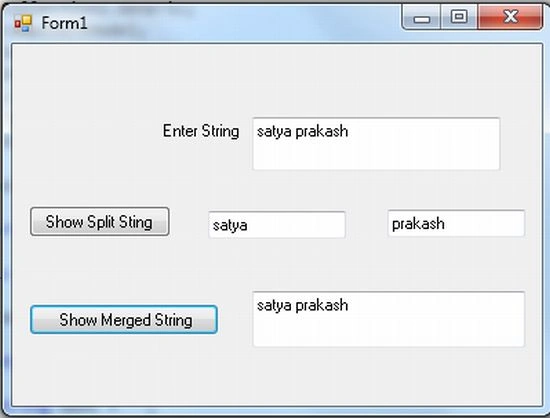
In this article I explain one of the most important things often used in projects; splitting and merging strings. Splitting a string means making multiple substrings from one single string as determined by a specific separator value. In this article I will split on a space ( " ") if a space occurs in the string it will break. And after the string break I display two TextBoxes. I then merge the split strings using the " +" operator and display that single string in another TextBox.
Use the following procedure to implement it.
Step 1
Open a Windows Forms application and insert two buttons and four TextBoxes, each with the multiline property set to true.
Step 2
Now write the C# code for the button click.
using System;
using System.Collections.Generic;
using System.ComponentModel;
using System.Data;
using System.Drawing;
using System.Linq;
using System.Text;
using System.Windows.Forms;
namespace traslator
{
public partial class Form1 : Form
{
public Form1()
{
InitializeComponent();
}
private void button1_Click(object sender, EventArgs e)
{
string text = "";
text = textBox1.Text;
string[] arr= text .Split (' ');
textBox2.Text = arr[0];
textBox3.Text = arr[1];
}
private void button2_Click(object sender, EventArgs e)
{
textBox4.Text = textBox2.Text + " " + textBox3.Text;
}
}
}
Step 3
Now run your application and enter a string in textbox1 for the split.
Santosh YadavPosted Mar 14, 2013, 12:13 PM
good article..