

Develop the project using the following method in the NAPA Tool.
On your Developer Site, open the "Napa" Office 365 Development Tools and then choose Add New Project.
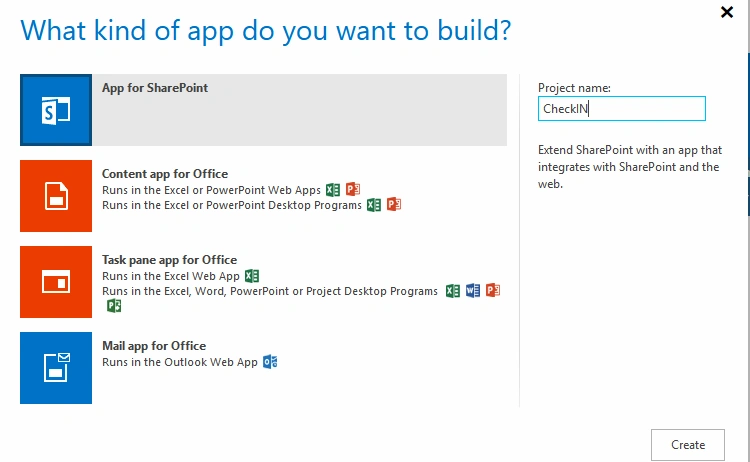
- Choose the App for SharePoint template, name the project Create Site and then choose the Create button.
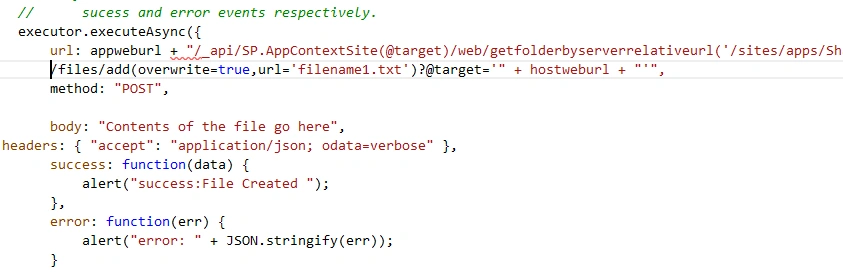
- Replace APP.js with the following source code below.
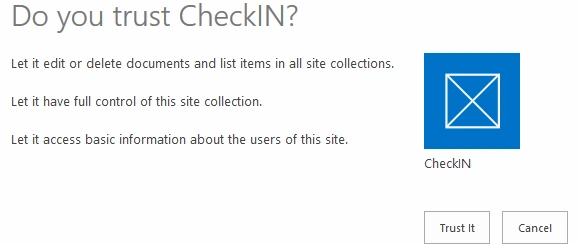
- Publish Your App.
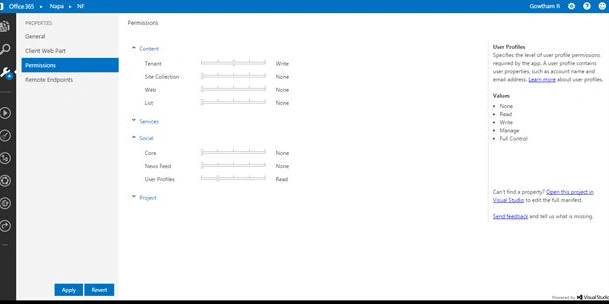
The following are the important steps to be done before creating the app. Specify the permissions that your app needs as in the following. Choose the Properties button at the bottom of the page.
- In the Properties window, choose Permissions.
- In the Content category, set Write permissions for the Tenant scope.
- In the Social category, set Read permissions for the User Profiles scope.
- Close the Properties window.
Gowtham RajamanickamPosted Apr 11, 2016, 2:54 AM
thank you vijay
Gowtham RajamanickamPosted Apr 11, 2016, 2:54 AM
thanks all
Vijay SPosted Apr 8, 2015, 9:15 AM
Nice
Karthik Muthu KaruppanPosted Mar 27, 2015, 11:54 AM
nice
Tom MohanPosted Mar 26, 2015, 11:05 PM
good