

Why Office web apps
- Office Web Apps provides updated versions of Word Web App, Excel Web App, PowerPoint Web App, and OneNote Web App.
- Users can view and optionally edit Office documents by using a supported web browser on computers and on different mobile devices, such as Windows Phones, iPhones, and iPads.
- Office Web apps are free (no office client needed) for both internal and external users with the exception that internal users require an Office 2013 license (standard or pro) to edit documents.
- Not only do extranet user get free Office web apps, they don’t need CALs either (on-premise farms have no limit for external users).
Office web apps advantages
- It enables you to view and edit the office documents in browser itself with the help of office web apps.
- Opening Office documents in the browser is more faster than waiting for the local client to open
- One of main another feature in co-authoring. You can work together in the same office document with multiple users.
- Users can view, add and reply to comments in word web app and power point web app
- Displays a preview of item content when a user rests over a search result in SharePoint
- We can share the link of the document to another user and allow the recipient to view the document by using office web apps.
- User experience is more in office web apps
- Power point attendee view also available in office web apps
- Users can easily set document permissions and send sharing notifications by using the Share with People feature in Office 2013 and SharePoint 2013.
How to view and edit a document in browser by using office web apps feature
By default, office web apps are available in SharePoint online. If you are working SharePoint on-premise you have to configure the office web apps.
You can only edit and view the document in browser after configure office web apps in SharePoint 2013 on-premise, otherwise you will get the download option when you click on the document.
Follow the below listed steps to view a document in browser by using office web apps
Step 1: On your SharePoint site,go to your document library.
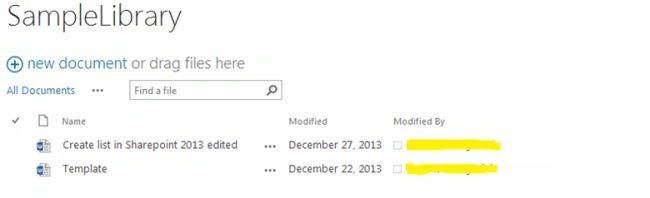
Step 2: Then click on the document to view the document on your browser.
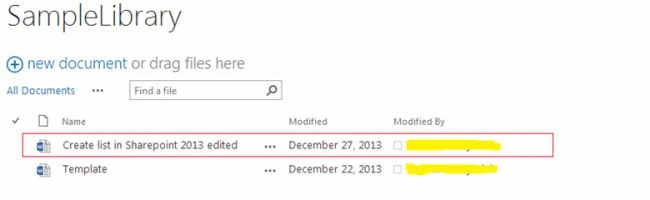
Step 3: The document will be opened on your browser as shown below
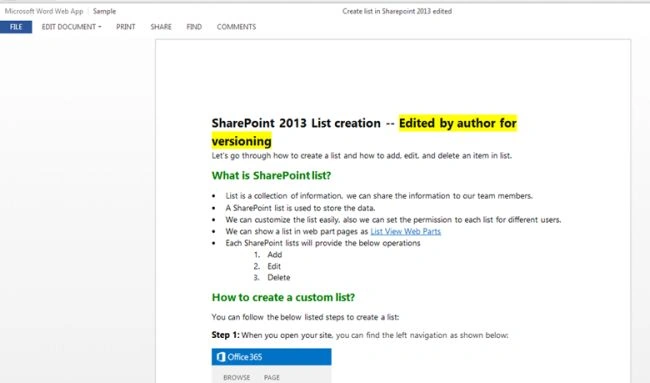
Step 4: On the document click on the “Edit document” on your browser, you will get one drop down as shown below,
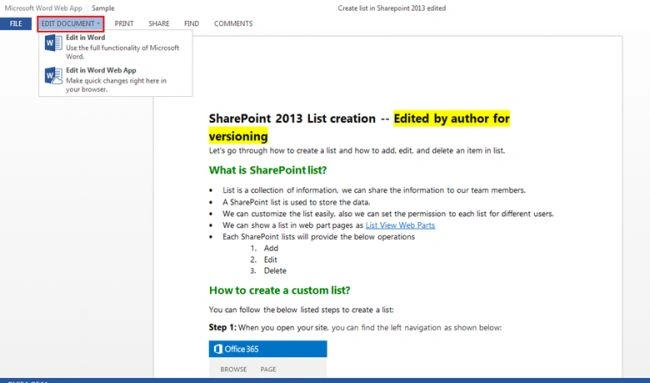
Step 5: On the drop down, you will get two below options,
- Edit in word - If you are choose Edit in word your document will be launch in your machine
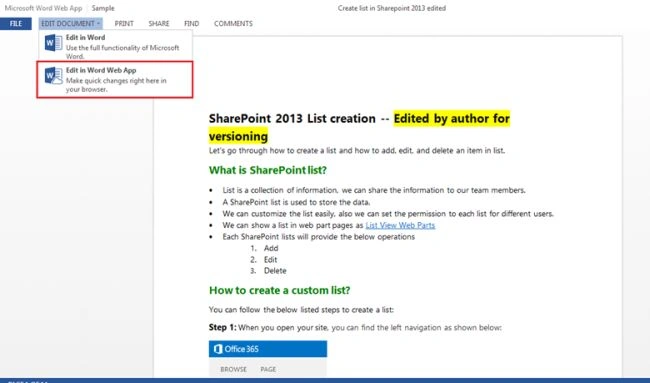
- Edit in word web app (office web app feature) - If you are choose Edit in word web app, you can edit the document browser itself.
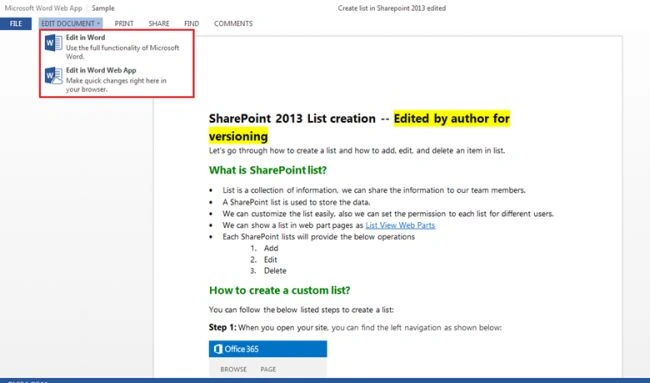
Step 6: Select the “Edit in Word web app” to edit document in browser as shown below,
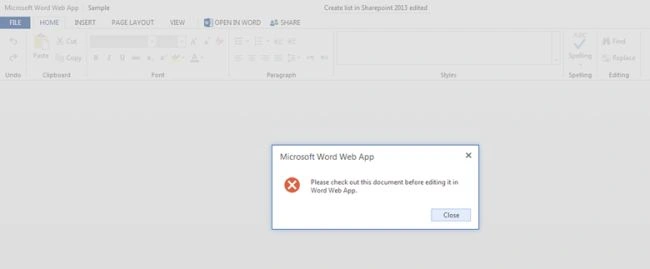
Step 7: Before edit the document, you should check-out the document first, otherwise you will get message box as shown below.
Then check-out the document in document library.
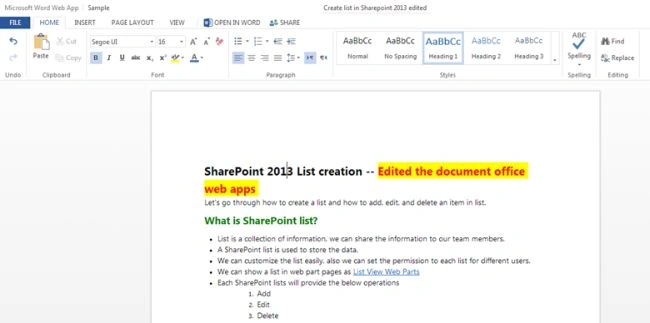
Step 8: After Check-out the document, you can able to edit the document as shown below,
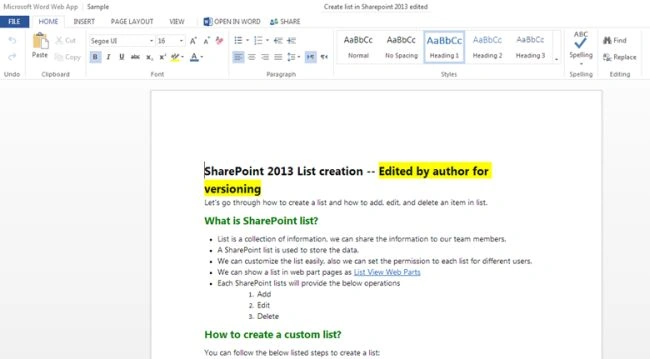
Step 9: Then edit the document as your wish and save (ctrl+s) the document. The document will be saved on your library.
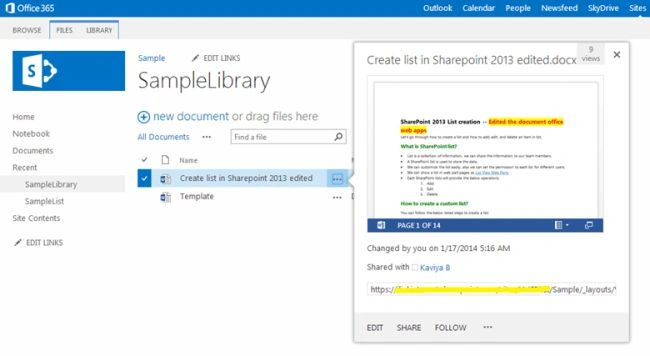
Step 10: Finally check in the document, then only other users can view your changes.
Summary
In this article we have explored the SharePoint office web apps feature advantages and how to view and edit the document in browser.
Join the conversation! Your thoughts help the community grow.