

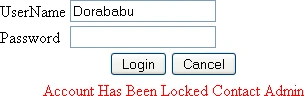
This article also covers how to lock a user based on the invalid attempts he made. As per the demonstration I set the maximum value to 3. When the user is locked he will not be able to access his account until and unless he is unlocked by admin.
Page level access for the roles assigned is also covered in this article. The user that has no permission to view the page will be restricted.
Login using the following credentials
|
User Name |
Password |
Role |
Pages to be Accessed |
|
Dave |
dave@123 |
DistrictAdmin |
LEPstudentrecords.aspx, Campus.aspx |
|
Jennifer |
jennifer @123 |
CampusAdmin |
Campus1.aspx, LEPstudentrecords.aspx |
|
dorababu |
dora@123 |
LPACMember |
LEPstudentrecords1.aspx |
|
Reddy |
reddy@123 |
Teacher |
Teacher.aspx |
Sample Pages:
Admin page:
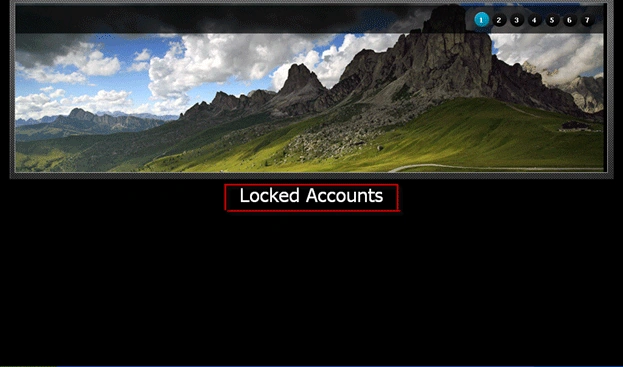
Clicking Locked Accounts will take you to the page where you can see all the Locked Accounts.
Admin can unlock the accounts by selecting each one individually.
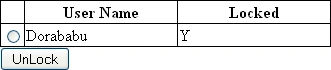
Afer selecting a user or users and clicking on Unlock, the user(s) willl be able to access their account again.

If you logged in as some other ROLE and tried to access the pages which were not under his ROLE, the corresponding page is shown as below:

I haven't designed the pages up to the fashion.
Code used for this approach is attached.
If any doubts regarding the article please feel free to ask.
Dorababu MekaPosted Dec 2, 2013, 7:54 AM
Welcome kannips krish
Kanniyappan KrishPosted Dec 2, 2013, 6:57 AM
Thank you so much for sharing this wonderful article.
Kanniyappan KrishPosted Dec 2, 2013, 6:51 AM
Great!! you did exactly what am looking for.
Anas SiddiquiPosted Jun 24, 2013, 3:22 AM
what username and password should we use to test your application.
ramesh samarlaPosted Aug 17, 2011, 5:26 AM
hi this one very gud but in above artical u r given username pwd and role pages to acessed columns there right. u r given database right in that how i find out pages to accessed column please tell me dat one this is my mail id [email protected]
Angelina ErinPosted Jul 14, 2011, 12:19 AM
Great Work