

1) We need manually activate it in our site definition or by using command prompt as following instruction.
stsadm.exe -o activatefeature -url <Manas site collection> -filename ViewFormPagesLockdown\feature.xml.
This will enable the lockdown feature on the specified site collection
2) Go to Central Admin
3) Click Authentication Provider from Application manager tab, Choose Web application turn on anonymous access of your default zone then click ok.
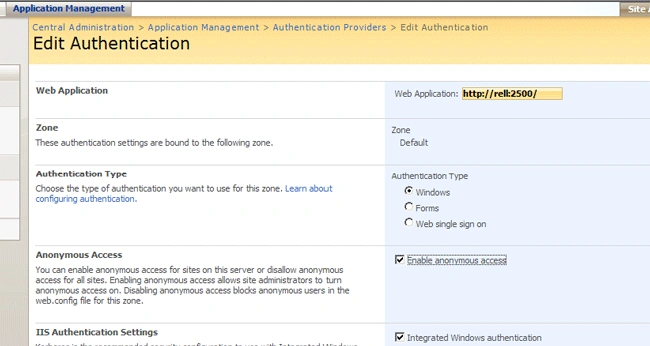
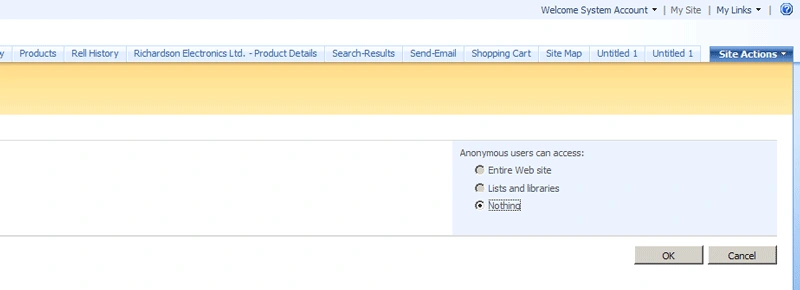
4) Open / _layouts/setanon.aspx page of Default zone site and reset 'Entire Web site' from the Anonymous users can access option and click Ok.
5) Go back to Central admin and turn off 'Enable anonymous access' of your Default zone.
Then it will restrict anonymous user to direct access to those sensitive data area.
Join the conversation! Your thoughts help the community grow.