

Introduction
This article explains the "After Trigger" and "Instead of Trigger" using an example and their differences, but first, you need to look at an overview of both.
Before reading this article, I will suggest you all read the following:
- Triggers in SQL Server: Trigger in SQL Server.
After Trigger in SQL Server
These kinds of triggers fire after the execution of an action query that can be either DDL statements like Create, Alter, and Drop or DML statements like Insert, Update, and Delete.
Instead of Trigger in SQL Server
These kinds of triggers fire before the execution of an action query that can only be DML statements like Insert, Update, and Delete but after the execution of that query. The table data will not be affected; in other words, if you want to insert or update the data of the table, then you need to write it in the trigger using "inserted" or "deleted" virtual tables.
Syntax of Trigger
CREATE TRIGGER trigger_name ON {table|view}
[WITH ENCRYPTION|EXECUTE AS]
{FOR|AFTER|INSTEAD OF} {[CREATE|ALTER|DROP|INSERT|UPDATE|DELETE ]}
[NOT FOR REPLICATION]
AS
sql_statement [1...n ]
Use the following procedure to understand the differences between them.
Step 1. Create a schema of a table named "Employee" in the database for acting such as insert.
create table Employee
(
ID int primary key,
Name varchar(20),
Salary float,
Department varchar(20)
)
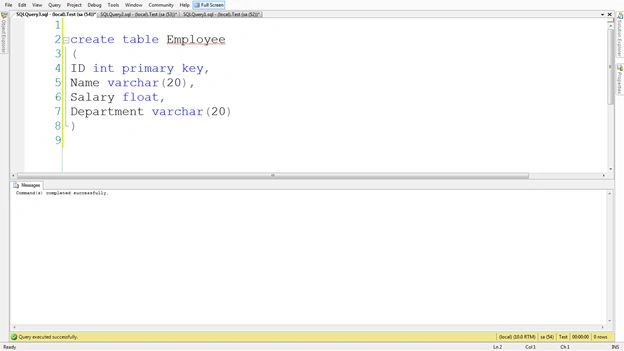
Step 2. Create a schema table named "Logs" that will contain the activity of the trigger.
create table Logs
(
Activity varchar(20),
Activity_date datetime
)
Note. I am using SQL Server 2008 in this Demo.
After Trigger vs Instead of Trigger
Action Query
In "After Trigger," the table data is affected after the execution of the action query, whereas the table data isn't affected after the execution of an action query in "Instead of Trigger."
Examples
After Trigger
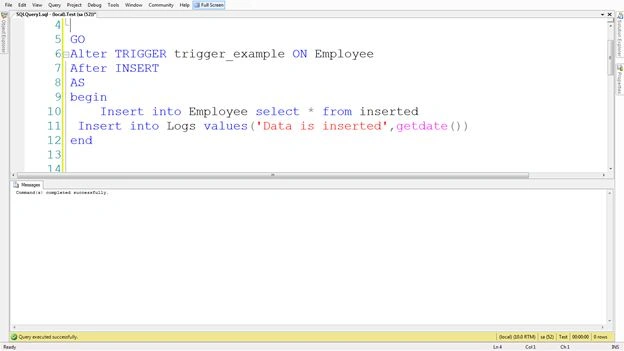
I create an After Trigger that executes an insertion in the "Logs" table when we insert the data in the "Employee" table. Check below for the details.
Create a Trigger where we insert a record in the "Logs" table at the time of insertion in the "Employee" table; we insert a paper in the "Logs" table.
CREATE TRIGGER trigger_example ON Employee
AFTER INSERT
AS
Insert into Logs values('Data is inserted',getdate())
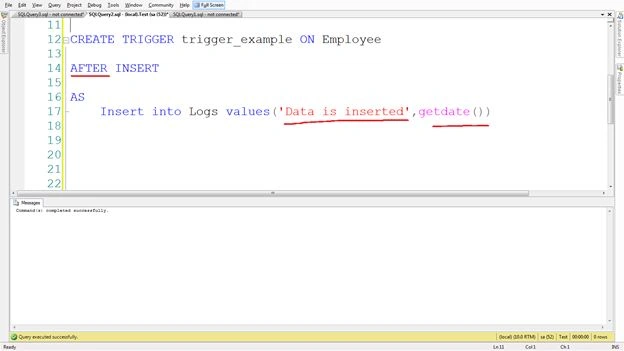
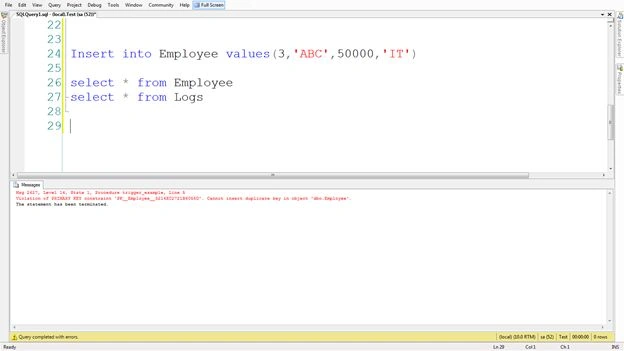
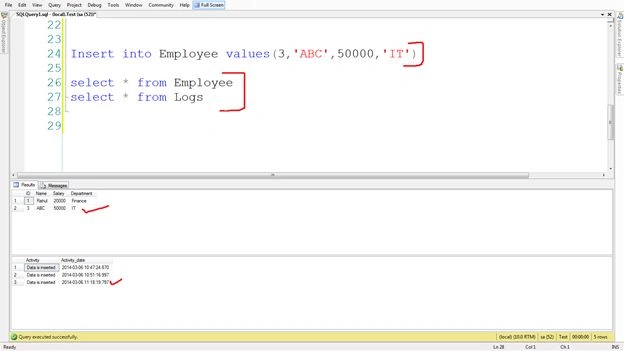
Insert the data in the "Employee" table that executes a trigger automatically and selects both tables to check the data.
Insert into Employee values(1,'Rahul',20000,'Finance')
select * from Employee
select * from Logs
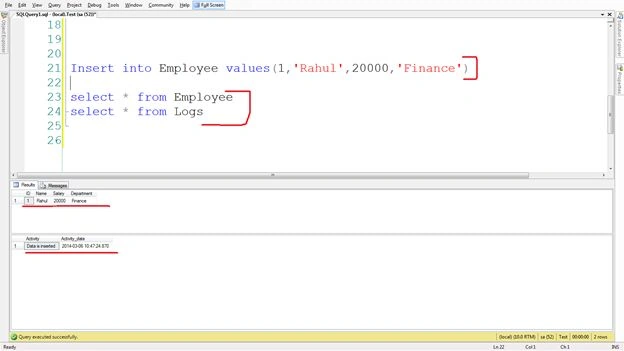

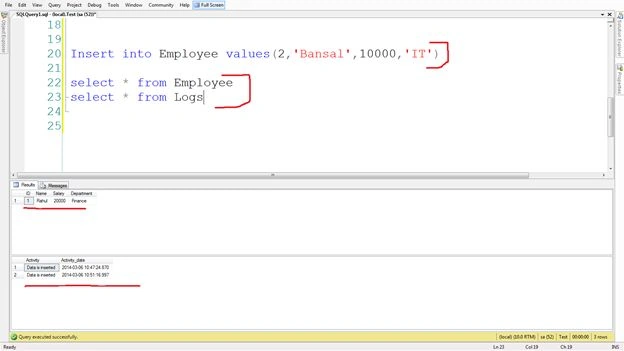

Bhavesh JadavPosted Nov 24, 2017, 6:56 AM
This article is nice and helpful, thank RAhul
Bhavesh JadavPosted Nov 24, 2017, 6:55 AM
Nice Article, easy to understand thanks Rahul.
Ravindar KumarPosted Oct 15, 2015, 6:53 PM
Nice article
murugan krishnanPosted Oct 9, 2014, 3:59 AM
its easy to understand,thanks