
In this article we will be seeing how to enable "Self-Service Site creation"
which is used to enable users to create their own site collections at a
specified URL namespace in SharePoint 2010.
It is used to allow users to create sites that have the Use Self-Service Site
Creation permission.
When I was trying to create a new site collection in the Tenant Administration
(Manage Site Collections => click on "New" that is present in the ribbon UI)
through UI,
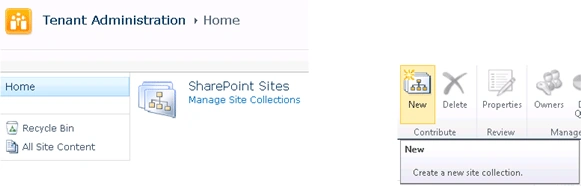
I was getting the following error.
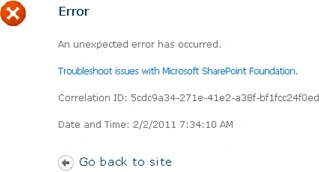
The reason for the error is I didn't enable the Self - Service Site creation for
the web application.
Enable Self-Service Site creation:
Go to Central Administration => Application Management => Manage web
applications =>select the web application for which you want to enable
"Self-Service Site creation".
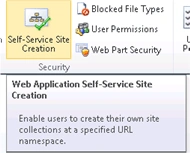
Select "On" and click on "Ok".
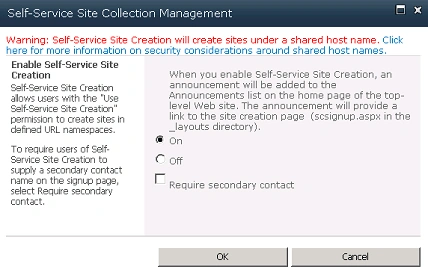
I was getting the following error.
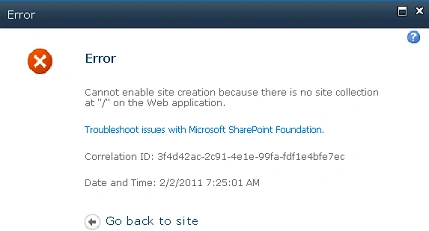
Actually I was not having any site collection at "/" on the web application.
Create a site collection at "/" on the web application and then enable Self -
Service Site Creation.
Now try creating a new site collection in the Tenant administration.

Enable Self Service Site creation in SharePoint 2010
Join the conversation! Your thoughts help the community grow.
Sign in to leave a comment
It is the same account you read, post and publish with — and you will come straight back to this page.
Dinesh BeniwalPosted Feb 2, 2011, 6:52 AM
Your all sharepoint articles are very good and very useful resource.