

In this article we will be seeing how to get the template ID for a particular list in SharePoint site from visual studio 2010.
- Open Visual studio 2010.
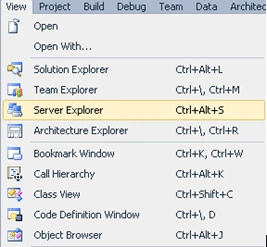
- Go to View => Server Explorer.
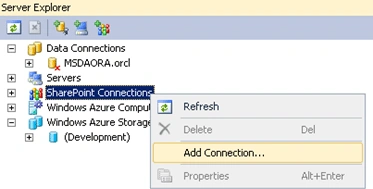
- Right click on SharePoint Connections =>
Add Connection.
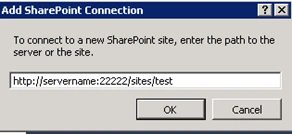
- Enter the URL of the site and click on Ok.
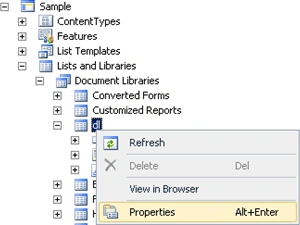
- Go to Lists and Libraries => Document
Libraries => Right click on the document library for which you want to get
the template ID => Click on Properties.
- In the properties window copy the GUID of
the list.
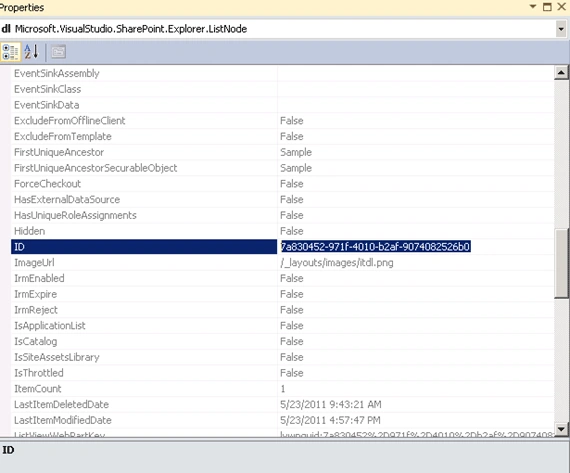
- Go to the following URL to get the list
template ID.
http://servername:22222/sites/test/_vti_bin/owssvr.dll?Cmd=ExportList&List= 7a830452-971f-4010-b2af-9074082526b0
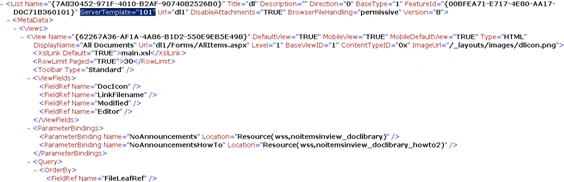
- You will be able to see the template ID of
the list.
Join the conversation! Your thoughts help the community grow.