

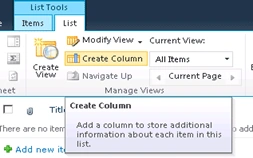
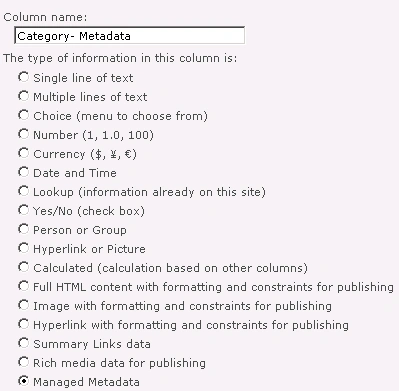
In this article we are going to see how to create Managed Metadata column in a SharePoint 2010 list.
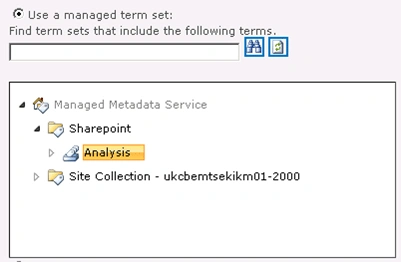
Managed metadata is a hierarchical collection of centrally managed terms that you can define, and then use as attributes for items in Microsoft SharePoint Server 2010. A column is a location in a list in which to store information about a SharePoint Server 2010 item. When you define a column, you provide a name for the column, specify the column's type, and provide additional information that depends on the column type. SharePoint Server 2010 introduces a new column type named managed metadata. When you create a managed metadata column, you specify the term set from which the column's values must come. When you want users to provide information for list items (including documents), and the valid values for the information are contained in a term set, use a managed metadata column. Here we will be seeing just how to create Group, Term sets and term, then how to use them in Managed Metadata column. To know more detailed view of Managed Metadata Service go to this link http://technet.microsoft.com/en-us/library/ee424402.aspx. If we want to create Managed Metadata column we need to configure Managed Metadata Service in the Central Administration.
How to configure Managed Metadata Service Application:
The steps involved to configure Managed Metadata Service are given below.
Steps Involved:
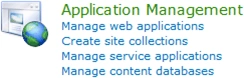
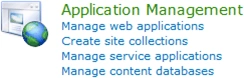
- Go to the Central Administration->Application Management->Manage Service Applications.
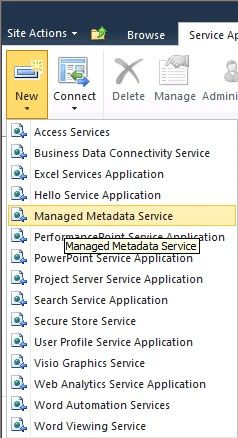
- In the Ribbon click on New to create a new Metadata Service.
- Enter the Name, Database Name and Database Server Name. Now your metadata service is ready.
- Click OK.
- Now the Managed Metadata Service has been created.
Taxonomy Term Store:
SharePoint Server 2010 includes the Term Store Management Tool, which you use to create and manage term sets.
A term is a word or a phrase that can be associated with an item in SharePoint Server 2010.
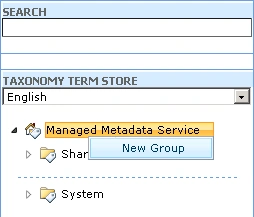
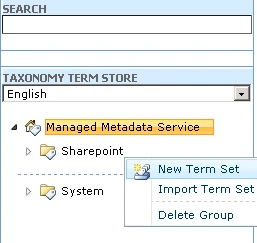
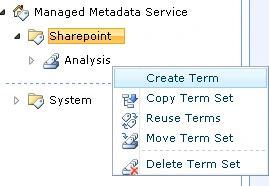
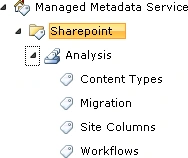
A term set is a collection of related terms. The following steps should be followed to create group, term set and term.
Steps Involved:
suresh pydiPosted Apr 15, 2013, 12:47 AM
Nice Post. Here is one more post Managed meta data configuration http://sureshpydi.blogspot.in/2013/04/sharepoint-2013-create-term-set-terms.html
Ravishankar SinghPosted Dec 16, 2010, 10:26 PM
Also post the managed metadata across farm. Nice Article.