

Introduction:
Organization governance can allow the end users to add the terms to the term
store. In the term set settings there is an option called "Submission policy"
which is used to allow the end users to add the terms to the term set. The end
users can add the terms to the term sets in the metadata column dialog box. In
this article we will be seeing how to enable this option to add the terms to the
term set by the end user.
Set Submission policy to open:
- Go to Central Administration =>
Application Management => Manage service applications => Managed Metadata
service application.
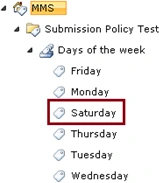
- I have created a term set called "Days of
the week" which has the following terms.
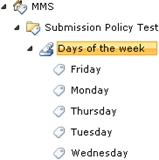
- Click on the term set, you could see the properties window on the right hand side.
- In that you could see an option
"Submission Policy".

- Select "Open" and click on Save.
- Now the users will be able to add the terms to the term set.
Create Managed Metadata column:
- Refer http://www.c-sharpcorner.com/UploadFile/anavijai/4349/ to create a managed metadata column.
- Go to List =>List Settings => Create Column.
- Create a managed metadata column.
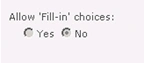
- You could see an option "Allow Fill-in",
select "Yes".

- Only if the submission policy is set to
open for the term set you could be able to set the value for "Allow Fill-in"
or else it will be disabled as shown in the following.
Add new term to the term set:
- Add a new item.
- In the managed metadata column click on
"Browse for a valid choice".

- Click on "Add new item".
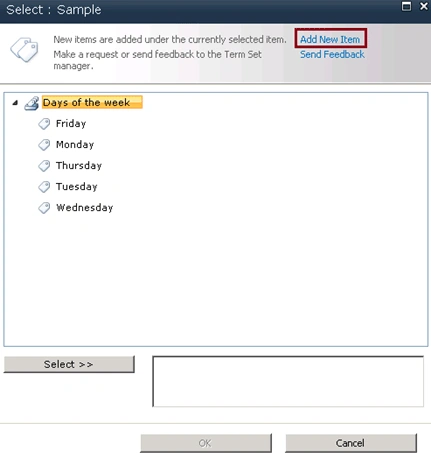
- You will be able to add a new term.
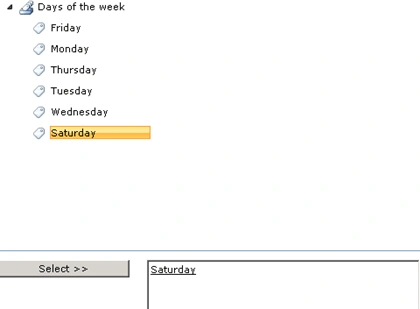
- Click on Ok.
- Go to the Taxonomy Term Store (Go to Central Administration => Application Management => Manage service applications => Managed Metadata service application).
- You could able to able to see the newly
added term.
Achim IsmailiPosted Jul 18, 2014, 3:47 AM
Hi Sion, this would not be an open policy. In your case, you would have to grant rights to this term set for this single user in Central Administration.Steps:- CA - Manage Service Applications - Click on "Managed Metadata Service (Connection)" - In the new window (Term Store Management Tool), select your term set in the left navigation - Under Group Managers, add this user
SionPosted Nov 21, 2012, 6:13 AM
Hello, I wanted to ask - if I set the submission policy to open, how can i limit the users who are able to update the terms? this is my scenario: I have a large term store, and I want to allow only one user to be able to add new terms with the Add New Item option. How do I go about achieving this? thanks! Sion