
Introduction First of all open the "DisableContextMenuSL3TestPage.aspx" page and find the object tag where Silverlight Plug in is being hosted. <iframe id="_sl_historyFrame" style="visibility:hidden;height:0px;width:0px;border:0px"></iframe></div> Now add a param tag with name="Windowless" and value="true". By default its value is false. Now open "MainPage.xaml.cs". Add the Namespace "System.Windows.Browser" Add a class inside the MainPage.cs name it as ContextMenuInterceptor. Add method OnContextMenu with arguments object and HtmlEventArgs. Add default constructor with the following code: {
public ContextMenuInterceptor()
{ Now in MainPage class create an instance of the Class you just created. That's it Run your application and try to right click on the page. You won't get the Context Menu for Silverlight.
In this article we will see how can we disable the ContextMenu when you Right Click on Silverlight Page .
Crating Silverlight Project
Fire up Visual Studio 2008 and create a Silverlight Application. Name it as DisableContextMenuSL3.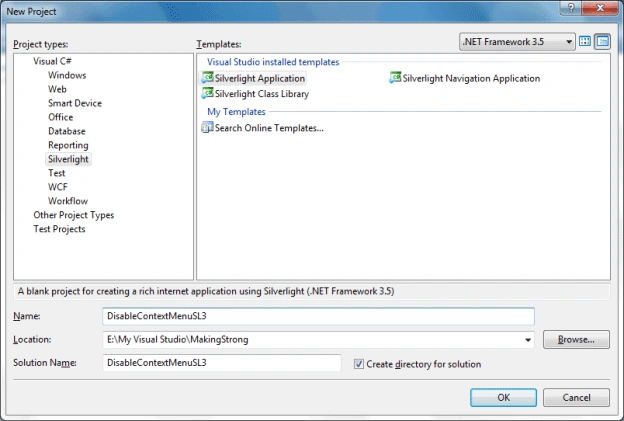
Default Context Menu
In any Silverlight Application when you right click on it you see a context menu containing Item "Silverlight". Like following:
And when you click on it you find the Silverlight Configuration Dialog popping up.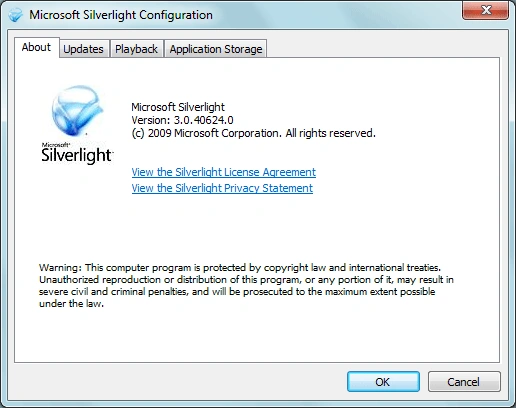
Disabling Context Menu
What if we don't want the Context Menu and don't want to see the Configuration dialog. We will see how we can do that.
<div id="silverlightControlHost">
<object data="data:application/x-silverlight-2," type="application/x-silverlight-2" width="100%" height="100%">
<param name="source" value="ClientBin/DisableContextMenuSL3.xap"/>
<param name="onError" value="onSilverlightError" />
<param name="background" value="white" />
<param name="minRuntimeVersion" value="3.0.40624.0" />
<param name="autoUpgrade" value="true" />
<a href="http://go.microsoft.com/fwlink/?LinkID=149156&v=3.0.40624.0" style="text-decoration:none">
<img src="http://go.microsoft.com/fwlink/?LinkId=108181" alt="Get Microsoft Silverlight" style="border-style:none"/>
</a>
</object>
<param name="Windowless" value="true" />
using System.Windows.Browser;
HtmlPage.Document.AttachEvent("oncontextmenu", this.OnContextMenu);
The full class definition looks like the following.
public class ContextMenuInterceptor
HtmlPage.Document.AttachEvent("oncontextmenu", this.OnContextMenu);
}
private void OnContextMenu(object sender, HtmlEventArgs e)
{
e.PreventDefault();
}
}
ContextMenuInterceptor context = new ContextMenuInterceptor();
Enjoy Coding.

Join the conversation! Your thoughts help the community grow.