

How to Perform Addition of three strings In Android
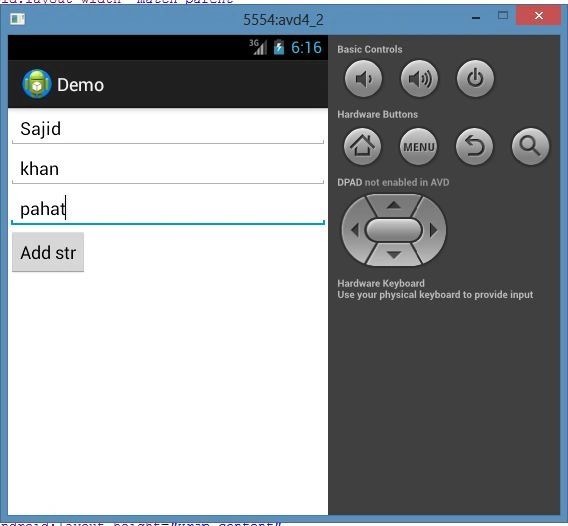
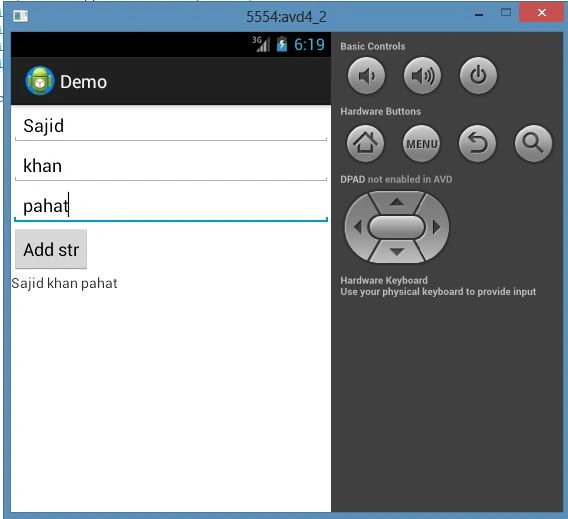
When we add two or more strings, we can get output in one of two ways, first the result shows in the current screen, and the second is to show the result in another screen.
Here I am going to tell you how to add three strings on the current screen.
Step 1
Create a new project "AddStrings" as shown in the following diagram and create the Java file as "MainActivity.java".
Image1
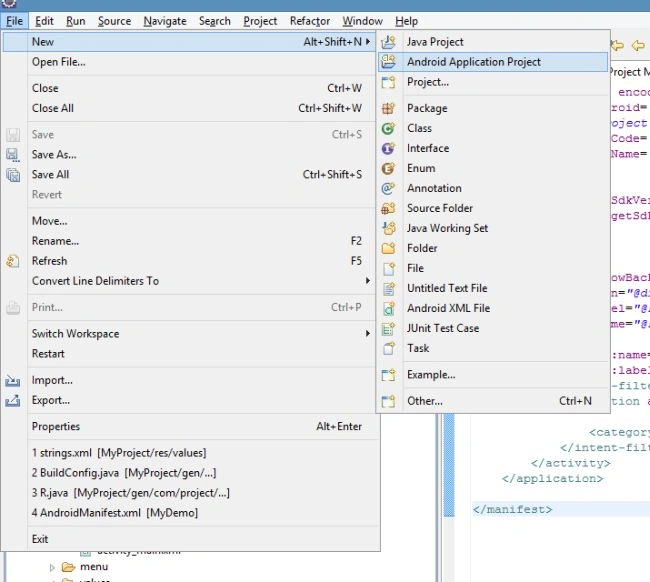
After selection of "Android Application Project" as shown above we have to provide the Project name, Package name and Application name as shown below.
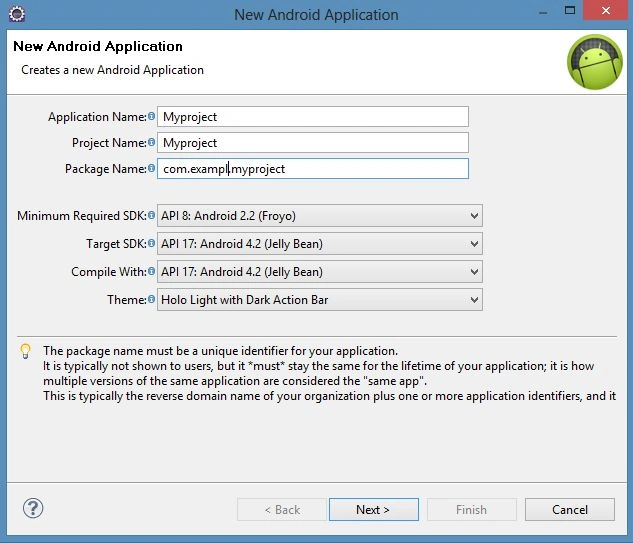
Step 2
Open the XML file as "activity_main.xml" and update the code as shown below:
<LinearLayout xmlns:android="http://schemas.android.com/apk/res/android"
xmlns:tools="http://schemas.android.com/tools"
android:id="@+id/LinearLayout1"
android:layout_width="match_parent"
android:layout_height="match_parent"
android:orientation="vertical"
tools:context=".MainActivity" >
<EditText
android:id="@+id/id1"
android:layout_width="wrap_content"
android:layout_height="wrap_content"
android:ems="10"
android:inputType="textEmailAddress" >
<requestFocus />
</EditText>
<EditText
android:id="@+id/id2"
android:layout_width="wrap_content"
android:layout_height="wrap_content"
android:ems="10"
android:inputType="textPersonName" />
<EditText
android:id="@+id/id3"
android:layout_width="wrap_content"
android:layout_height="wrap_content"
android:ems="10"
android:inputType="textPersonName" />
<Button
android:id="@+id/btid"
android:layout_width="wrap_content"
android:layout_height="wrap_content"
android:text="@string/button" />
<TextView
android:id="@+id/textView1"
android:layout_width="match_parent"
android:layout_height="82dp"
android:text="@string/tv" />
</LinearLayout>
Step 3
Go to res/values and open the "string.xml" file and update it according to your UI requirements.
<?xml version="1.0" encoding="utf-8"?>
<resources>
<string name="app_name">MyProject</string>
<string name="button" >Add All</string>
<string name="menu_settings">Settings</string>
<string name="tv"></string>
Join the conversation! Your thoughts help the community grow.