

Nowadays MVC is popular so I decided to write an article on it looking at its importance.
Create a new ASP.NET MVC Solution, then DropDownBinding as a name of solution.

Select Empty Template and also select View engine as Razor.

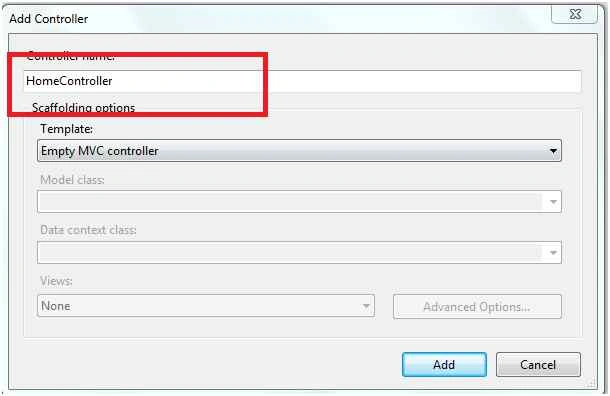
Add New Controller in Controller Folder.
Add a View.
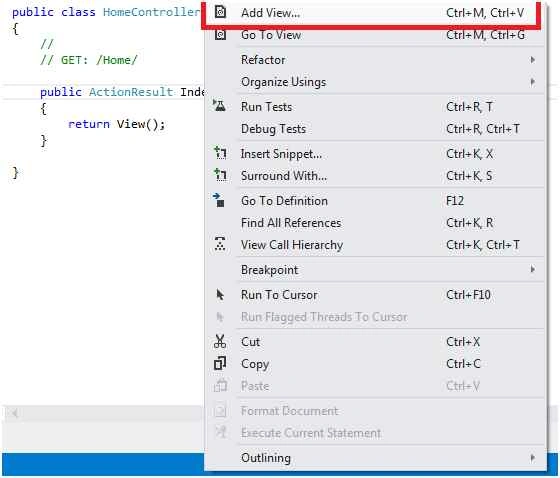
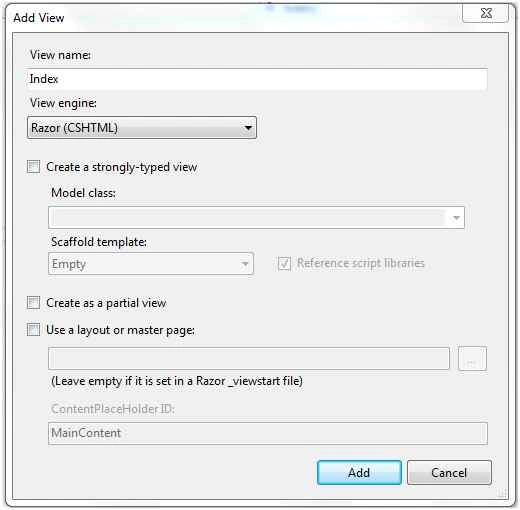
Way 1: Dropdown Binding in View -Inline
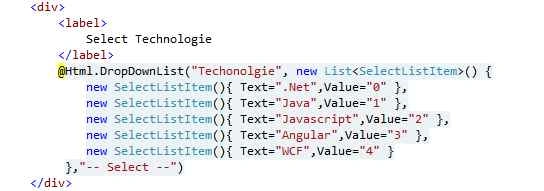
- @Html.DropDownList("Techonolgie", new List < SelectListItem > ()
- {
- new SelectListItem()
- {
- Text = ".Net", Value = "0"
- },
- new SelectListItem()
- {
- Text = "Java", Value = "1"
- },
- new SelectListItem()
- {
- Text = "Javascript", Value = "2"
- },
- new SelectListItem()
- {
- Text = "Angular", Value = "3"
- },
- new SelectListItem()
- {
- Text = "WCF", Value = "4"
- }
- }, "-- Select --")
When we run the application the output should be like the following,

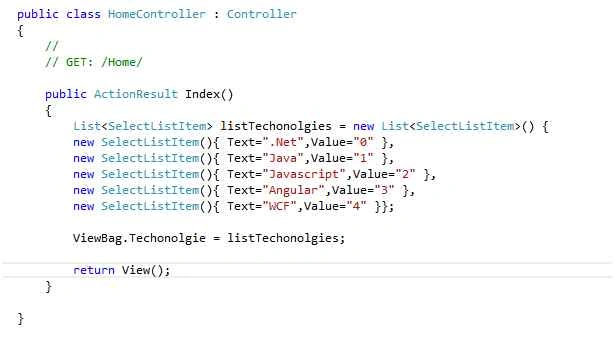
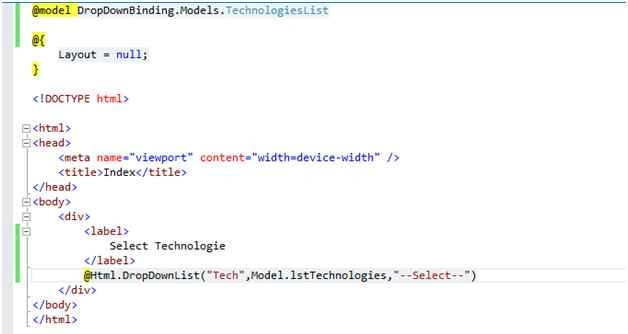
Way 2: Dropdown Binding using View Bag
- public ActionResult Index()
- {
- List < SelectListItem > listTechonolgies = new List < SelectListItem > ()
- {
- new SelectListItem()
- {
- Text = ".Net", Value = "0"
- },
- new SelectListItem()
- {
- Text = "Java", Value = "1"
- },
- new SelectListItem()
- {
- Text = "Javascript", Value = "2"
- },
- new SelectListItem()
- {
- Text = "Angular", Value = "3"
- },
- new SelectListItem()
- {
- Text = "WCF", Value = "4"
- }
- };
- ViewBag.Techonolgie = listTechonolgies;
- return View();
- }



Santhakumar MunuswamyPosted Dec 23, 2015, 3:43 PM
Thanks for nice article
Rakesh KalluriPosted Dec 21, 2015, 1:37 AM
Thanks Piyush Dixit
Rakesh KalluriPosted Dec 21, 2015, 1:37 AM
Thanks Gowtham K
Rakesh KalluriPosted Dec 21, 2015, 1:36 AM
Thanks Humayun Kabir Mamun
Rakesh KalluriPosted Dec 21, 2015, 1:36 AM
Thanks Raja T
Rakesh KalluriPosted Dec 21, 2015, 1:35 AM
Thanks Praveen Kumar
Rakesh KalluriPosted Dec 21, 2015, 1:35 AM
Thanks Shridhar Sharma
Rakesh KalluriPosted Dec 20, 2015, 9:10 PM
Thanks to All
Piyush DixitPosted Dec 20, 2015, 11:48 AM
nice
Gowtham KPosted Dec 20, 2015, 11:03 AM
Good One, Thanks for sharing
Humayun Kabir MamunPosted Dec 20, 2015, 1:30 AM
Nice...
Raja TPosted Dec 19, 2015, 7:26 AM
Nice, Thanks for sharing
Praveen KumarPosted Dec 19, 2015, 4:44 AM
Very good Rakesh, thanks for sharing
Shridhar SharmaPosted Dec 19, 2015, 4:40 AM
nice share