In QTP while recording it generates a VBScript. The steps are as follows:
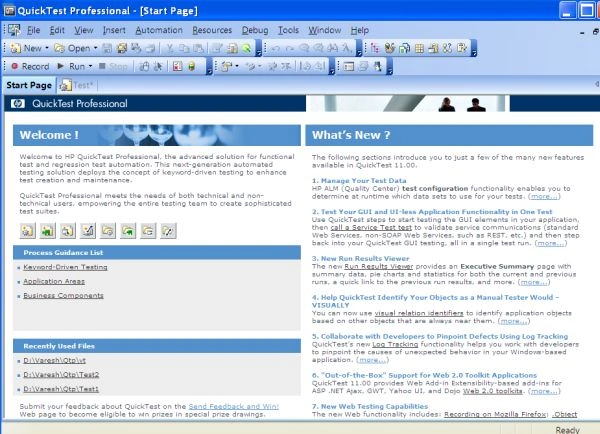
- Launch the Quick Test Professional. It will display the Start page of Quick Test, as in:
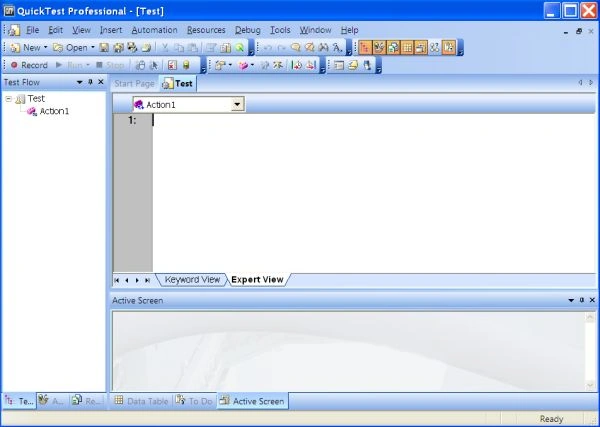
- Click on the Text Tab. QTP displays the Expert View and Keyword View.
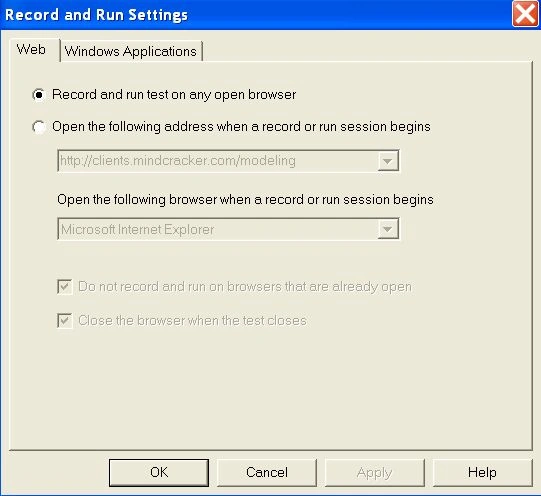
- Click on the Record button to generate a QTP Script. Record and Run Settings box display. Select "Record and run test on any open browser/Windows-based application" for the web and Windows application category. QTP is now in the recording mode.
- There is a sample application given by the QTP i.e. FLIGHT APPLICATION. Select that application. It displays a Login window. Enter any name in the Agent name text box and the Password as "Mercury" (the default password).
- Now enter the Flight Details and Insert Order and close the application.
- A VBScript is generated by the application in Expert View.




Join the conversation! Your thoughts help the community grow.