

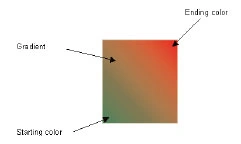
In a gradient, we begin with a starting color and shift to an ending color, with gradual blending in the space between them. In addition to the starting and ending colors, we can specify the direction of the gradient. For example, Figure 4.12 starts with green in the left bottom corner and ends with red in the top right corner. (You may not notice these colors exactly in a black-and-white image.)
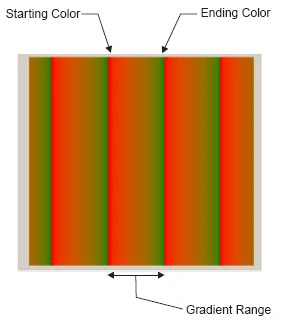
You can also specify a range for pattern repetition. For example, you can specify that the gradient will occur from point (0,0) to point (20, 20) and after that will repeat the same pattern, as in Figure 4.13.
Linear Gradient Brushes
The LinearGradientBrush class has eight forms of overloaded constructors. Each constructor takes a starting point, an ending point and two gradient colors. The orientation and linear gradient mode are optional.
The following code snippet creates a linear gradient brush using the colors red and green.
Rectangle rect1 = new Rectangle (20, 20, 50, 50);
LinearGradientBrush lgBrush = new LinearGradientBrush (rect1, Color.Red, Color.Green, LinearGradientMode.Horizontal);
Linear Gradient Brushes Example
TABLE 4.3: LinearGradientMode members
| Member | Description |
|
BackwardDiagonal |
Specifies a gradient from upper right to lower left. |
|
ForwardDiagonal |
Specifies a gradient from upper left to lower right. |
|
Horizontal |
Specifies a gradient from left to right. |
|
Vertical |
Specifies a gradient from top to bottom. |
TABLE 4.4: LinearGradientBrush properties
| Property | Description |
|
Blend |
Represents the Blend object that specifies gradient position and factors. |
|
GammaCorrection |
Represents gamma correction. If it is enabled, the value is true; if not, it is false. |
|
InterPolationColors |
Represents a ColorBlend object that defines a multicolor gradient. |
|
LinearColors |
Represents the starting and ending colors of a gradient. |
|
Rectangle |
Returns a rectangle that defines the starting and ending points of a gradient. |
|
Transform |
Represents a Matrix object that defines the transformation. |
|
WrapMode |
Represents a WrapMode enumeration that indicates the wrap mode. |
TABLE 4.5: LinearGradientBrush methods
| Method | Description |
|
MultiplyTransform |
Multiplies a Matrix object that represents the transformation. |
|
ResetTransform |
Reset the Transform property to identify. |
|
RotateTransform |
Rotates the transformation. |
|
ScaleTransform |
Scales the transformation. |
|
SetSigmaBellShape |
Creates a gradient falloff based on a bell-shaped curve. |
|
TranslateTransform |
Translates the transformation by the specified dimensions. |
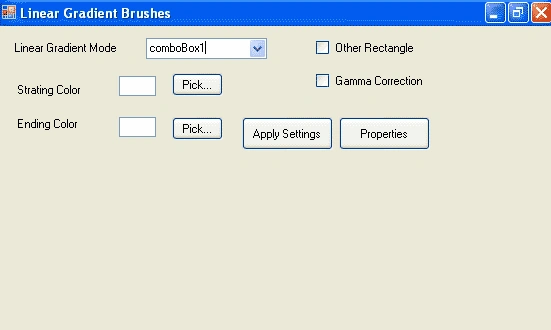
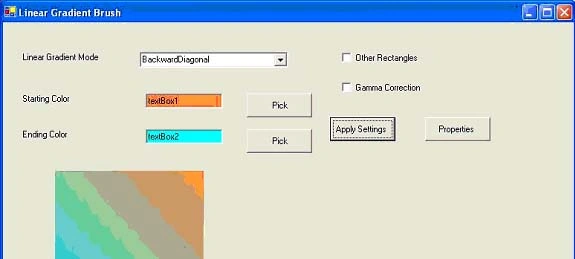
LISTING 4.13: The Apply Settings button click event handler
 |
This book teaches .NET developers how to work with GDI+ as they develop applications that include graphics, or that interact with monitors or printers. It begins by explaining the difference between GDI and GDI+, and covering the basic concepts of graphics programming in Windows. |
Join the conversation! Your thoughts help the community grow.