This is a small office management system. With the help of this project all office employee can connect with each other, request online leave, get birthday reminders, get status of present/absent employees and use an automatic attendence system when logged in and logged out. Just need to install and setup of this project to every machine.
In this project there are 2 types of users one is Employee of a office and other is Admin. An Admin has full access for this project. I am showing every right of both types of user in the following DFD.
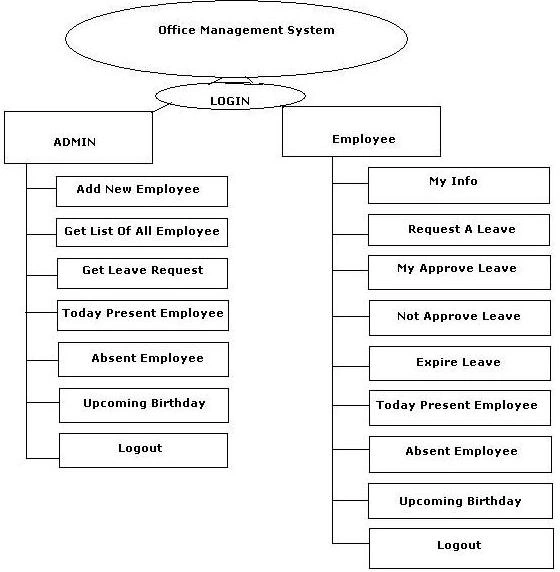
Image 1.
I made this project in Visual Studio 2010 and SqlServer2008. The database is located in the DATA folder of the Application. Just attach the data and change connection string in app.config.
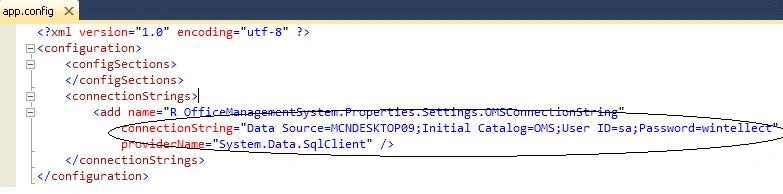
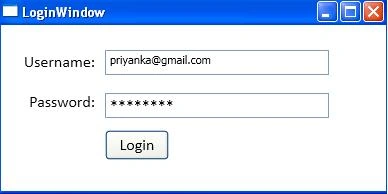
When we run the application then first the Login window will appear
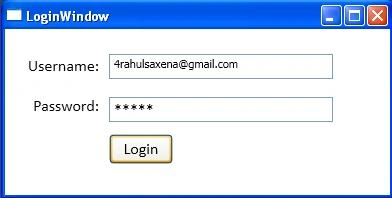
Image 3.
Here 2 types of user can login; one is Admin and the other is Employee. Here I login with
UserId – [email protected]
Password rahul
This is admin credential so it will redirect to Admin Home page after login. First I am going to show admin functionality then after that I will show normal employee functionality.
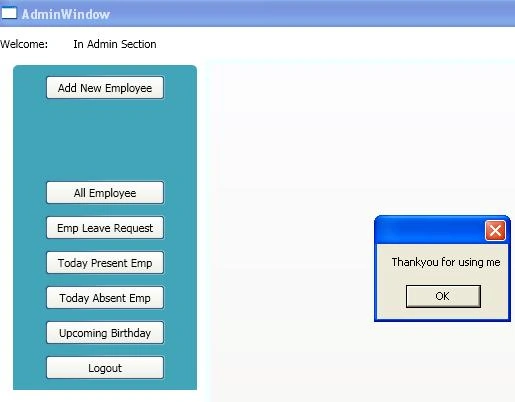
This is Admin Home window.
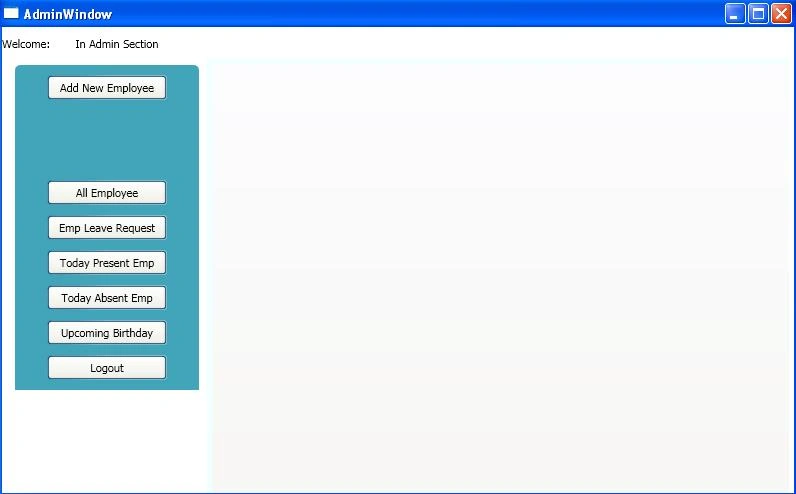
Image 4.
Add New Employee Window
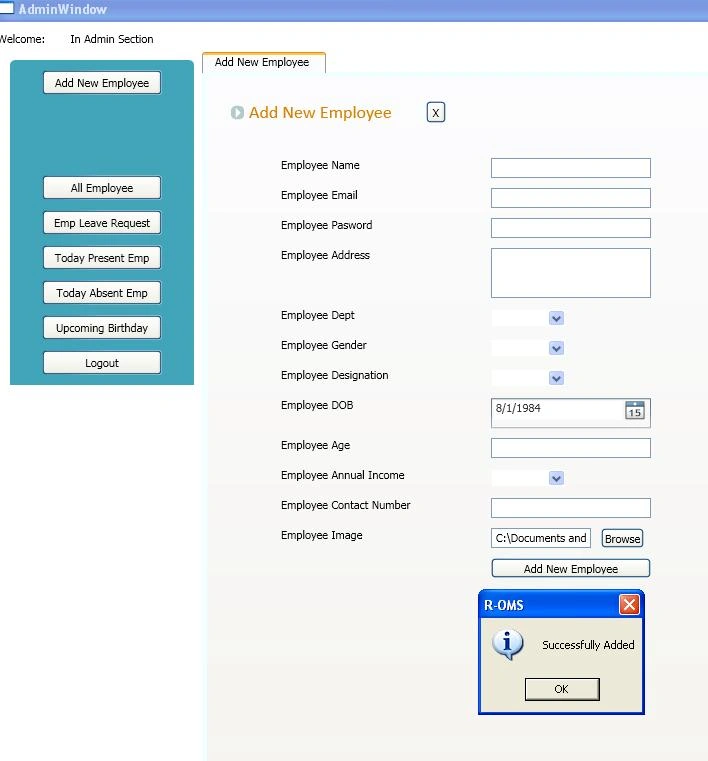
Image 5.
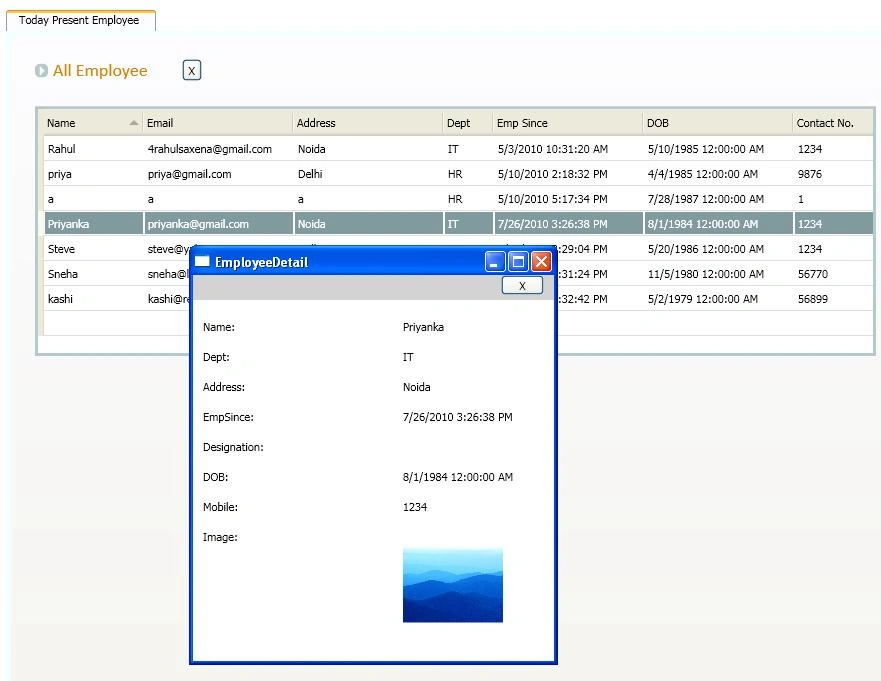
Get All Employees
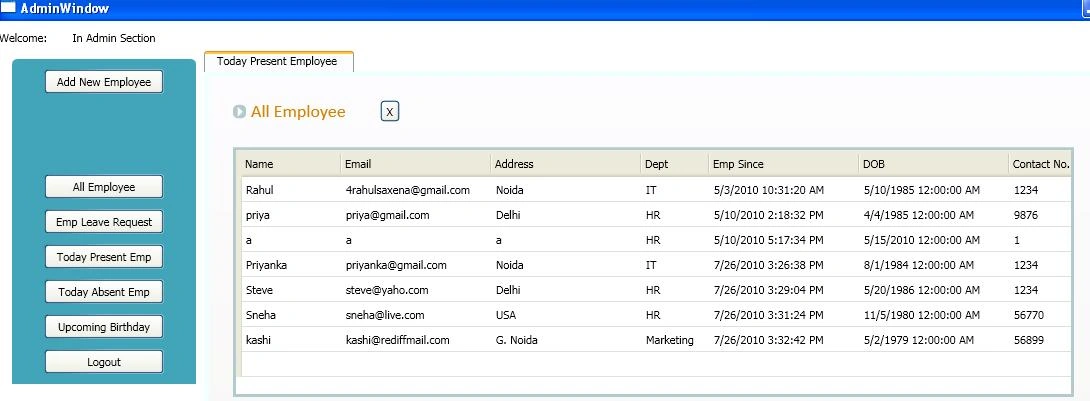
Image 6.
This is leave request page
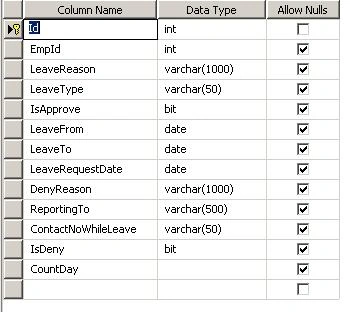
Image 7.
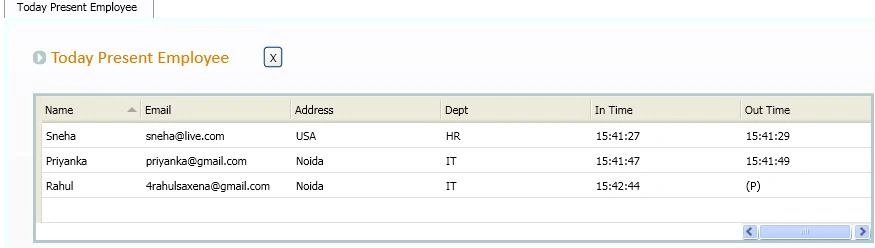
Image 8.
Employee Detail on Click of employee record

Image 9.
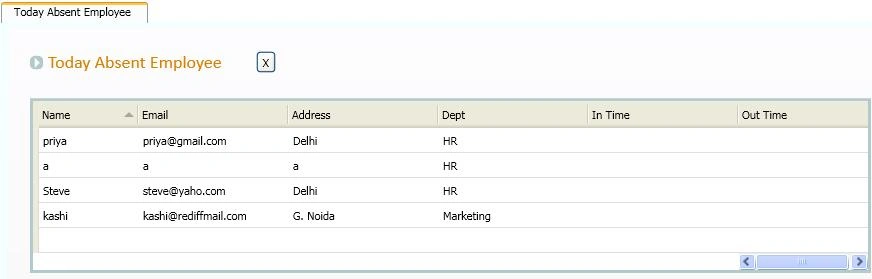
Absent Employees Window

Image 10.

Image 11.

Image 12.
Now I am going to show Employee functionality.

Image 13.
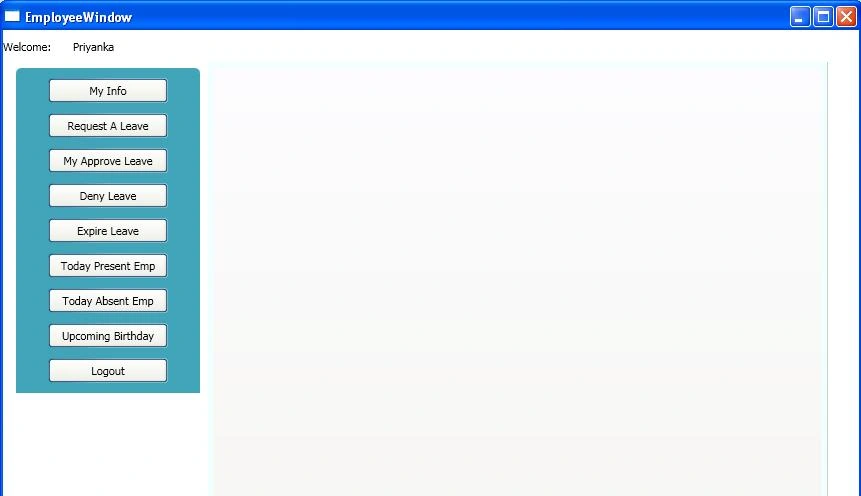
When a user has logged in as a Employee then this window will show

Image 14.
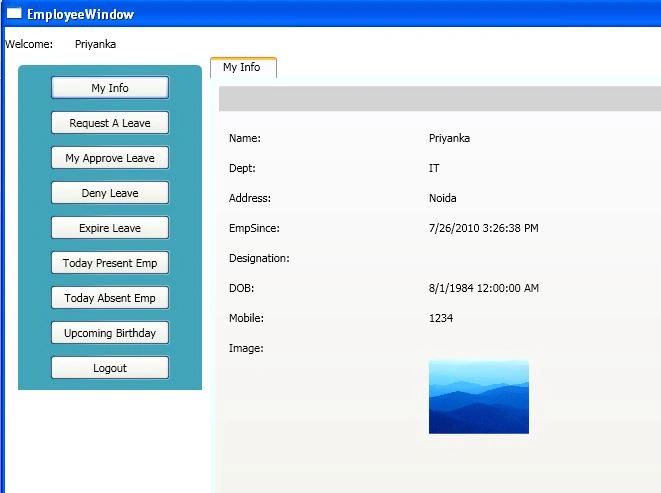
This is my Info window.

Image 15.
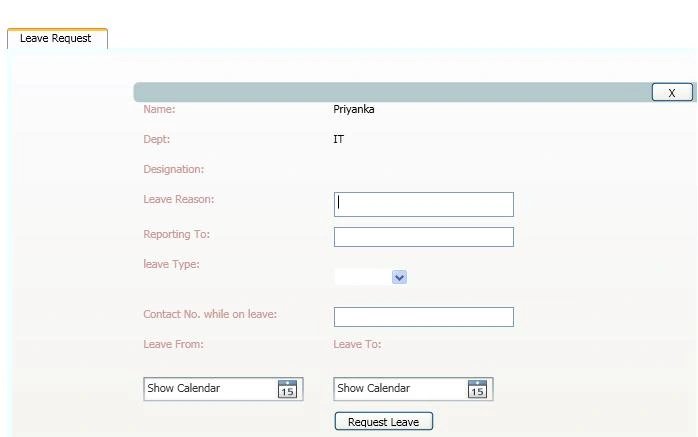
This is leave request window
Image 16.
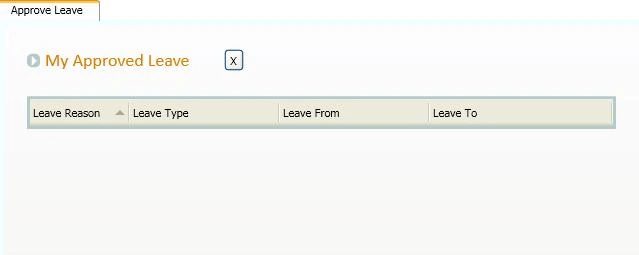
This window will show all approved leave of a employee.

Image 17.
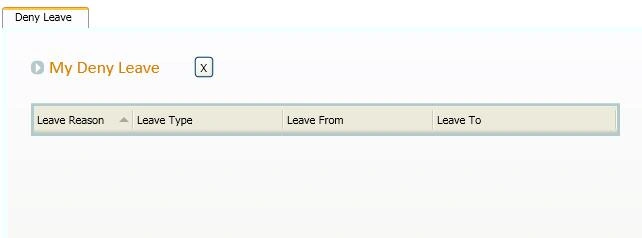
This window will show Employees denied leave.

Image 18.
Like in admin user can see all present and all absent employees.
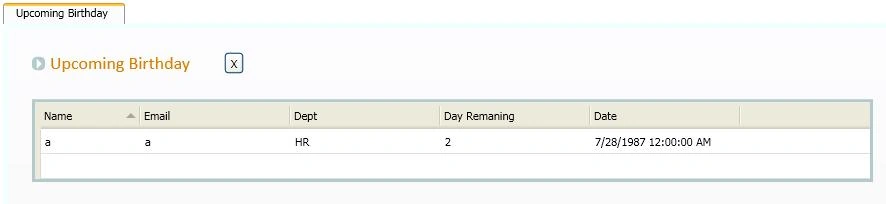
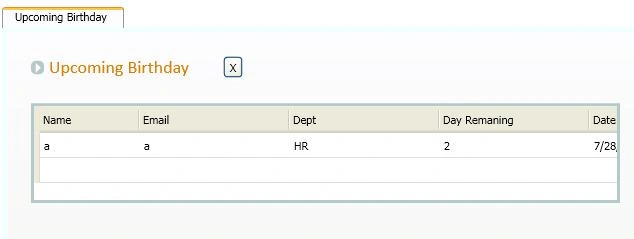
Upcoming birthdays

Image 19.
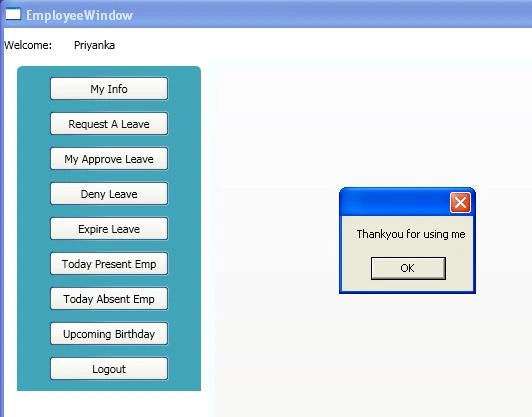
Logout window

Image 20.
There can be functionality added to this project, but due to limited time I couldn't add that in this. So if any user thinks or wants to add extra functionality in this project then he/she can.

nilaksh mathurPosted Mar 5, 2018, 4:59 AM
How can i change admin login and password name
Muhammad DhudiPosted Oct 5, 2014, 1:39 PM
admin login password problem plz tell me admin login pass
Pooja GolaniPosted Mar 26, 2013, 7:28 AM
i am getting an error with the tab item part in admin module. it is not taking the usercontrol as parameter. please help me out.
Prasad MakkenaPosted Mar 8, 2013, 1:47 AM
thank you very much rahul bayya nice&good article it is very helpful for me
Naveen SrivastavaPosted Sep 4, 2012, 2:41 AM
Hi Rahul where is the database structure and stored procedures ? Can u plz provide these
filza zehraPosted May 1, 2012, 1:52 PM
hey when i debug the code the login form appears but after login it gives an error and it does not run further help me out with this and kindly please tell me how can i change the login id .
filza zehraPosted May 1, 2012, 5:41 AM
hi what change do we need to make in connection string
jayaramPosted May 9, 2011, 6:36 AM
Hi thanks while run this project I getting this exception "Failed to enable constraints. One or more rows contain values violating non-null, unique, or foreign-key constraints." in the below eventprocedure at dt = leaveTA.TodayPresentEmp(); this is available in Emp_TodayPresent.xaml.cs class private void UserControl_Loaded(object sender, RoutedEventArgs e) { R_OfficeManagementSystem.DataSet.ROMSTableAdapters.LeaveTableAdapter leaveTA = new LeaveTableAdapter(); dt = leaveTA.TodayPresentEmp(); if (dt.Rows.Count > 0) { DataGridTodayPresentEmp.DataContext = dt; } }
jayaramPosted May 9, 2011, 5:14 AM
Hi, Great Project for Uploading You added DB in DATA folder as in below tables 1)Attendence,2)Employee,3)LeaveRequest But in the project "ROMS.xsd" under DataSet folder I am getting Designing with 1)GetAllEmployee, 2)AuthenticateUser 3)Emp_MyInfo 5)Leave 5)LeaveTableAdapter and include StoredProcedures so ...I confused to connect with DB Please tel me how can I get proper result I am beginner in WPF and StoredProcedures Thank you
priyaPosted Apr 30, 2011, 7:30 AM
ur pro can help me in mine..but if u hve ths project=employee effort tracker ..pls mail me..pls pls in ths week
sean kofiPosted Feb 14, 2011, 8:20 PM
Thanks for this.
Hari babuPosted Nov 15, 2010, 12:40 PM
Excellent for beginners of WPF. Please forword us links ofr this type of applications. Have a great dat....... All teh best for future<!--Session data-->
Serghei CemirtanPosted Sep 30, 2010, 10:27 AM
Hi! Great project! Thank for uploading. But I'am getting an error when I'm trying to add new employee: "Input string was not in a correct format."
Mahesh ChandPosted Jul 27, 2010, 10:04 PM
Good project.