

This is the continuation from AngularJS Recipe: Part 3.
# ng-show Directive
- <%@ Page Language="C#" AutoEventWireup="true" CodeBehind="Default.aspx.cs" Inherits="AngularJS_Demo.Default" %>
- <!DOCTYPE html>
- <html xmlns="http://www.w3.org/1999/xhtml">
- <head runat="server">
- <title></title>
- <script src="http://ajax.googleapis.com/ajax/libs/angularjs/1.3.15/angular.min.js"></script>
- <script src="employeeController.js"></script>
- </head>
- <body>
- <form id="form1" runat="server">
- <div ng-app="">
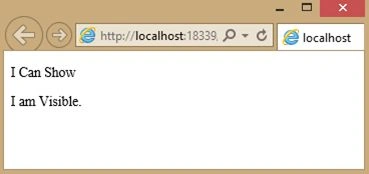
- <p ng-show="true">I Can Show</p>
- <p ng-show="false">Oops.. I am hide.</p>
- <p ng-hide="true">Not Visible.</p>
- <p ng-hide="false">I am Visible.</p>
- </div>
- </form>
- </body>
- </html>
# Button and click event in AngularJS
- <%@ Page Language="C#" AutoEventWireup="true" CodeBehind="Default.aspx.cs" Inherits="AngularJS_Demo.Default" %>
- <!DOCTYPE html>
- <html xmlns="http://www.w3.org/1999/xhtml">
- <head runat="server">
- <title></title>
- <script src="http://ajax.googleapis.com/ajax/libs/angularjs/1.3.15/angular.min.js"></script>
- <script>
- var app = angular.module('myApp', []);
- app.controller('myCtrl', function ($scope) {
- $scope.count = 0;
- });
- </script>
- </head>
- <body>
- <div ng-app="myApp" ng-controller="myCtrl">
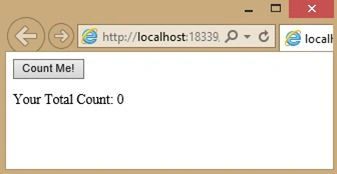
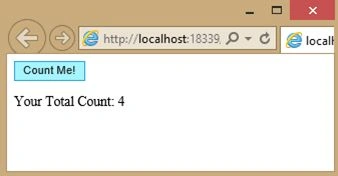
- <button ng-click="count = count + 1">Count Me!</button>
- <p>Your Total Count: {{ count }}</p>
- </div>
- </body>
- </html>
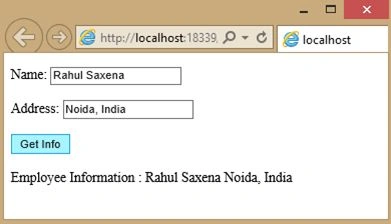
# Another Example Of Button Click in AngularJS
- <%@ Page Language="C#" AutoEventWireup="true" CodeBehind="Default.aspx.cs" Inherits="AngularJS_Demo.Default" %>
- <!DOCTYPE html>
- <html xmlns="http://www.w3.org/1999/xhtml">
- <head runat="server">
- <title></title>
- <script src="http://ajax.googleapis.com/ajax/libs/angularjs/1.3.15/angular.min.js"></script>
- <script>
- var app = angular.module('myApp', []);
- app.controller('empCtrl', function ($scope) {
- $scope.Name = "Rahul Saxena",
- $scope.address = "Noida, India"
- $scope.myVar = false;
- $scope.GetAllInfo = function () {
- $scope.FullName = $scope.Name + " " + $scope.address;
- }
- });
- </script>
- </head>
- <body>
- <div ng-app="myApp" ng-controller="empCtrl">
- <p>
- Name:
- <input type="text" ng-model="Name"><br />
- <br />
- Address:
- <input type="text" ng-model="address"><br />
- <br>
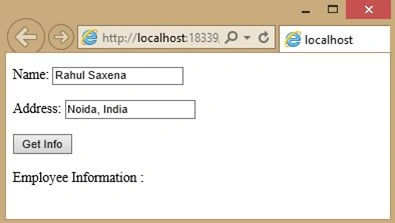
- <button ng-click="GetAllInfo()">Get Info</button>
- <br />
- <br />
- Employee Information : {{FullName}}
- </p>
- </div>
- </body>
- </html>
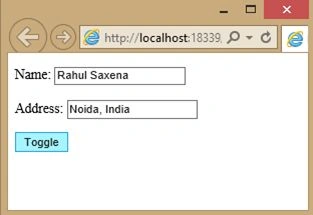
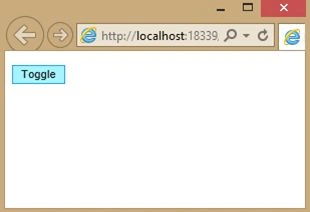
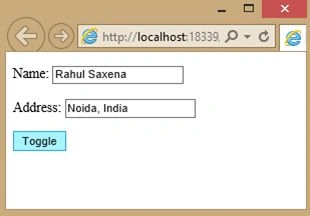
# Show Hide on button Click in AngularJS
- <%@ Page Language="C#" AutoEventWireup="true" CodeBehind="Default.aspx.cs" Inherits="AngularJS_Demo.Default" %>
- <!DOCTYPE html>
- <html xmlns="http://www.w3.org/1999/xhtml">
- <head runat="server">
- <title></title>
- <script src="http://ajax.googleapis.com/ajax/libs/angularjs/1.3.15/angular.min.js"></script>
- <script>
- var app = angular.module('myApp', []);
- app.controller('empCtrl', function ($scope) {
- $scope.Name = "Rahul Saxena",
- $scope.address = "Noida, India"
- $scope.myVar = true;
- $scope.toggle = function () {
- $scope.myVar = !$scope.myVar;
- }
- });
- </script>
- </head>
- <body>
- <div ng-app="myApp" ng-controller="empCtrl">
- <p ng-show="myVar">
- Name:
- <input type="text" ng-model="Name"><br />
- <br />
- Address:
- <input type="text" ng-model="address"><br />
- </p>
- <p>
- <button ng-click="toggle()">Toggle</button>
- </p>
- </div>
- </body>
- </html>
Rahul Kumar SaxenaPosted Apr 29, 2015, 1:10 AM
Thanks Santhakumar Munuswamy
Santhakumar MunuswamyPosted Apr 28, 2015, 2:56 PM
Good work
Rahul Kumar SaxenaPosted Apr 28, 2015, 11:58 AM
Thanks Karthik Muthu Karuppan
Karthik Muthu KaruppanPosted Apr 28, 2015, 11:40 AM
Good