

In this article I am showing a demonstration of SharePoint custom Designer 2010
workflows
1. First of all open your SharePoint 2010 site in SharePoint 2010 Designer
2. Go to file point to Add Item
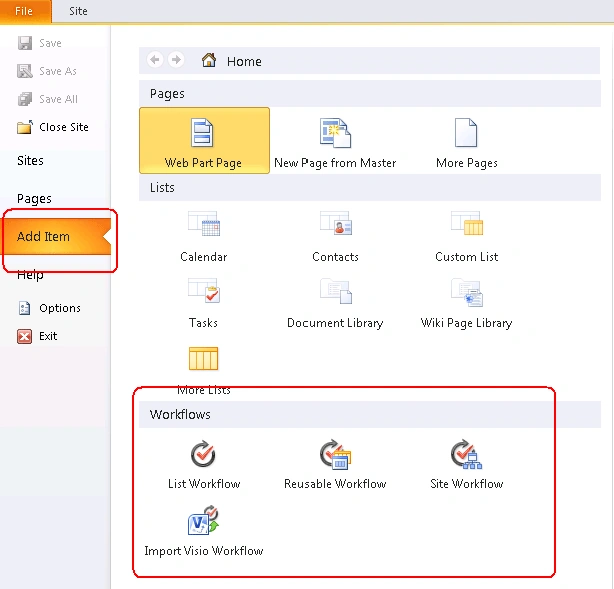
3. Now create a new workflow. We can choose from one of the following workflow
types:
- List Workflow - this type of workflow can be attached only to SharePoint lists or libraries. This kind of workflow can be useful if your requirements are specific to list or document library
- Reusable Workflow: It is more complex than List work flow it can be attached to a content type. Later this content type can be used with a list. One more advantage of this type of work flow is you can imported to Visual Studio and we can write code to enhance this type of workflow
- Site Workflow - this type of workflow operates on site level.
-
Import Visio Workflow-Another flexibility that SharePoint Designer 2010
giving is the flexibility to import Visio workflow.
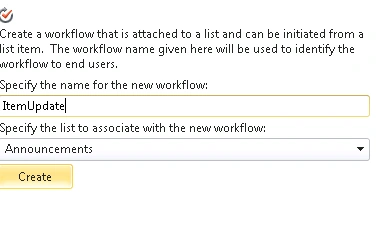
4. I have selected List Work flow
5. Give the name and select the list for the work flow to be attached
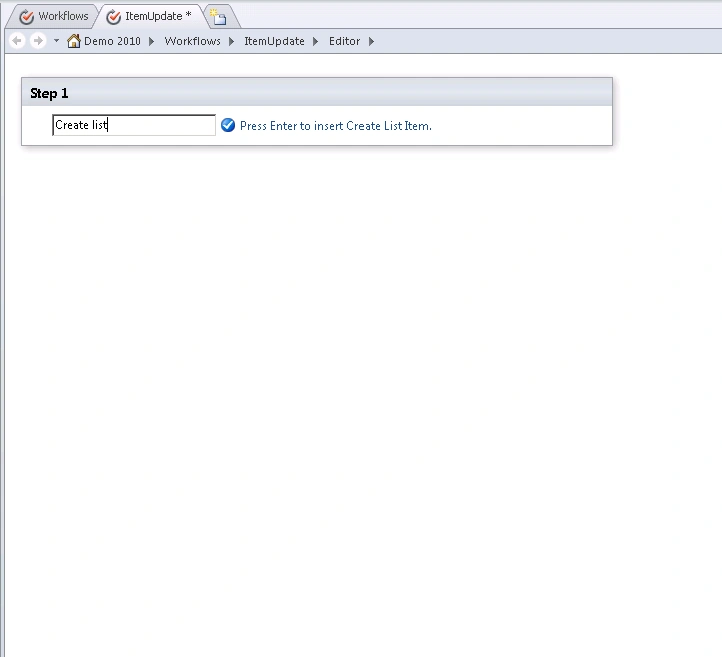
6. From the below screen you have to choose the Action
7. I have chosen Create List Item
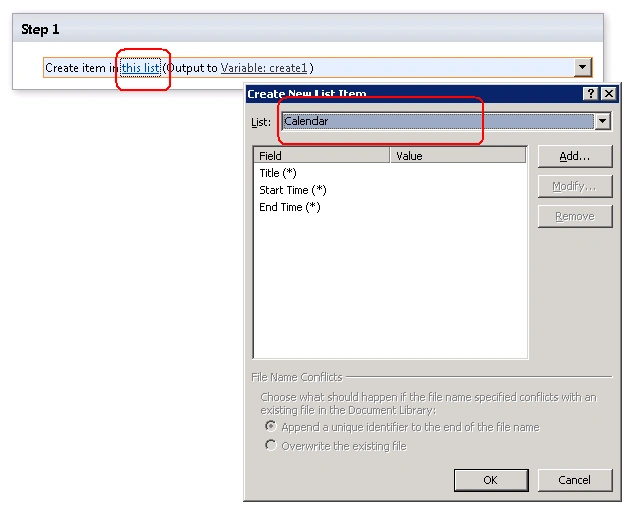
8. Here my objective is whenever an item added to Announcement an event should
be added to Calendar
9. So I have selected my Calendar list as shown below
10. I have set the Calendar title with Announcement Title
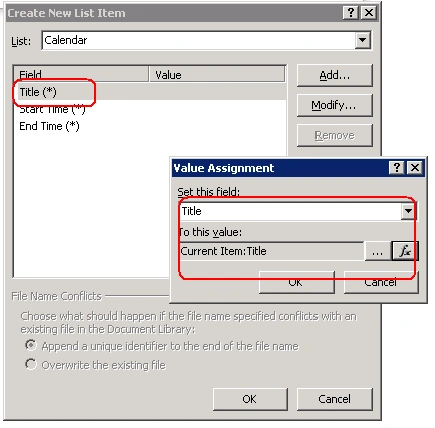
11. I have set the Calendar Start Date with Announcement Created Date
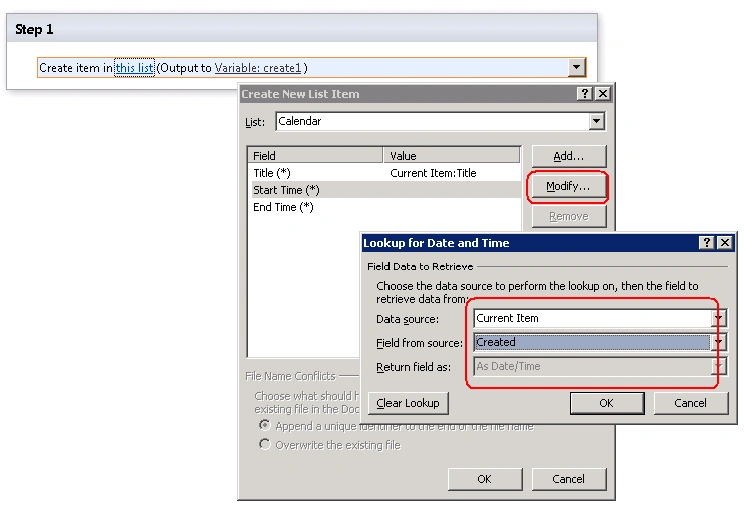
12. I have set the Calendar End Date with Announcement Expires Date
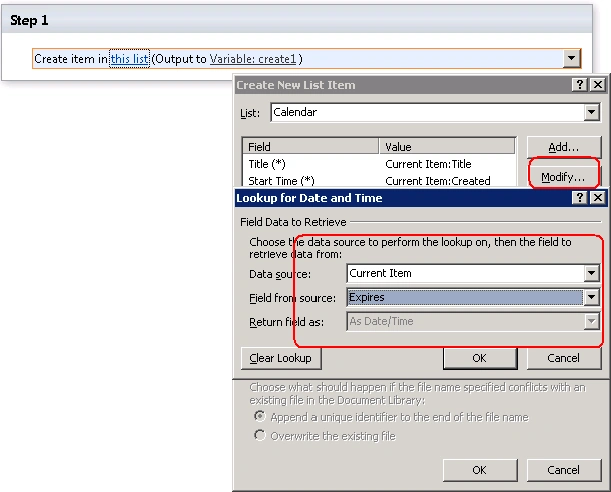
13. Once done you will get the screen like below

14. Save your Changes
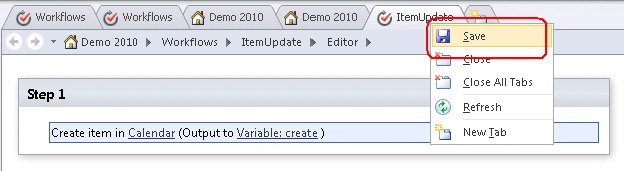
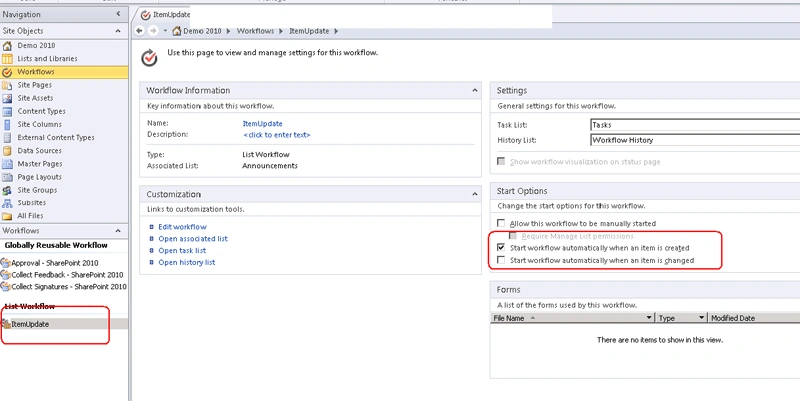
15. If you want to change the work flow settings do as shown below
Destin JoyPosted Jun 23, 2013, 1:06 PM
I think,this question i answeres through mail.You can use spcontext.currentweb to get teh current url
Jiteendra SampathiraoPosted May 8, 2012, 8:24 AM
if item is added to the Sharepoint list..Which action will be done? Will it send any alert,,,or ?
Maro HamamjyaneditedPosted Mar 12, 2012, 1:48 AMEdited Mar 12, 2012, 1:52 AM
how should it be shown in calendar? I did exactly what was shown in the pictures without any problem, but in the end i can't see anything shown in the calendar. Should there be a specific sign added on the day of the announcement created in the calendar?
jibin koshyPosted Oct 24, 2010, 7:44 AM
Thanx a lot for the tutorial.It really worked.Can you give an example on Import visio workflow as I am stucked with it