
In this article I am showing how to customize share point default form look and
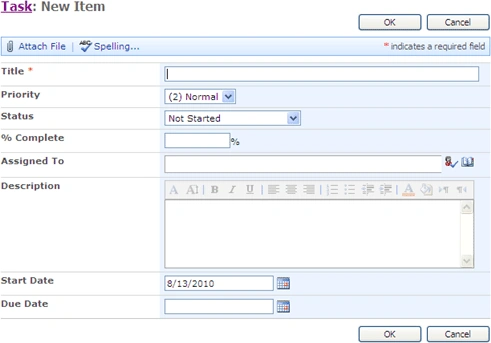
feel using XSLT. A default task list NewForm.aspx is as shown below. I will show
you how to change the fields in two columns.
1.
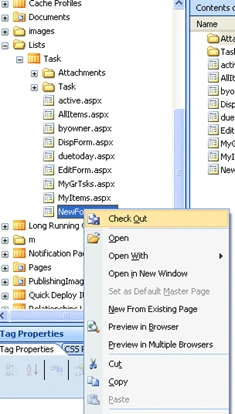
2. First step is to open your site in share point designer then find out
the list then the page NewForm.aspx. .Don't forget to check out the Newform.aspx
page as shown below
3. Open the NewForrm.aspx,Just select the List web part as shown below
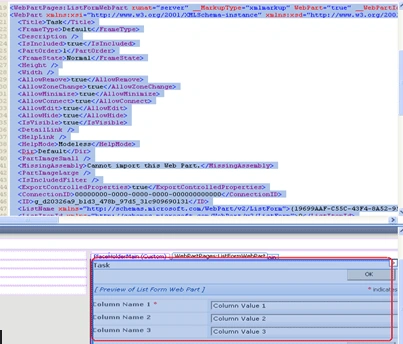
4. Delete the List web part by pressing your "Delete" key. The form now
will look like below
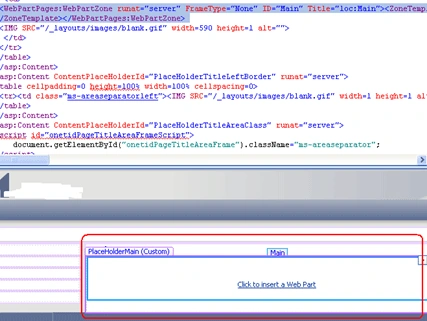
5. Please make your selection is still on the portion marked RED above.
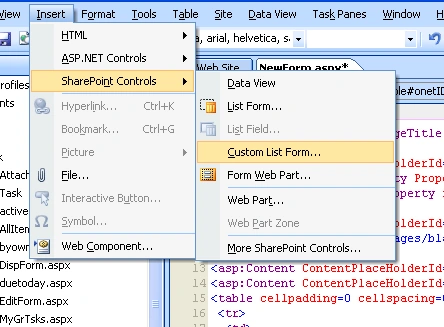
6. Go to Insert then SharePoint Controls and select Custom List From form
the menu
7. You will get a popup as shown below
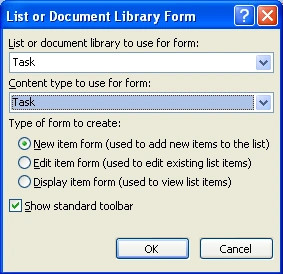
8. Please make sure you have selected your list and content type from the
first and second drop down. In my case I selected my Task list and Task content
type.
9. From the next option button select New Item From as shown above. You
have to repeat the same step for Edit and View forms also.
10. Now your list be converted to a Custom list from as shown below
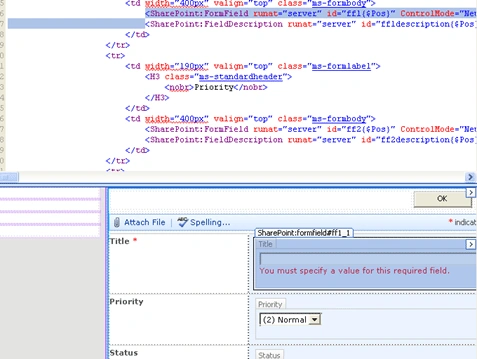
11. You can now select any column or row as per your wish.
12. Right click on Title field then select Row as shown below
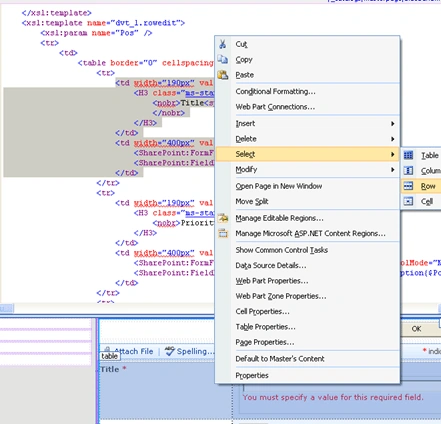
13. Then the row containing Title and the text box for entering Title be
selected in the code view also.
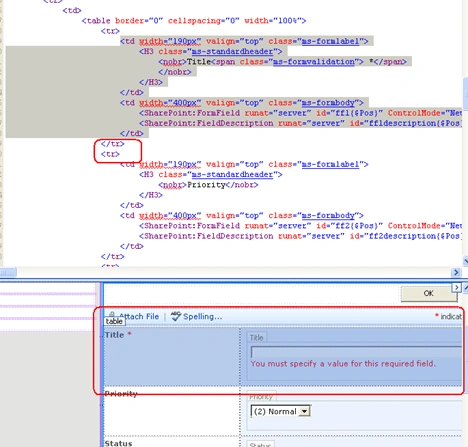
14. I want to align Title and priority fields on the same row so I am
removing the Second row starting and first row closing to put this two in one
row. Please find the screen shot below
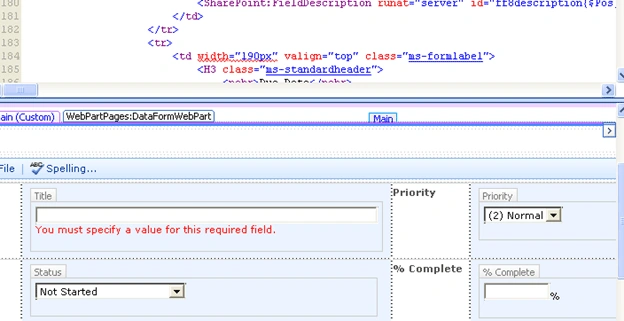
15. Please repeat the same step for the remaining columns also as shown
below
16. Save your changes then check in NewForm.aspx.
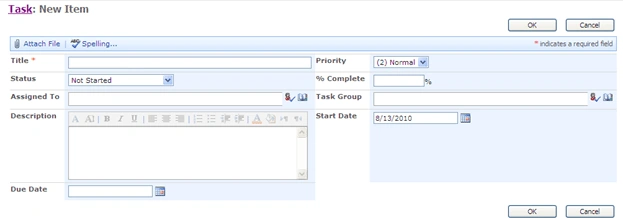
17. Now you open your New form in Task list .You can see the columns are
arranged like shown below
18. This type of customization is useful if the list contains large number
of fields.

Customize share point List Form using XSLT
Join the conversation! Your thoughts help the community grow.
Sign in to leave a comment
It is the same account you read, post and publish with — and you will come straight back to this page.
santhosh saripalliPosted Mar 14, 2014, 2:33 AM
the form newform.aspx is imported from what location .is it from program files means after deployment of project or before deployment
PepePosted Dec 22, 2010, 11:34 AM
Is it a good choice to use this tool?: Kaldeera Advanced Forms (http://www.kaldeera.com/en-US/products/AdvancedForms/Pages/default.aspx) Thanx in advance. Pepe
Laura SandoviciPosted Aug 31, 2010, 8:45 AM
Hello Destin, Thank you for your post. I find it very usefull. What if I want to do this kind of changes visible to all site users? Would you give me an advice in this sense? Thank you in advance. Laura