

In the below example I am showing you a very useful feature of publishing a SharePoint blog from word.
You have to open a new document by clicking NEW.

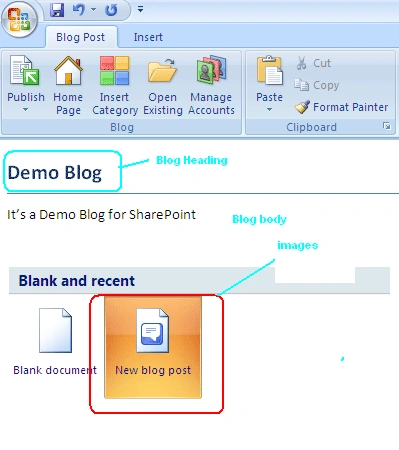
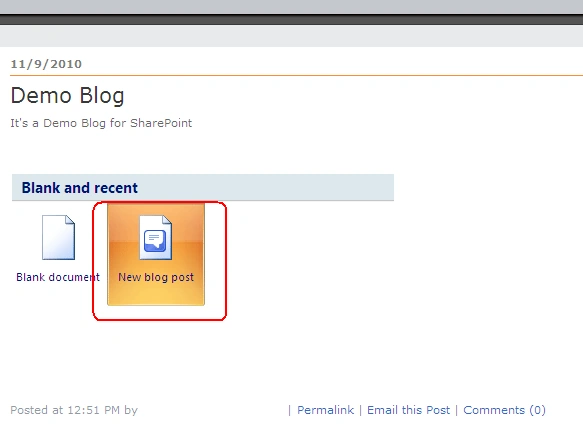
From the below screen select New Blog post and click Create.

You will get a screen similar to below you can add the Blog Heading, body .You can even copy and paste images using print screen as shown below.
Once you done with the blog just click on Manage Accounts.
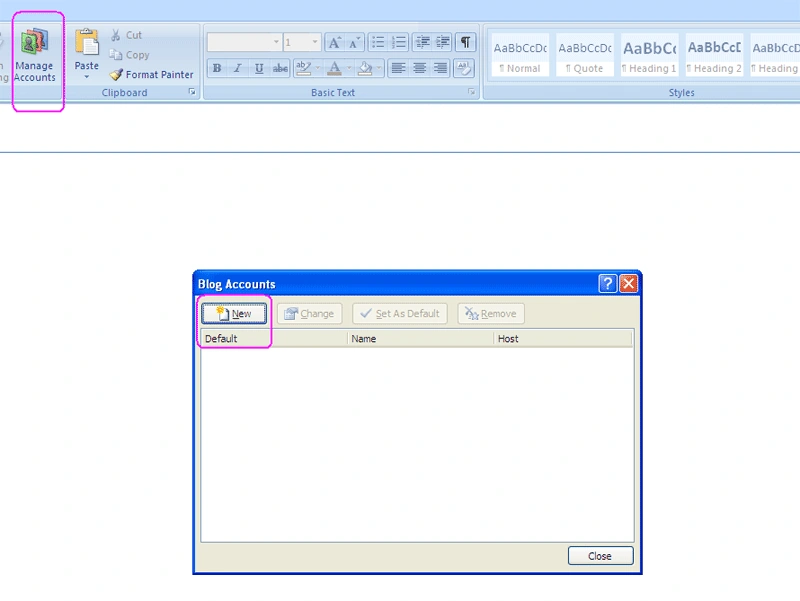
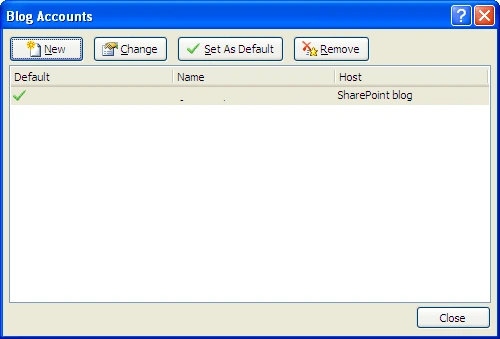
You will get a popup as shown below click on NEW.
Select SharePoint Blog from the drop down.
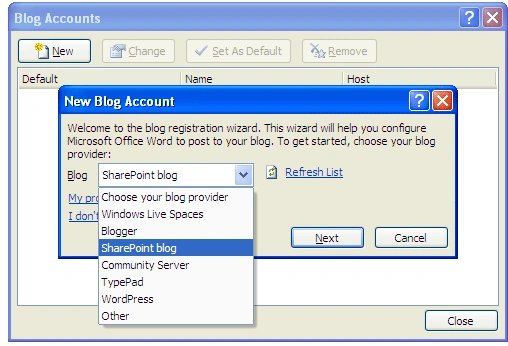
Next you have to add the url of your blog and click ok
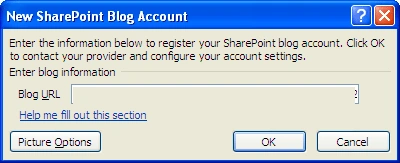
You are done with the account creation .You will get a screen like below. Click Close.
Click on Publish
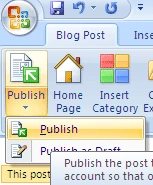
It will start publishing

Once done you can see the blog is published in your SharePoint site.
Main advantage is you don't have to add link of your images it will dynamically convert your images and saves in blog images picture library and add the links also.
Dinoop PanikkathPosted Jul 18, 2011, 9:06 AM
Like the 'category' field, can we access custom columns in the posts list and enter values for them while publishing the document?
jibin koshyPosted Nov 21, 2010, 10:28 AM
Superb
Mahesh ChandPosted Nov 11, 2010, 7:39 AM
I guess this feature is availabe in Word 2010 only? Also, do you need some kind of permissions on SharePoint?