

In this article, we will look into creating outlook add-in using VSTO. This add-in will read the content of a mail, once it is arrived. I am using VS 2008 and Outlook 2007 template for this add-in. Create a new Outlook 2007 project and name it as OutlookReader as shown below:
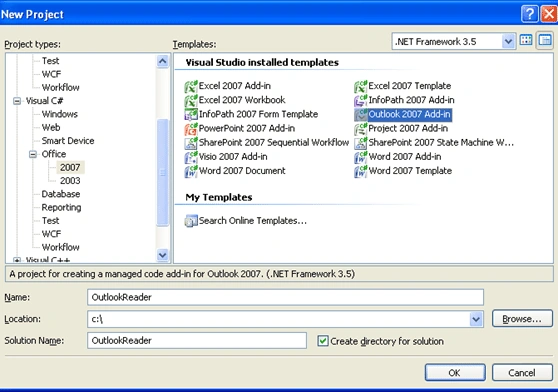
Add reference to System.Speech dll in the project. We need to load the add-in on outlook startup by writing below code in ThisAddIn_Startup event:
private Office.CommandBar
newToolBar;
private Office.CommandBarButton
newToolBarButton;
private System.Speech.Synthesis.SpeechSynthesizer
syn = new System.Speech.Synthesis.SpeechSynthesizer();
private void ThisAddIn_Startup(object sender, System.EventArgs
e)
{
// Add new Toolbar, if not exist
if (newToolBar == null)
{
newToolBar = Application.ActiveExplorer().CommandBars.Add("MyToolBar", Office.MsoBarPosition.msoBarTop, false,
true);
// Add Button to Toolbar
newToolBarButton = (Office.CommandBarButton)newToolBar.Controls.Add(Office.MsoControlType.msoControlButton, missing, missing,
missing, true);
newToolBarButton.Caption = "Stop
Voice";
newToolBarButton.Click += new
Microsoft.Office.Core._CommandBarButtonEvents_ClickEventHandler(newToolBarButton_Click);
newToolBar.Visible = true;
}
Application.NewMailEx += new
Microsoft.Office.Interop.Outlook.ApplicationEvents_11_NewMailExEventHandler(Application_NewMailEx);
Join the conversation! Your thoughts help the community grow.