
For more information on cubes, refer to my previous article on cubes What are SQL Cubes?
Following the following steps to create your first cube.
Step 1: Open SQL Server Business Intelligence Development Studio
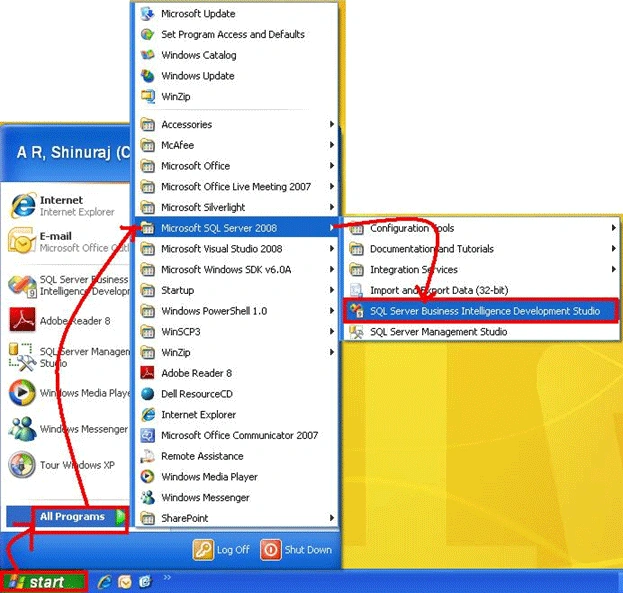
Step 2: Create a new Analysis Services project using the SQL Server Business Intelligence Development Studio
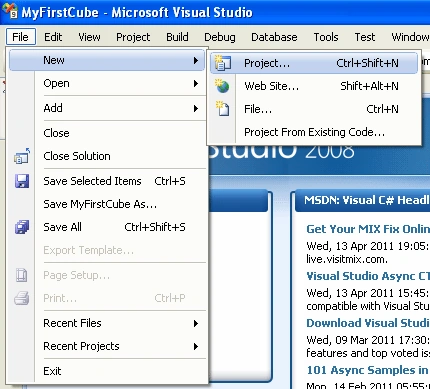
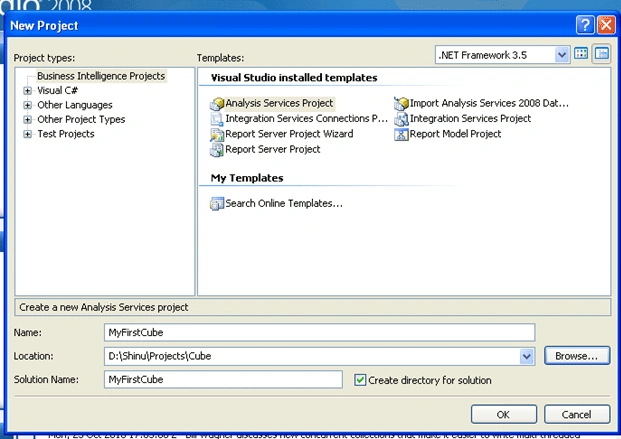
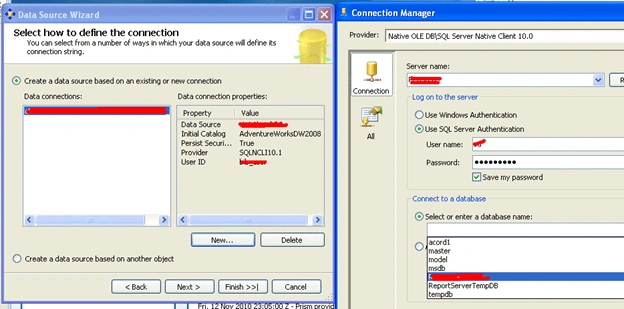
Step 3: Define a data source
Right-click the Data Sources folder in the solution:
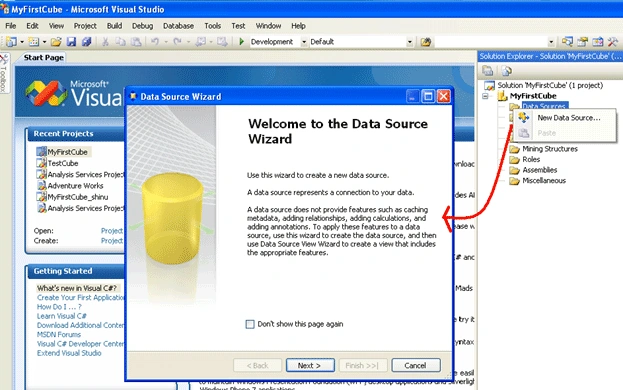
Click Next
Step 4 : Defining a Data Source View
Right-click the Data Source Views folder and following the create wizard
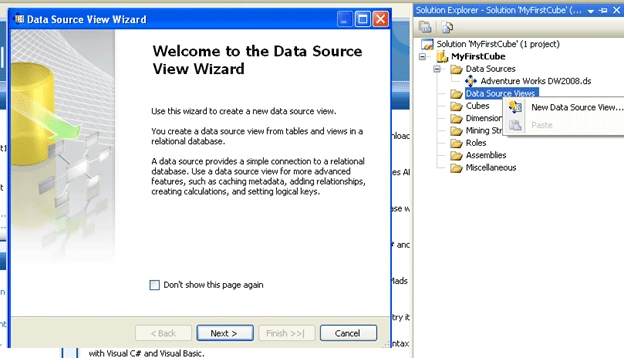
Click next
On the Select Tables and Views wizard page, select tables and views from the list of objects that are available from the selected data source. Then click finish.
Step 5: Creating a CUBE with CUBE wizard.
Right-click on the CUBES folder and then click on the New CUBE then you will be seeing the following dialogue after clicking next:
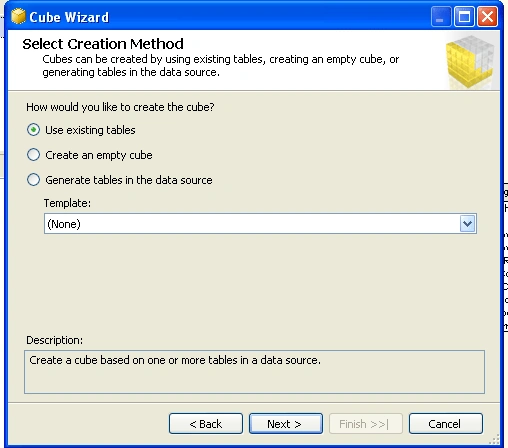
Click Next then select the Data Source View from down and then select the objects that needs to participate in the CUBE development. If you are not sure then click on the suggest button:
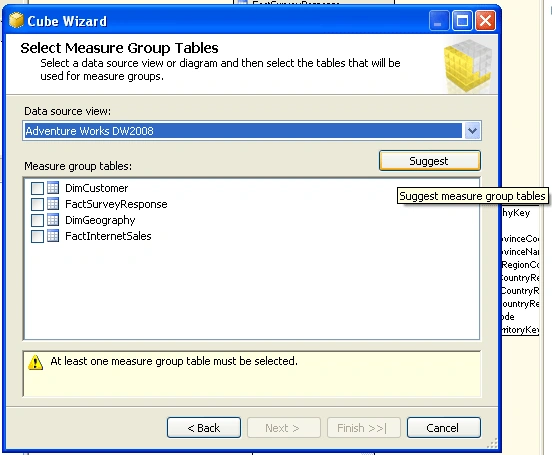
Click next and select the desire measure columns and dimensions from the Data Source View finally we will see the following screen in the final step.
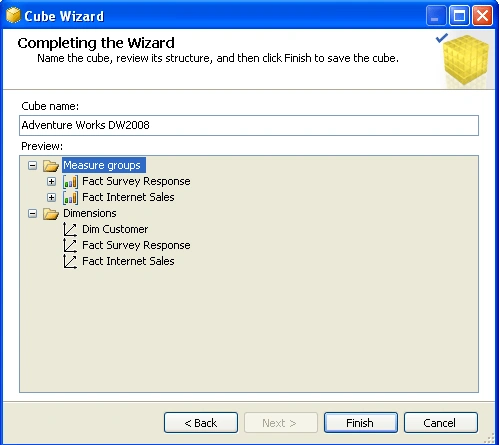
On clicking the finish button your first cube is created.
Step 6: Deploy the cube and process
In Solution Explorer, right-click the project, and then click Deploy:
Mahesh ChandPosted Dec 6, 2013, 8:17 AM
Very nice Shinuraj. Great work with the cubes. Not too many people have experience in SQL BI.