
Generally speaking, a table consists of vertical columns and horizontal rows with a cell at every intersection. A Word table can have a maximum of 63 columns and an unlimited number on rows. In this article I will teach you how to add and delete rows and columns in an existing Word table.
Add a Row
Word also provides the feature to add a row to an existing table in a Word document.
Do the following to add a row in Word 2013.
Step 1
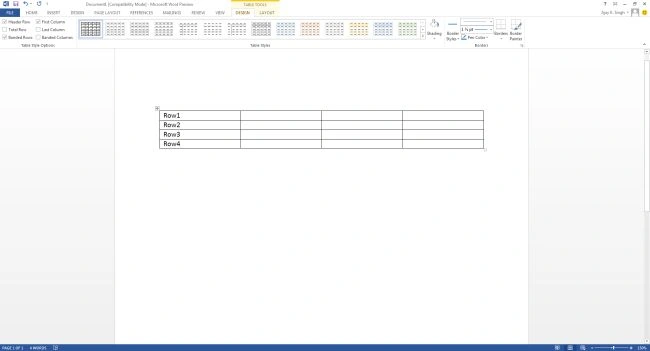
Suppose you have a table in Word document that contains 4 rows and 4 columns.
Step 2
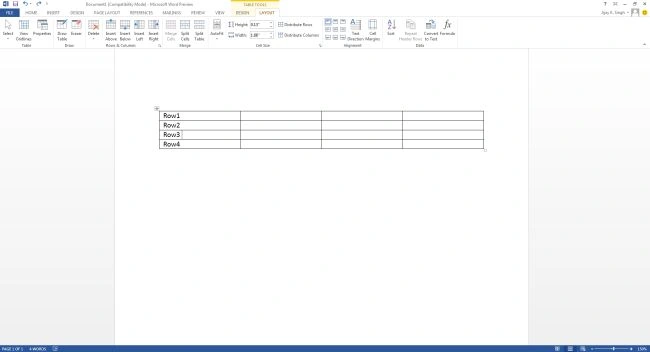
Now click a row where you want to add an additional row. Here I have clicked in row3.
Step 3
Click the Layout tab and go to Row & Column Group of buttons, to add a row below or above the selected row. Here I have selected insert above.
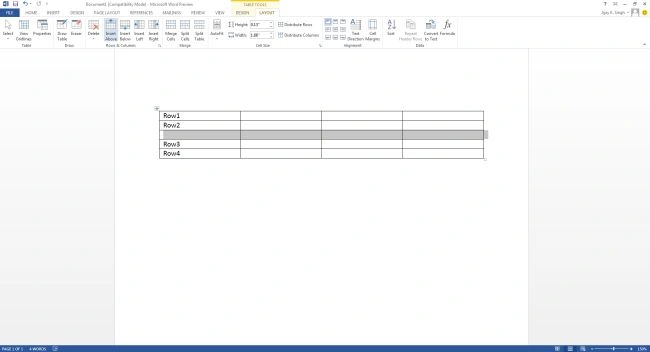
Note: You can create a new row between the row2 and row3.
Delete a Row
Do the following simple to delete rows from a table of a Word document.
Step 1
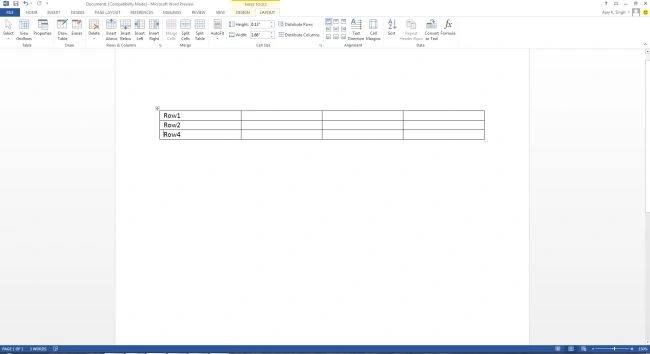
Click a row you want to delete. Here I have clicked in row3.
Step 2
Go to the Layout tab and Delete buttons and choose the delete row option.
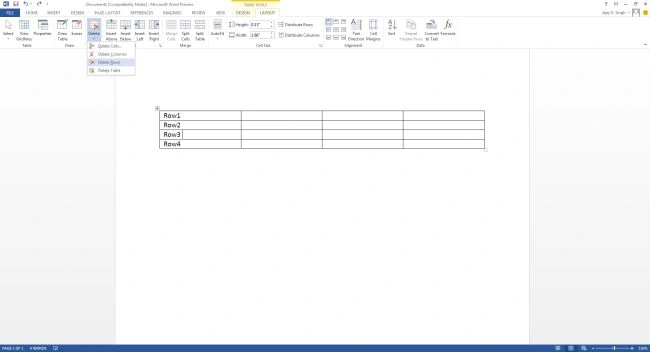
Note: See row3 has been deleted.
Join the conversation! Your thoughts help the community grow.