ARTICLE

How to debug clientside Javascript code in VS2005 or VS2003

Posted by Deepa Rao Articles | Visual Studio 2010 March 30, 2007
This article helps you to debug Javascript code on an ASPX page.
Reader Level:

This article explains you how to debug the client side Javascript code in VisualStudio.

Steps: 

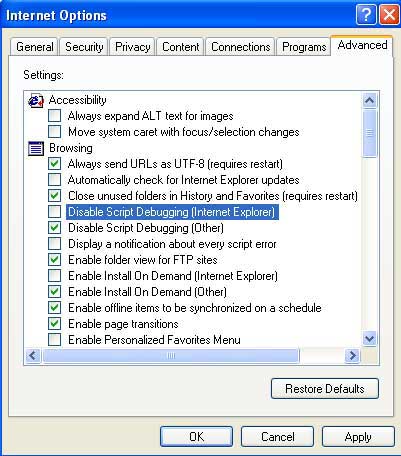
  1. Go to IE. Open Tools>>Internet Options>>Advanced Tab.

  2. Uncheck the "Disable Script Debugging" (Internet Explorer).


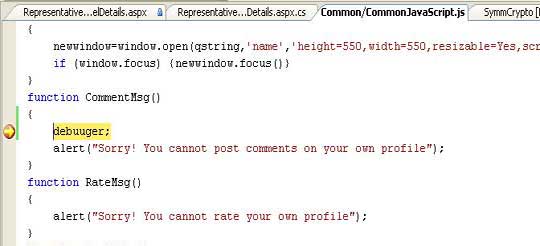
  3. Write the Javascript code on aspx page and write "debugger;" statement inside your Javascript function and assign the breakpoint in Javascript code. 

  4. Run the application.


  5. Now you can debug your application using Immediate window and find the error.

  6. After debugging, remove the statement "debugger" from the Javascript code.

Login to add your contents and source code to this article
comments
COMMENT USING
PREMIUM SPONSORS
Over-C is a holistic consortium of communications and technology specialists. We build, deploy and market both business as well as consumer products and solutions.
SPONSORED BY
  • PDF reports have never been easier to create. With our included WYSIWYG Designer, you can layout your reports, set up your data source and let DynamicPDF ReportWriter do the rest.
Join a Chapter