SIGN UP MEMBER LOGIN:    
ARTICLE

Birthday Reminder in C#

Posted by Brijesh Kumar Articles | Windows Forms C# March 17, 2011
The project entitled "Birthday Notification" is basically to provide notification of an upcoming birthday.
Reader Level:
Download Files:


Introduction

The project entitled "Birthday Notification" is basically to provide notification of an upcoming birthday. It has a very user friendly interface.

The application includes the following features:

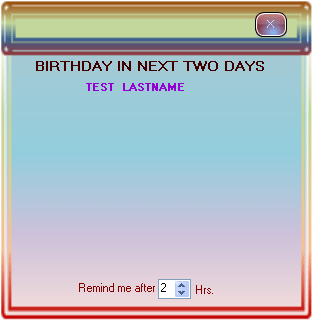
  1. To provide notification of one or more upcoming birthdays a form comes up from the right bottom of the desktop. You can set the number of hours for the next popup.
    BdayReminder1.gif
     
  2. Application starts once as system boots, search for date from database if, there is no any birthday in next 2 days it becomes inactive untill the next boot.
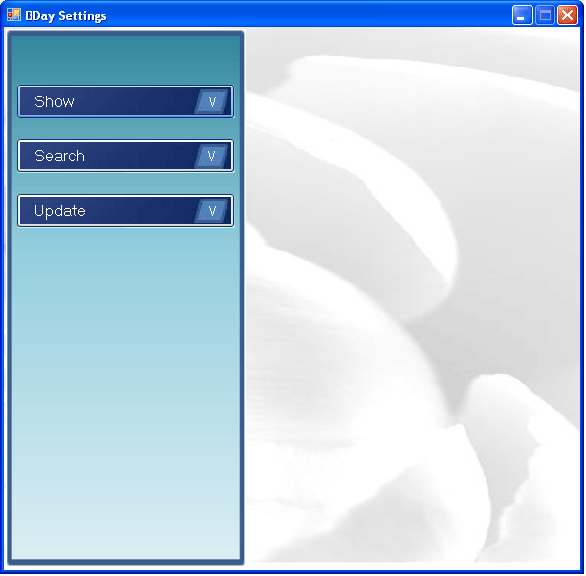
  3. User friendly interface for entering, updating and deleting records.
    BdayReminder2.gif

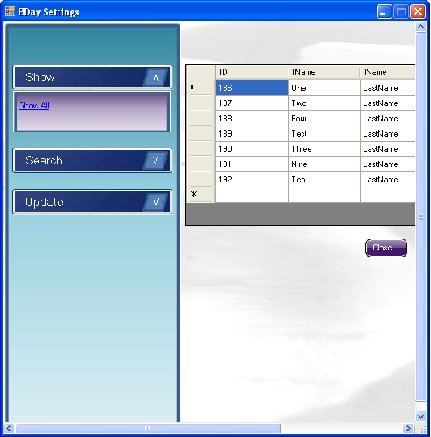
    1. To show all the records just click on the Show button.
      BdayReminder3.gif
       
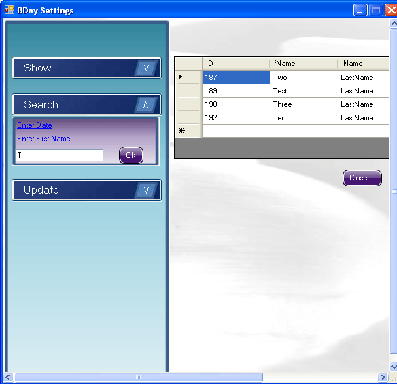
    2. You can search for a birthday by Date or Name; if you select by name then you just have to give only the initial of any name (eg if name is John just type 'j' or 'jh').
      BdayReminder4.gif
       
    3. There are options in the update menu to update/enter/delete birthdays. Just click on the Add New menu item to add a new record.
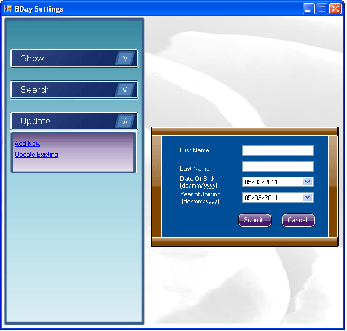
      BdayReminder5.gif
       
    4. You can update or delete a record. Click on Update Existing, enter initial of name then click ok, you will have records below; now select one and just click the Update or Delete button.
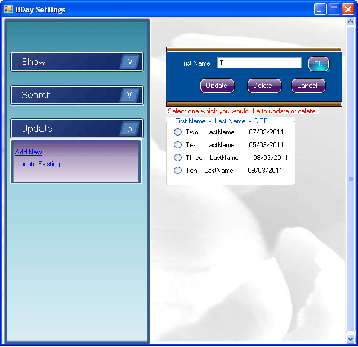
      BdayReminder6.gif
       
  4. There is a form that appears in the center to show today's Birthday.
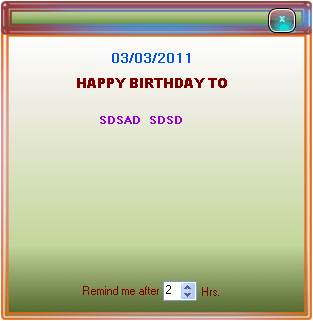
    BdayReminder7.gif

How to use
You just have to change your system date format to dd/MM/yyyy, eg. 02/02/2011.
Start Visual Studio, open this project and run.

As you run this project an icon appears on system tray (lower right corner of your desktop).

Right click on icon for further action.

BdayReminder8.gif

Form comes from lower right corner.

There is a form in this Project named Popup which comes from Lower Right corner of your desktop.
x = int.Parse(Screen.PrimaryScreen.Bounds.Right.ToString()) - int.Parse(this.Size.Width.ToString());
y = int.Parse(Screen.PrimaryScreen.Bounds.Bottom.ToString()) - int.Parse(this.Size.Height.ToString());
y1 = int.Parse(Screen.PrimaryScreen.Bounds.Bottom.ToString());
this.Location = new System.Drawing.Point(x, y1);

private void timer1_Tick (object sender, EventArgs e)
{
    y1 = y1 - 5;
    this.Location = new System.Drawing.Point(x, y1);
    if (y1 <= y)
    {
        timer1.Enabled = false;
        this.Location = new System.Drawing.Point(x, y - 30);
    }
}

Login to add your contents and source code to this article
share this article :
post comment
 

You just keep your software shortcut at startup folder of Operating System. Or Just install your software at startup Folder of OS. !!! Sorry For the Late !!!

Posted by Brijesh Kumar Jan 20, 2012

Thanks

Posted by Brijesh Kumar Jan 20, 2012

Since you, copy the source code, and it is working. Check that shortcut for setup is in startup of Operating System.

Posted by Brijesh Kumar Jan 20, 2012

I tried to execute you source code, It runs successfully, But it is not automatically popping up on system reboot, Please guide me, I need this module to be successfully install on my company ASAP. Reply me on suhail@propertyscience.com thanks in advnc

Posted by Suhail Jan 18, 2012

nice i like it what you done in you notification

Posted by genisis Exogen Oct 23, 2011
Nevron Gauge for SharePoint
Become a Sponsor
PREMIUM SPONSORS
  • Finally – a virtual platform that delivers next-generation Windows Server 2008 Hyper-V virtualization technology from a managed hosting partner you can truly depend on. Visit www.maximumasp.com/max for a FREE 30 day trial. Hurry offer ends soon. Climb aboard the MaxV platform and take advantage of High Availability, Intelligent Monitoring, Recurrent Backups, and Scalability – with no hassle or hidden fees. As a managed hosting partner focused solely on Microsoft technologies since 2000, MaximumASP is uniquely qualified to provide the superior support that our business is built on. Unparalleled expertise with Microsoft technologies lead to working directly with Microsoft as first to offer IIS 7 and SQL 2008 betas in a hosted environment; partnering in the Go Live Program for Hyper-V; and product co-launches built on WS 2008 with Hyper-V technology.
    ceTE software specializes in components for dynamic PDF generation and manipulation. The DynamicPDF™ product line allows you to dynamically generate PDF documents, merge PDF documents and new content to existing PDF documents from within your applications.
Nevron Gauge for SharePoint
Become a Sponsor