

In the previous article you saw how to fetch data from a MySQL database through the CodeIgniter framework in PHP. In this article you will see how to build a LogIn page with the CodeIgniter framework in PHP.
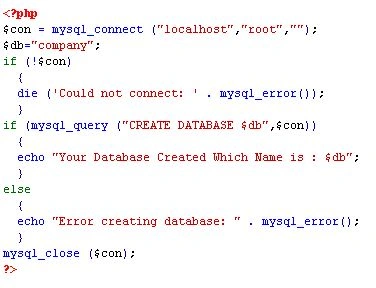
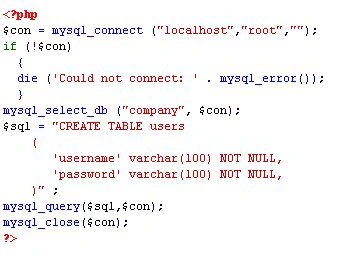
First of all we will create a database and table in MySQL. Suppose we created the "Company" database and "users" table in MySQL. There are the two fields, username and word in the users table.
Create Database
Create Table
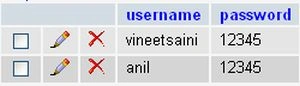
After we have created a table we will insert some data into this table. Like as in the following image:
After inserting data into the table in MySQL we will set the database configuration in the CodeIgniter framework. For the database configuration we will go to c:\xampp\htdocs\CodIgniter\application\config\database.php. Then we will write the following code in the database.php file:

After configuration of the database in the CodeIgniter framework we will set the controller function. To set the controll function we will go to c:\xampp\htdocs\CodIgniter\application\config\routes.php. Then write the following code in the controller.php:

After setting the controller we will configure the default libraries you want to load in all your controllers. To configure the libraries we will go to: c:\xampp\htdocs\CodIgniter\application\config\autoload.php.
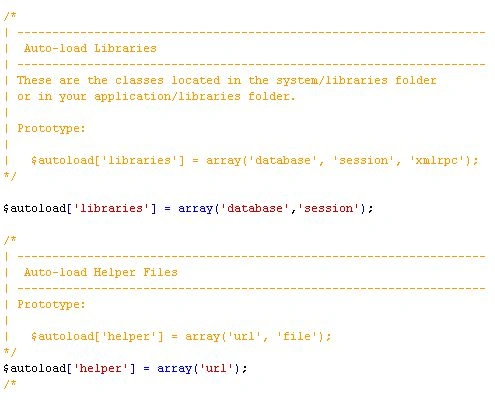
When you use the session library, you need to set the encryption_key and base_url. To set the encryption_key and base_url we will go to: c:\xampp\htdocs\CodIgniter\application\config\config.php.


Now we will create a model to select the data from the database. We will write the following code in the PHP file then save it in the c:\xampp\htdocs\CodIgniter\application\models\user.php.
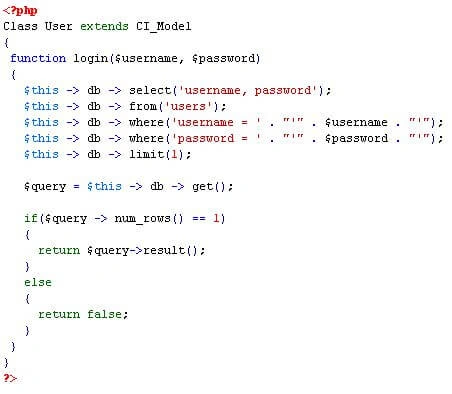
After creating the user.php models we will create a controller. To create the controller we will write the following code in the PHP file then save in the c:\xampp\htdocs\CodIgniter\application\controllers\login.php.
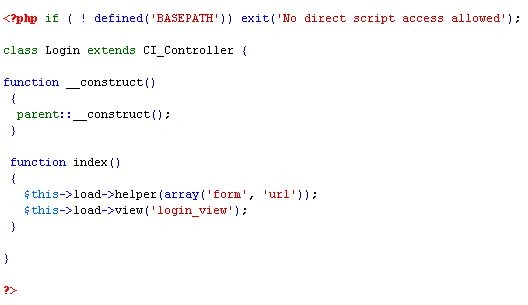
After creating the login controller we will create the home controller. To create the home controller we will write the following code in the PHP file then save in the c:\xampp\htdocs\CodIgniter\application\controllers\home.php.
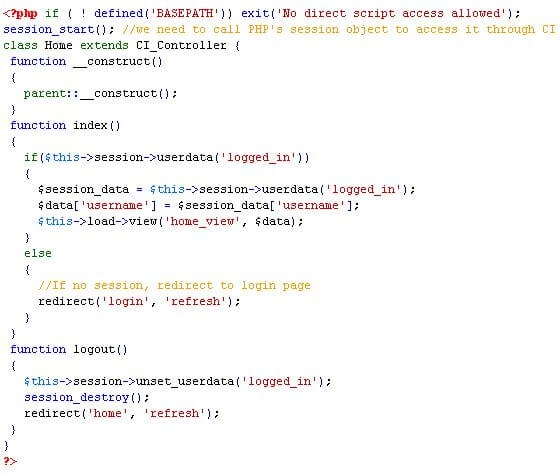
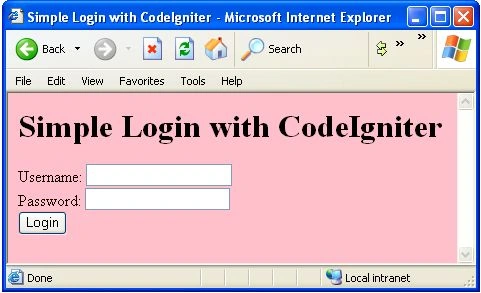
After creating the home controller we will create a view file. To create the view file we will write the following code in the PHP file then save in the c:\xampp\htdocs\CodIgniter\application\controllers\login_view.php.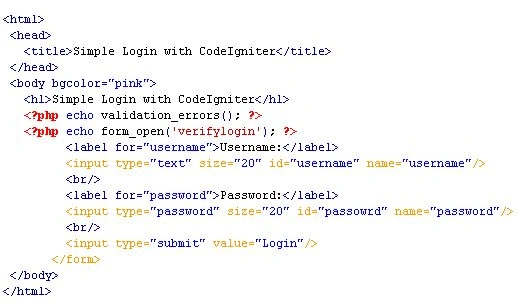
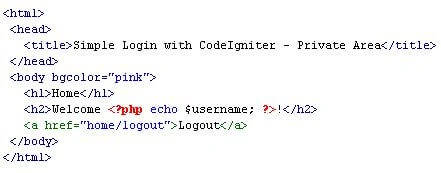
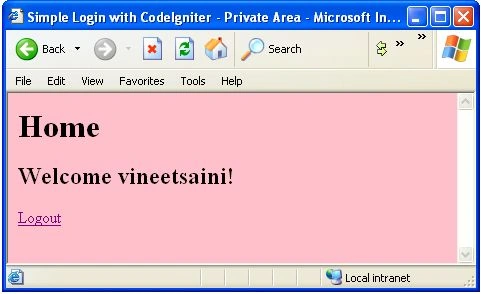
After create the login_view.php file we will create the home view file. For create the home view file we will write the following code on PHP file then save in the c:\xampp\htdocs\CodIgniter\application\controllers\home_view.php.
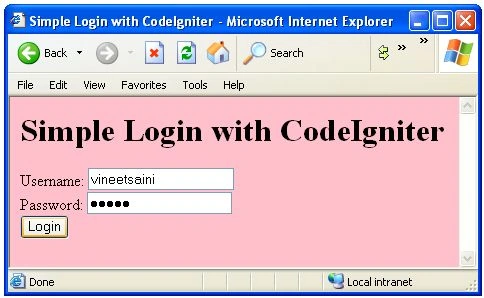
Output
Conclusion
So in this article you saw how to create a login page with the CodeIgniter framework in PHP. Using this article one can easily understand how to create a login page with the CodeIgniter framework in PHP.
Some Helpful Resources
D KrishnaPosted Jan 10, 2018, 12:23 AM
Im new to this.Login form will come but when im entering details like user name and password im getting Object not found.what mistake made im doing.where is the verify login
Edward CalusayanPosted Nov 4, 2015, 4:37 AM
I got this error after following your code pls help
George DelPosted Oct 5, 2015, 5:39 AM
May I ask if what is that verifylogin? it it is a controller file or a function
Sobun OukPosted Jan 18, 2015, 11:53 AM
You didn't explain. You just told how to create files and where to save them.
Asif HussainPosted Jul 28, 2013, 10:19 PM
For Malik Perang you need to write that filename that you have in your models folder like in above article author used models/user see the line $result = $this->your file name will be here->login($username, $password);
Sneha GPosted Jul 16, 2013, 5:14 AM
Thanks! Its really helpful and easy to unsertand
Malik PerangPosted Mar 16, 2013, 2:37 PM
Hi.I am getting this error after followed up your tutorial. this error came out after I'm login the page. this is the error: A PHP Error was encountered Severity: Notice Message: Undefined property: VerifyLogin::$user Filename: controllers/verifylogin.php Line Number: 38 code in line 38 is $result = $this->user->login($username, $password); can you help me?
swodesh muduliPosted Nov 20, 2012, 11:31 PM
THANKS
ShabneezPosted Nov 6, 2012, 11:38 PM
Hello, thanks for the article but it was mentioned: "After create the login_view.php file we will create the home view file. For create the home view file we will write the following code on PHP file then save in the c:\xampp\htdocs\CodIgniter\application\controllers\home_view.php." Both home_view.php and login_view.php could go in the "views" folder. Like this: c:\xampp\htdocs\CodIgniter\application\views\home_view.php.
JOMI NEELANKAVILPosted Nov 6, 2012, 6:26 AM
here you mention a method called verifylogin in the form tag. But i couldn't able to find any method named verifylogin in the controller. If u miss out that portion please do correct it.
rohan bahutalePosted Oct 29, 2012, 7:22 AM
nice...it was so helpfull to me....