

Introduction
In this article we will create an application using backbone.js for local storage. Here we will create the link with its description, when we click on the description then the related link will be opened.
Here we need to add these js files:
<script src="http://cdnjs.cloudflare.com/ajax/libs/jquery/1.7.1/jquery.min.js"></script>
<script src="http://cdnjs.cloudflare.com/ajax/libs/json2/20110223/json2.js"></script>
<script src="http://cdnjs.cloudflare.com/ajax/libs/underscore.js/1.3.1/underscore-min.js"></script>
<script src="http://cdnjs.cloudflare.com/ajax/libs/backbone.js/0.9.2/backbone-min.js"></script>
<script src="backbone-localstorage.js"></script>
<script src="localstorage.js"></script>
Now we will create the application.
Step 1
First create a web application:
- Start Visual Studio 2013.
- From the Start window select "New Project".
- Select "Installed" -> "Template" -> "Visual C#" -> "Web" -> "Visual Studio 2012" and select "Empty web application".
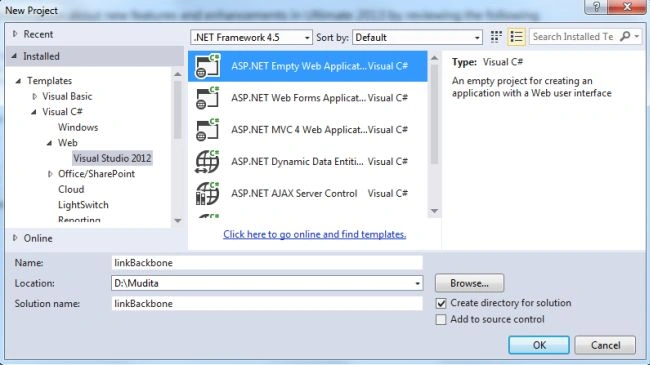
- Click on the "OK" button.
Step 2
Now add the HTML Page to the project:
- In the Solution Explorer.
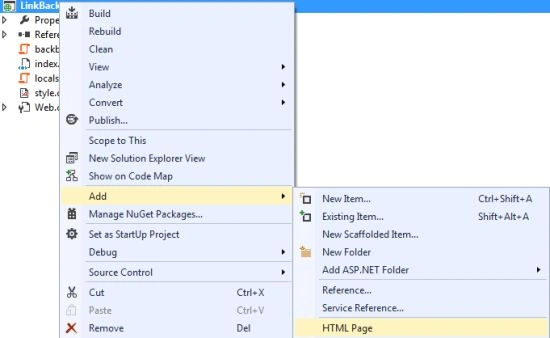
- Right-click on the project and select "Add" -> "HTML Page".
- Change the name.
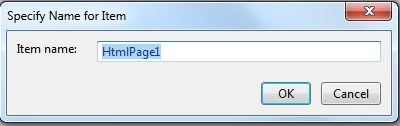
- Then click on the "OK" button.
Add the following code:
<!DOCTYPE html>
<html>
<head>
<title></title>
<!-- requirements. -->
<script src="http://cdnjs.cloudflare.com/ajax/libs/jquery/1.7.1/jquery.min.js"></script>
<script src="http://cdnjs.cloudflare.com/ajax/libs/json2/20110223/json2.js"></script>
<script src="http://cdnjs.cloudflare.com/ajax/libs/underscore.js/1.3.1/underscore-min.js"></script>
<script src="http://cdnjs.cloudflare.com/ajax/libs/backbone.js/0.9.2/backbone-min.js"></script>
<script src="backbone-localstorage.js"></script>
<script src="localstorage.js"></script>
<link href="style.css" rel="stylesheet" />
</head>
<body>
<h4>Store Links using Backbone.js</h4>
<div id="app">
description about the Link: <input id="desc" name="desc" value="" /><br />
Display Link <input id="link" name="link" value="http://" /><br />
<div id="links"></div>
</div>
<!-- Link Template -->
<script type="text/template" id="link-template">
<div id='<%= cid %>' class='link'>
<a target='new' class='link <%= cid %>' href="<%= url %>"><%= desc %></a>
<button id='delete' class='btn btn-danger <%= cid %>'>Delete this Link</button>
</div>
</script>
</body>
</html>
Step 3
Now we add a stylesheet as in the following:
- In the Solution Explorer.
- Right-click on the project then select "Add" -> "New Item" -> "StyleSheet".
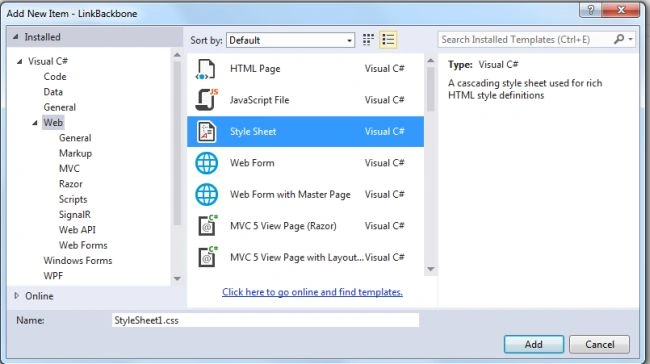
- Click on the "Add" button.
Add the following code:
body {
font-size: 20px;
}
h4 {
margin: 0px 0px 37px 250px;
}
div#app {
width: 800px;
margin: auto;
}
div#links {
width: 300px;
}
input:focus{
border:2px solid #0026ff ;
background-color: #FFEEAA
}
div.link {
margin-top: 20px;
}
#delete{
background:#f2e9e9;
color:black;
font-weight:bold;
}
Step 4
Now we execute the application. It will display two textboxes, one for the link and the other for the description.
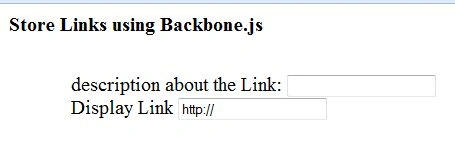
Type in the description and write the link. It then creates the description as a link.
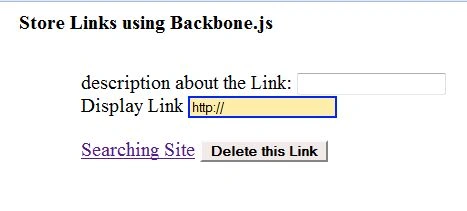
When you click on that then it will open the appropriate link..

You can also delete this link.
Join the conversation! Your thoughts help the community grow.