

Introduction
This article explains the View events in backbone.js. Here we create an example in which we will work on a simple view and we will not have any templates or models. We will create an example in which we attach TextBox key up with the view's function. The view function will call with the activation of the event when the user presses a key. It should log the value of the TextBox to the browser console.
It is ordinary for the backbone.js view to consider the elements that the user interacts with these elements, for example when the user enters the text in the TextBox and hovers over the div or clicks on a button, these interactions activate the events. If the backbone.js view attaches to these events then it responds to the event.
Let's see the example:
- First create the web application:
- Start Visual Studio 2013.
- From the Start window select "New Project".
- Select "Installed" -> "Template" -> "Visual C#" -> "Web" -> "Visual Studio 2012" and select "Empty Web Application".
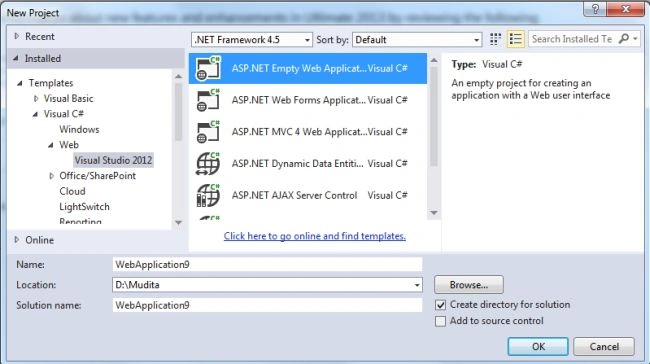
- Click on the "OK" button.
- Now add an HTML page.
- In the Solution Explorer.
- Right-click on the project and select "Add" -> "HTML Page".
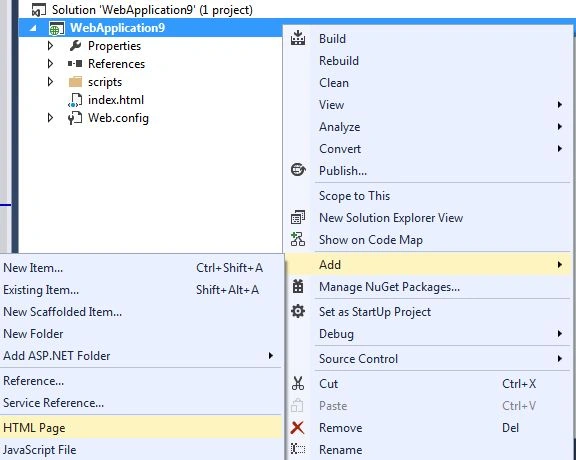
- Change the name of the page.
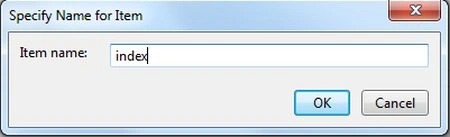
- Click on the "OK" button.
Add the following code:
<html>
<head>
<title></title>
<script src="/scripts/jquery-1.8.3.js" type="text/javascript"></script>
<script src="http://ajax.cdnjs.com/ajax/libs/underscore.js/1.1.6/underscore-min.js" type="text/javascript"></script>
<script src="http://ajax.cdnjs.com/ajax/libs/backbone.js/0.3.3/backbone-min.js"></script>
</head>
<body>
<div id="container-titleInput">
TitleName: <input type="text" id="txtTitle" />
</div>
<script type="text/javascript">
var TitleInput = Backbone.View.extend({
el: "#container-titleInput",
initialize: function () {
},
events: {
"keyup #txtTitle": "titleChange"
},
titleChange: function (event) {
console.log(event);
console.log("txtTitle: " + $(event.target).val());
}
})
var titleInput = new TitleInput();
</script>
</body>
</html>
- Execute the application:
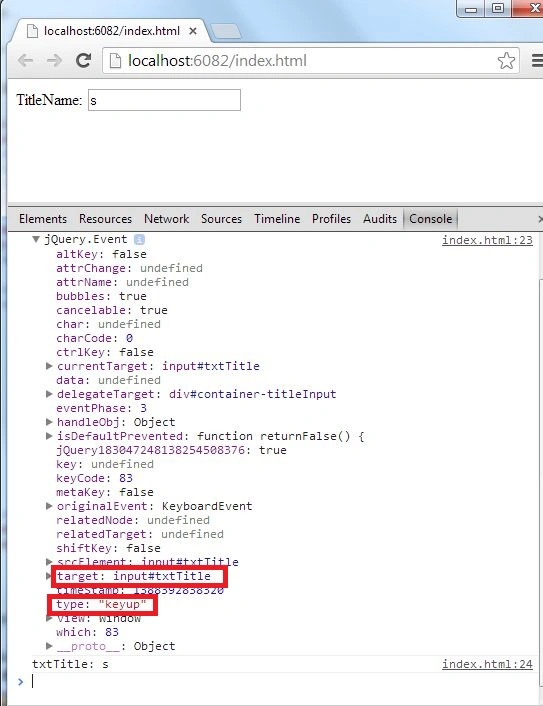
In this example we have a div with the id "Container-titleInput", the div element is composed of the "el" property. The div element has another input element input with the id "txtTitle". Whenever a Key-up event occurs on the input element, an event should be fired. The reason we compose this element, is so that we can monitor its child elements for changes.
Join the conversation! Your thoughts help the community grow.