

Calendar extender is a part of Ajax Control Toolkit. I will show you in this process how to implement it.
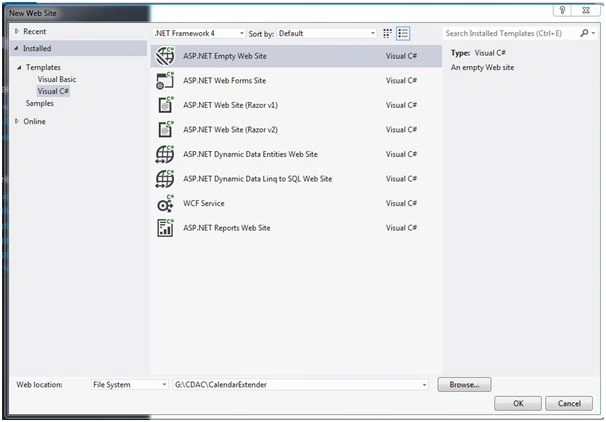
1. Create a new Web Site project.
Click File, New Web Site, then click ASP.NET Empty Web Site.
2. Right click on project.
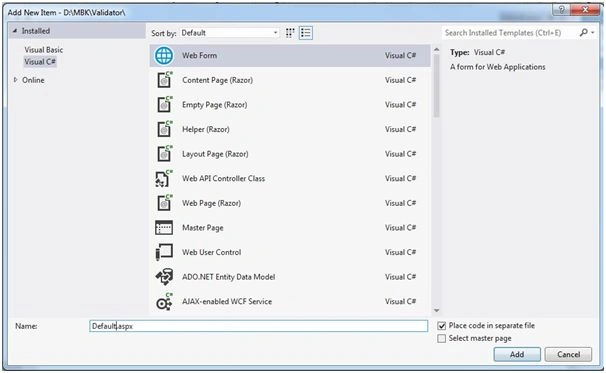
Click Add, Add New Item and then name the Web Form as Default.aspx,
3. Before using or giving reference of Ajax Control Toolkit, first know where you will get Ajax Control Tookit.
You will get the Ajax Control Tookit resource from the following Web sites:
ASP.NET Ajax Control Toolkit Reference.
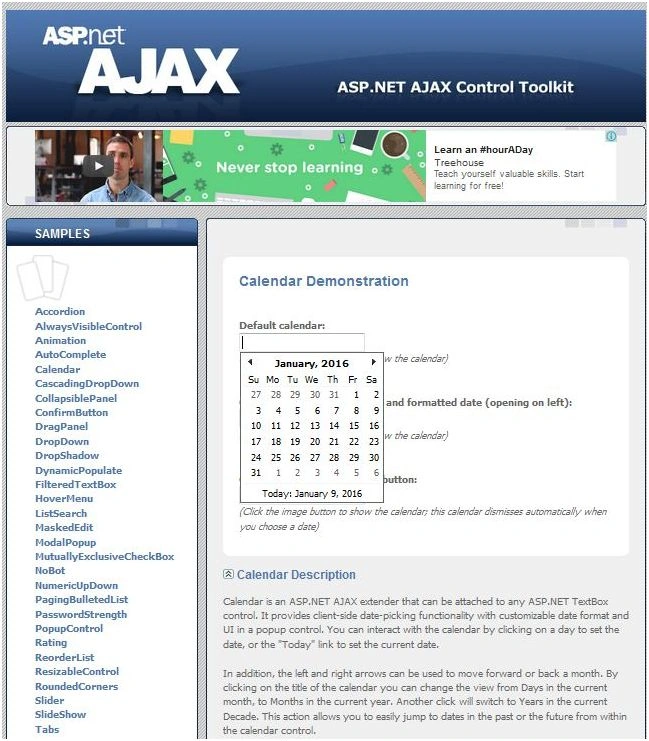
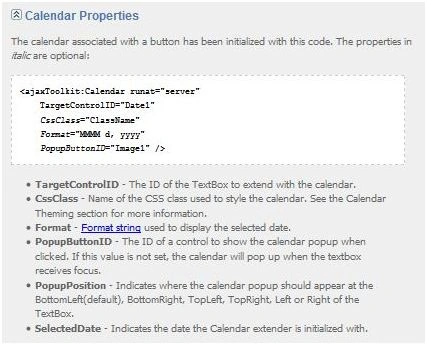
Download Ajax Control Toolkit and give reference to AjaxControlToolKit.dll file in the project.
Right click on project and then Add Reference.
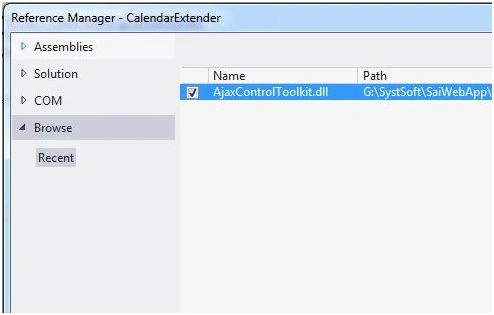
After adding reference, you can see the changes in solution explore,r as in the following screenshot:
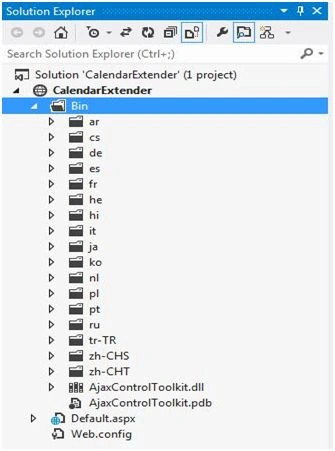
4. Here I am going to implement Calendar Extender with TextBox.
5. ToolkitScriptManager is also required on the page to execute Ajax Control Kit items like Calendar Extender.
Why is ToolkitScriptManager not ScriptManager?
6. Default.aspx code
- <%@ Page Language="C#" AutoEventWireup="true" CodeFile="Default.aspx.cs" Inherits="_Default" %>
- <%@ Register Assembly="AjaxControlToolkit" Namespace="AjaxControlToolkit" TagPrefix="cc1" %>
- <!DOCTYPE html>
- <html xmlns="http://www.w3.org/1999/xhtml">
- <head runat="server">
- <title></title>
- </head>
- <body>
- <form id="form1" runat="server">
- <cc1:ToolkitScriptManager ID="toolScriptManageer1" runat="server"></cc1:ToolkitScriptManager>
- <div> Date of Birth
- <asp:TextBox ID="txtDOB" runat="server"></asp:TextBox>
- <cc1:CalendarExtender ID="Calendar1" PopupButtonID="imgPopup" runat="server" TargetControlID="txtDOB" Format="dd/MM/yyyy"> </cc1:CalendarExtender>
- </div>
- </form>
- </body>
- </html>
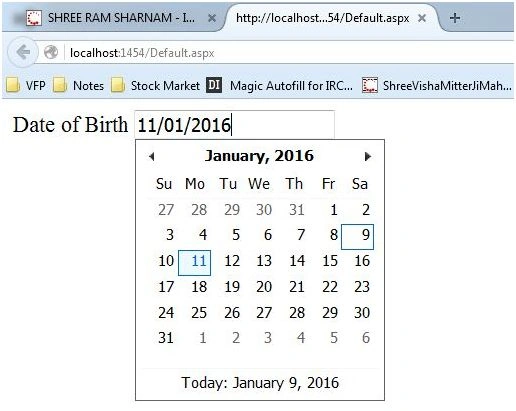
You can see the Calendar Extender start working in the above image.
Now, I will show you how to restrict for start date and end date.
- using System;
- using System.Collections.Generic;
- using System.Linq;
- using System.Web;
- using System.Web.UI;
- using System.Web.UI.WebControls;
- public partial class _Default: System.Web.UI.Page
- {
- protected void Page_Load(object sender, EventArgs e)
- {
- //I am writing this article on 9th January 2015
- //Selection Date Start from 09th Jan 2005
- Calendar1.StartDate = DateTime.Now.AddYears(-11);
- //Current date can be select but not future date.
- Calendar1.EndDate = DateTime.Now;
- }
- }
You can set the Calendar1.EndDate value inthe code behind.
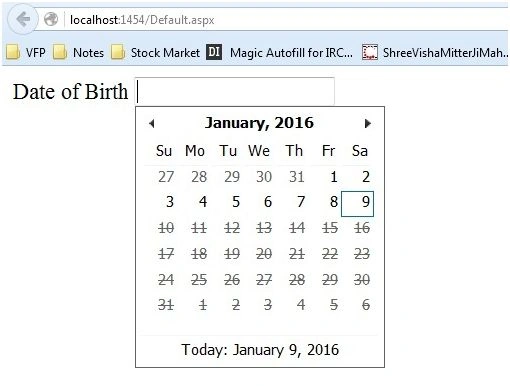
You can see in the above image I had restricted to select future date, with the help of the code behind.
- //Current date can be select but not future date.
- Calendar1.EndDate = DateTime.Now;
References
Alyya IzzatiPosted Aug 4, 2019, 9:58 PM
Why i got bug? top row the calendar appear. below row just appear an empty white box
Bhavleen SinghPosted Aug 2, 2019, 4:15 AM
It's showing only half calendar..Why is it so ?
Nandha Kumar NagarajanPosted Apr 26, 2019, 8:10 AM
This is good sir but how can i do for currrent date in start time
Ravi PanditPosted Sep 23, 2017, 6:10 AM
I want to store the date into database but it is taking only the default date 01-Jan-1900. Please tell me how i can save the selected date.
shaik rahmatullahPosted Apr 16, 2017, 3:08 PM
Hello Manoj, I am trying to use CalenderExtender AjaxToolKit control with ASP.NET web forms site (not the ASP.NET empty website) under framework 4.5.2. Unfortunately, the calendar does not appear with the target text box.
Shobana JPosted Jul 7, 2016, 6:58 AM
Nice one
Shobana JPosted Jul 7, 2016, 6:56 AM
Nice keep sharing
Arul RPosted Jan 17, 2016, 3:34 AM
Nice share
Santhakumar MunuswamyPosted Jan 10, 2016, 11:40 AM
Thanks for nice article
Ankit BansalPosted Jan 10, 2016, 2:47 AM
nice one..keep sharing..