

Today, in this article let's learn another new concept related to Windows Phone 7, whereby communicating with WCF Service to perform some operation.
Question: What is Reminder?
In simple terms "It provides customized way to notify the user with some information. Besides that, it provides an URI where the user can be launched to specific page when clicked".
Let's get this started off now!!!
Step 1: The complete code of IService1.cs looks like this:
|
using System; namespace Reminder_WCF [OperationContract] |
Step 2: The complete code of Service1.svc.cs looks like this:
|
using System; namespace Reminder_WCF |
Step 3: The complete code of Web.Config looks like this:
<?xml version="1.0"?> <configuration> <system.web> </configuration> |
Step 4: The complete code of MainPage.xaml looks like this:
<phone:PhoneApplicationPage
x:Class="Reminder_Application.MainPage"
xmlns="http://schemas.microsoft.com/winfx/2006/xaml/presentation"
xmlns:x="http://schemas.microsoft.com/winfx/2006/xaml"
xmlns:phone="clr-namespace:Microsoft.Phone.Controls;assembly=Microsoft.Phone"
xmlns:shell="clr-namespace:Microsoft.Phone.Shell;assembly=Microsoft.Phone"
xmlns:d="http://schemas.microsoft.com/expression/blend/2008"
xmlns:mc="http://schemas.openxmlformats.org/markup-compatibility/2006"
mc:Ignorable="d" d:DesignWidth="480" d:DesignHeight="768"
FontFamily="{StaticResource PhoneFontFamilyNormal}"
FontSize="{StaticResource PhoneFontSizeNormal}"
Foreground="{StaticResource PhoneForegroundBrush}"
SupportedOrientations="Portrait" Orientation="Portrait"
shell:SystemTray.IsVisible="True"
<!--LayoutRoot is the root grid where all page content is placed--> <!--TitlePanel contains the name of the application and page title--> <!--ContentPanel - place additional content here--> <!--Sample code showing usage of ApplicationBar--> </phone:PhoneApplicationPage> |
Step 5: The complete code of MainPage.xaml.cs looks like this:
using System; namespace Reminder_Application } private void toggleSwitch1_Checked(object sender, RoutedEventArgs e) } private void toggleSwitch1_Unchecked(object sender, RoutedEventArgs e) } } |
Step 6: The output of the application looks like this:
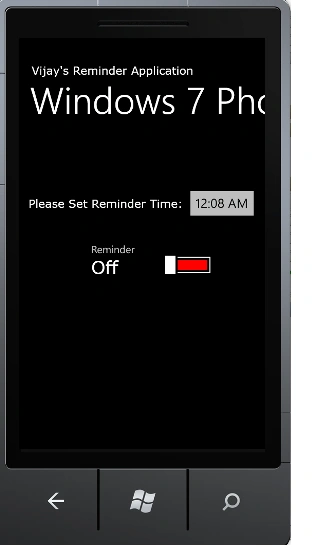
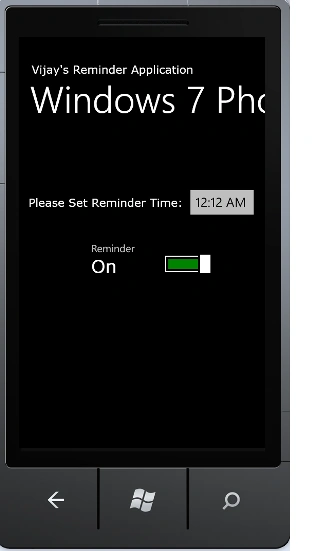
Step 7: The output of the Reminder Notifying Application looks like this:
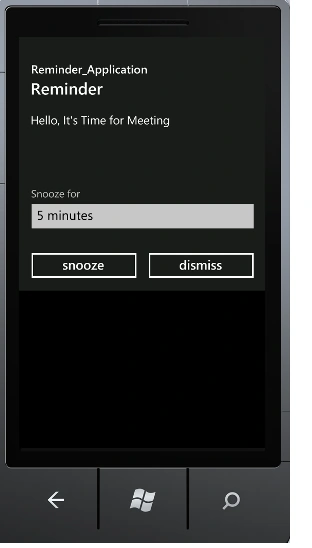
I hope this article is useful for you.
Stephen JohnsonPosted Feb 28, 2012, 11:06 PM
Great what a presentation.