|
<phone:PhoneApplicationPage
x:Class="RadWindow_Application_WP7.MainPage"
xmlns="http://schemas.microsoft.com/winfx/2006/xaml/presentation"
xmlns:x="http://schemas.microsoft.com/winfx/2006/xaml"
xmlns:phone="clr-namespace:Microsoft.Phone.Controls;assembly=Microsoft.Phone"
xmlns:shell="clr-namespace:Microsoft.Phone.Shell;assembly=Microsoft.Phone"
xmlns:d="http://schemas.microsoft.com/expression/blend/2008"
xmlns:telerik="clr-namespace:Telerik.Windows.Controls;assembly=Telerik.Windows.Controls.Primitives"
xmlns:mc="http://schemas.openxmlformats.org/markup-compatibility/2006"
mc:Ignorable="d" d:DesignWidth="480" d:DesignHeight="768"
FontFamily="{StaticResource PhoneFontFamilyNormal}"
FontSize="{StaticResource PhoneFontSizeNormal}"
Foreground="{StaticResource PhoneForegroundBrush}"
SupportedOrientations="Portrait" Orientation="Portrait"
shell:SystemTray.IsVisible="True" >
<!--LayoutRoot is the root grid where all page content is placed-->
<Grid x:Name="LayoutRoot" Background="Transparent">
<Grid.RowDefinitions>
<RowDefinition Height="Auto"/>
<RowDefinition Height="*"/>
</Grid.RowDefinitions>
<!--TitlePanel contains the name of the application and page title-->
<StackPanel x:Name="TitlePanel" Grid.Row="0" Margin="12,17,0,28">
<TextBlock x:Name="ApplicationTitle" Text="RadWindow Application - WCF Service" FontFamily="Verdana" FontSize="22" Style="{StaticResource PhoneTextNormalStyle}"/>
<TextBlock x:Name="PageTitle" Text="Windows 7 Phone" Margin="9,-7,0,0" Style="{StaticResource PhoneTextTitle1Style}"/>
</StackPanel>
<!--ContentPanel - place additional content here-->
<Grid x:Name="ContentPanel" Grid.Row="1" Margin="12,0,12,0">
<TextBlock Height="30"
HorizontalAlignment="Left"
Margin="0,23,0,0"
Name="textBlock1"
Text="Please Enter First Number: "
FontFamily="Verdana"
FontSize="22"
VerticalAlignment="Top" />
<TextBlock Height="30"
HorizontalAlignment="Left"
Margin="6,0,0,472"
Name="textBlock2"
Text="Please Enter Second Number: "
FontFamily="Verdana"
FontSize="22"
VerticalAlignment="Bottom" />
<TextBox Height="72"
HorizontalAlignment="Left"
Margin="325,84,0,0"
Name="textBox1"
VerticalAlignment="Top"
Width="131" />
<TextBox Height="72"
HorizontalAlignment="Left"
Margin="325,6,0,0"
Name="textBox2"
VerticalAlignment="Top"
Width="131" />
<TextBlock FontFamily="Verdana"
FontSize="22"
Foreground="Red"
Height="30"
HorizontalAlignment="Left"
Margin="85,202,0,0"
Name="textBlock3"
VerticalAlignment="Top" />
<Button Content="Addition"
FontFamily="Verdana"
FontSize="22"
Background="Red"
Height="72"
HorizontalAlignment="Left"
Margin="85,256,0,0"
Name="button1"
VerticalAlignment="Top"
Width="240"
Click="button1_Click"/>
<Button Content="Subtraction"
FontFamily="Verdana"
FontSize="22"
Background="Blue"
Height="72"
HorizontalAlignment="Left"
Margin="85,334,0,0"
Name="button2"
VerticalAlignment="Top"
Width="240"
Click="button2_Click"/>
<Button Content="Multiplication"
FontFamily="Verdana"
FontSize="22"
Background="Yellow"
Height="72"
HorizontalAlignment="Left"
Margin="85,412,0,0"
Name="button3"
VerticalAlignment="Top"
Width="240"
Click="button3_Click" />
<Button Content="Division"
FontFamily="Verdana"
FontSize="22"
Background="Green"
Height="72"
HorizontalAlignment="Left"
Margin="85,490,0,0"
Name="button4"
VerticalAlignment="Top"
Width="240"
Click="button4_Click"/>
<telerik:RadWindow x:Name="radWindow1"
WindowSizeMode="FitToPlacementTarget"
Margin="0,0,0,12">
<Border BorderThickness="4" BorderBrush="Black">
<Grid Opacity=".9" Background="Aquamarine">
<TextBlock x:Name="txtBlockResult"
Text="Hell"
Foreground="Blue"
FontFamily="Verdana"
FontSize="22"
FontWeight="Bold"
HorizontalAlignment="Right"
VerticalAlignment="Center"
Margin="0,207,-47,373"
Width="432"
Opacity="1"/>
<Button x:Name="btnClose"
FontFamily="Verdana"
FontSize="22"
Height="72"
VerticalAlignment="Top"
Width="220"
HorizontalAlignment="Left"
Margin="134,442,0,0"
Background="Green"
Foreground="Red"
Content="Close"
Click="btnClose_Click"
Opacity="1"/>
</Grid>
</Border>
</telerik:RadWindow>
</Grid>
</Grid>
</phone:PhoneApplicationPage>
| 

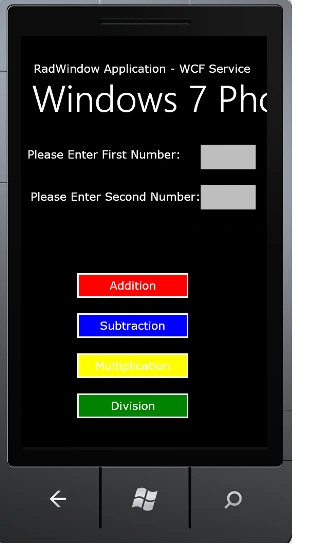
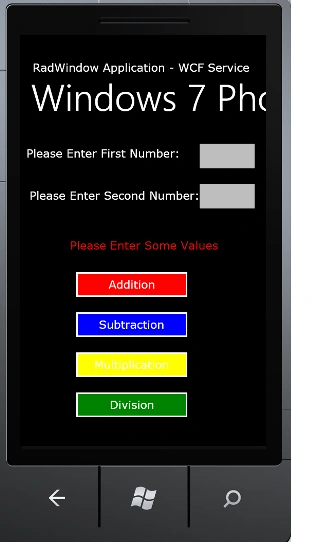
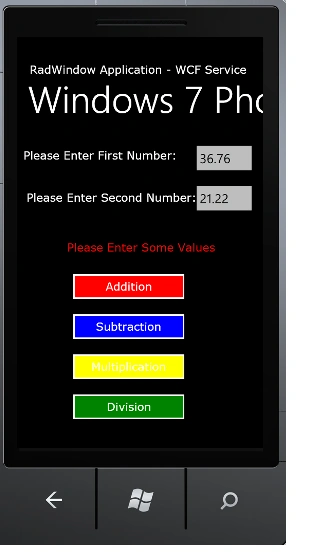
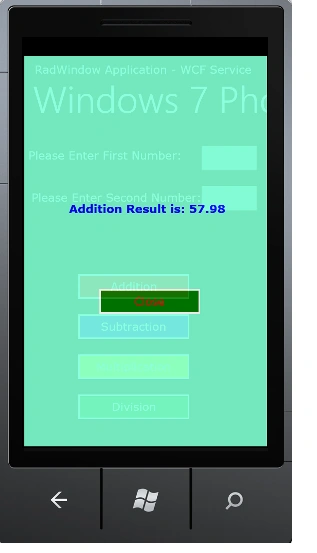
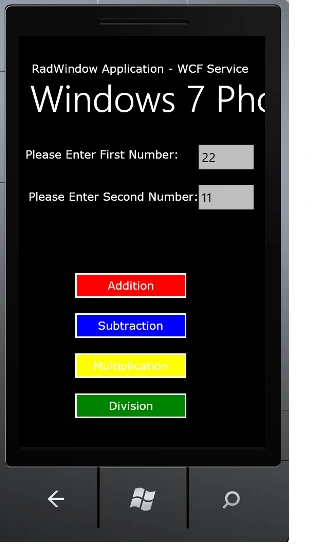
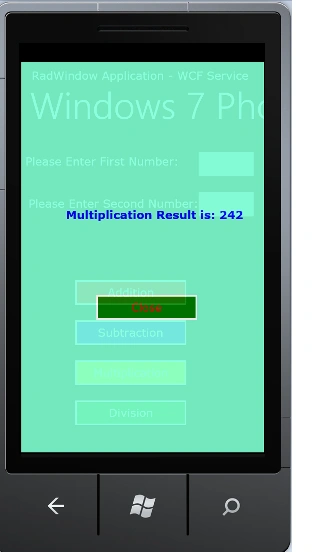
Arjun PanwarPosted Mar 14, 2012, 11:57 PM
Really such a very nice explanation, good work.