

Welcome to an article on Napa Office 365 Development Tools in SharePoint 2013 and Office 365 where we will see how we set properties for the apps that we will build using the Napa Tool.
Your first question will be, where to set the properties?
When you are creating an app you will find the settings symbol on the left navigation of the site as in the screenshot below.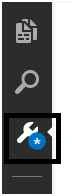
- Click on it.
- You will get to the properties of the app.
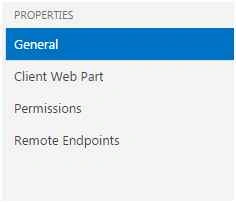
- Under the properties section, we have 4 categories. Let's explain them one by one.
General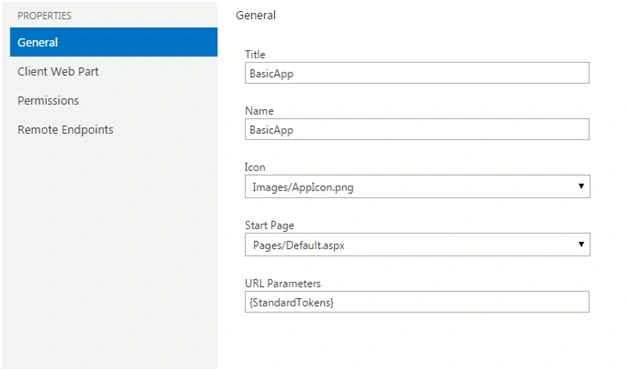
Under General you can specify the following:
- Title: Title of the app.
- Name: Name of the app.
- Icon: You can select an icon for your app.
- Start Page: You can either use a default page or a custom page as a start page for your app and you can define it here.
- URL Parameters: Here you can define the query string passed to the URL of the app when it starts. For example.
Client Web Part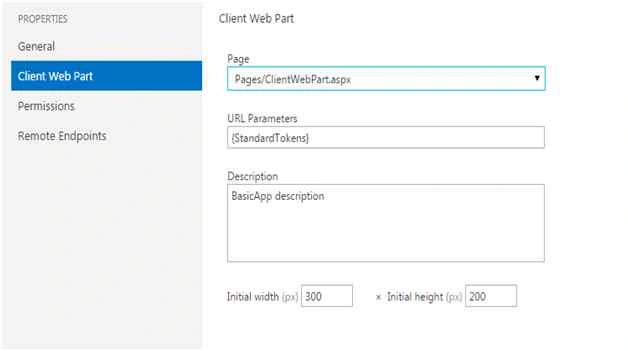
Under Client Web Part we have the following configurations:
- Page: You can configure the page that you want to make it as a Client Web Part page.
- URL Parameters: Here you can define the query string passed to the URL of the app when it starts. For example.
- Description: You can provide a description of the apps and the functions of the Client Web Part.
- Initial width and Initial Height: You can define your height and width for the app.
Permissions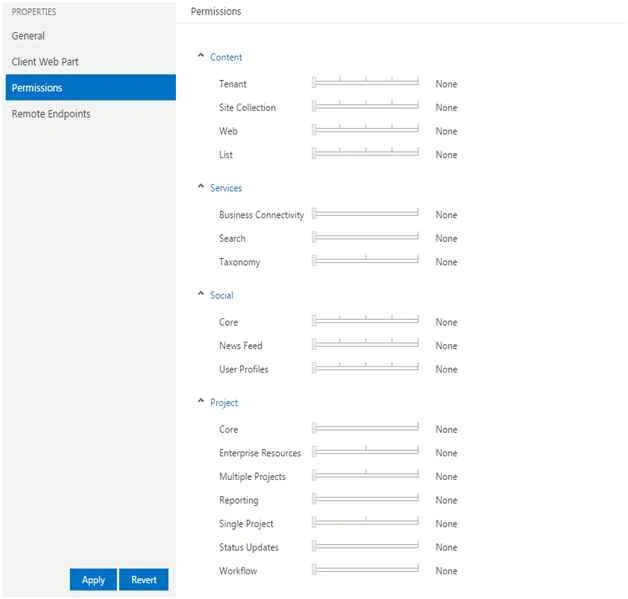
Permission is an important part of the app that is beautifully divided in Napa, part by PART.
Here permission is divided into the following levels.
- None
- Read
- Write
- Manage
- Full Control
It has been divided into categories as:
- Content
- Services
- Social
- Project
Content
The permission of content is distributed within the following site levels as in:
- Tenant
- Site Collection
- Web
- List
So as in content you can divide the permission level among the levels None, Read, Write, Manage and Full control and provide them adequate permissions.
Services
The permission of services is distributed within the following levels as in:
- Business Connectivity
- Search
- Taxonomy
So as in content you can divide the permission level among the levels None, Read, Write, Manage and Full control and provide them adequate permissions.
Social
The permission of social is distributed within the following levels:
- Core
- News feed
- User Profiles
So as in content you can divide the permission level among the levels None, Read, Write, Manage and Full control and provide them adequate permissions.
Project
The permission of project is distributed within the following levels:
- Core
- Enterprise Resources
- Multiple Projects
- Reporting
- Single Project
- Status Updates
- Workflow
So as in content you can divide the permission level among the levels None, Read, Write, Manage and Full control and provide them adequate permissions.
Remote Endpoints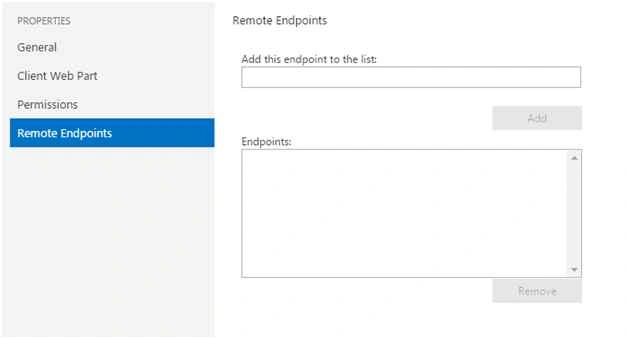
You can add a list of remote endpoints to the app for SharePoint to access the SharePoint Web Proxy. If this list is empty then the app for SharePoint will not be able to use any remote endpoints.
Here we saw an article on the properties section of the Napa Tools that is helping us to build apps on SharePoint on the go. We'll see other articles in developing the apps, until then keep learning.
Cheers!
Sibeesh VenuPosted Aug 10, 2015, 1:02 AM
Nice Share
Chervine BhiwooPosted Aug 9, 2015, 11:17 AM
Thanks for sharing.
Rajeesh MenothPosted Aug 9, 2015, 3:45 AM
Good Share
Santhakumar MunuswamyPosted Aug 9, 2015, 1:28 AM
Nice Article. Thanks for sharing
Ankit BansalPosted Aug 8, 2015, 11:28 PM
thanks for share...