
Introduction
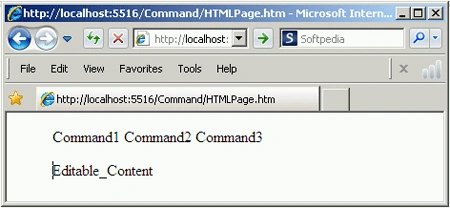
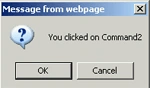
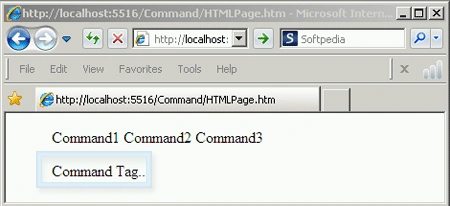
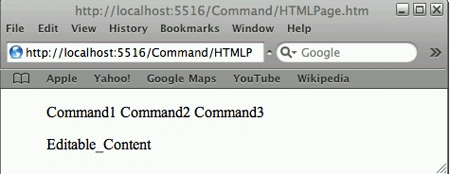
A Command tag is a new tag introduced in HTML5. It is used to represent a command that the user can invoke like a radio button, a checkbox, and a button or any other button that the user can interact with. It is part of a toolbar or context menu. This tag must be inside a menu tag. It will not work outside the menu tag. Types of command tags are command, checkbox, and radio. The type attribute indicates the kind of command. This tag is currently supported in any version of IE and Safari. Commands can also be turned into checkboxes with a checked=" checked" attribute.
Syntax
class contenteditable contextmenu default disabled draggable hidden icon id itemid itemprop itemref itemscope
itemtype="microdata type in URL format"
label lang radiogroup spellcheck style tabindex title type> Text Here
</command>
Element-Specific Attributes
| Attributes | Values | Description | |
| checked | checked | This is a Boolean attribute used only when the type is a radio or a checkbox and specifies if the command is checked or not. | |
| disabled | disabled | This is a Boolean attribute that indicates that the command is available or not available in the current form. | |
| icon | URL | This attribute used to defines the URL of a graphical image to display as the command. It should contain a valid non-empty URL. | |
| label | name | This attribute displays the command name to users. | |
| radiogroup | radiogroup | This attribute specifies the name of the group of it belongs to. It is used only with radio type. | |
| type | checkbox
|
This attribute defines the specify type of command. Command is a default value. |
|
HTML5 Event Attributes
|
||
| onabort | onblur | oncanplay |
| oncanplaythrough | onchange | onclick |
| oncontextmenu | ondblclick | ondrag |
| ondragend | ondragenter | ondragleave |
| ondragover | ondragstart | ondrop |
| ondurationchange | onemptied | onended |
| onerror | onfocus | onformchange |
| onforminput | oninput | oninvalid |
| onkeydown | onkeypress | onkeyup |
| onload | onloadeddata | onloadedmetadata |
| onloadstart | onmousedown | onmousemove |
| onmouseout | onmouseover | onmouseup |
| onmousewheel | onpause | onplay |
| onplaying | onprogress | onratechange |
| onreadystatechange | onseeked | onseeking |
| onscroll | onselect | onshow |
| onstalled | onsubmit | onsuspend |
| ontimeupdate | onvolumechange | onwaiting |
Sourav Kumar DasPosted Oct 25, 2019, 11:38 PM
Nice Article.
Dipa MehtaPosted Oct 25, 2019, 2:10 PM
Good, something new about HTML5
Angelina ErinPosted Jul 26, 2011, 12:31 AM
Nice Article