
Using search service application you can rapidly search documents, people, etc. Inside the SharePoint intranet portal
Open SharePoint Central Administration.
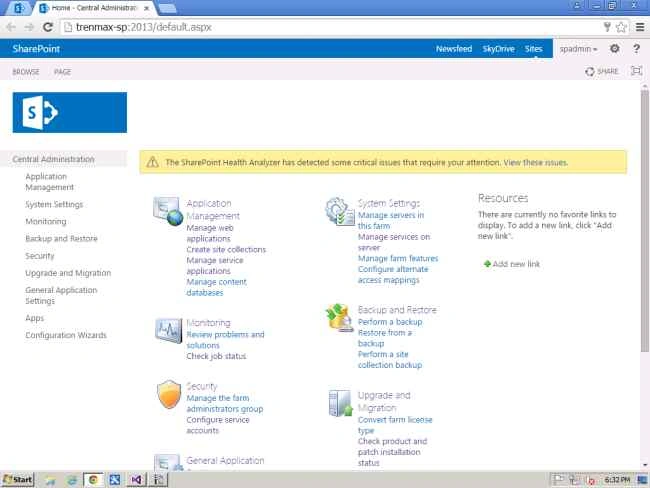
Click Manage service application.
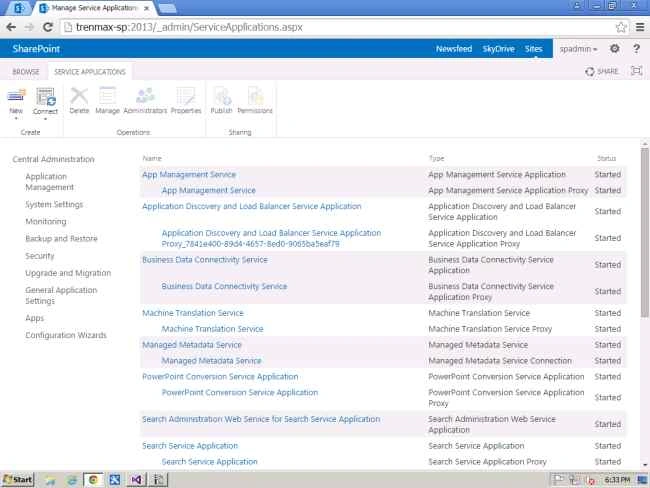
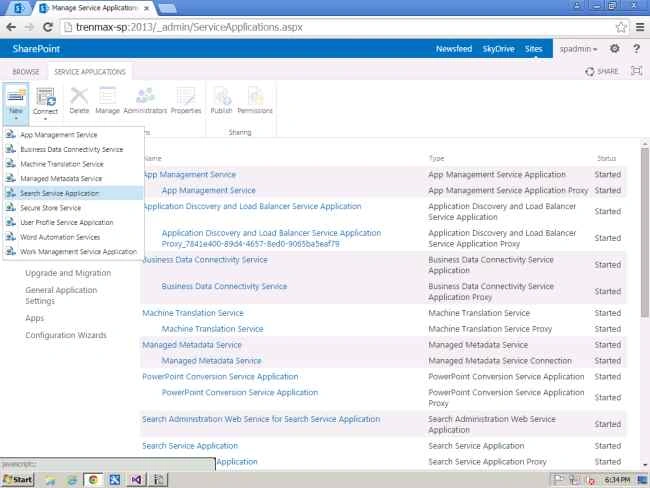
Click New, then Search Service Application.
Provide the name for your search service application.
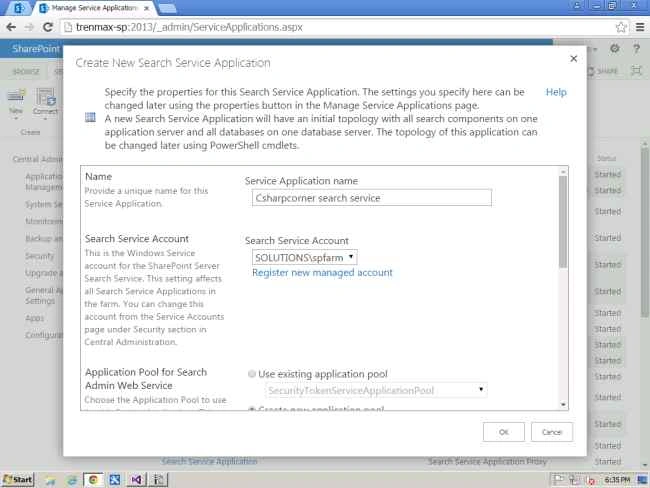
Provide the service account for this search application. I have used spfarm.
Create a new application pool for Search administration web service.
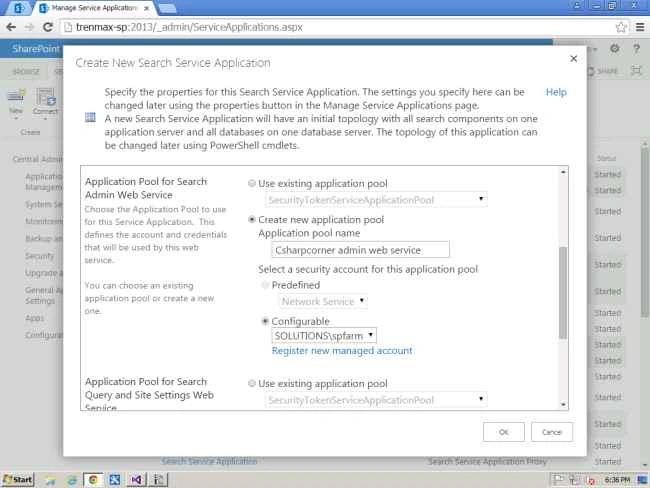
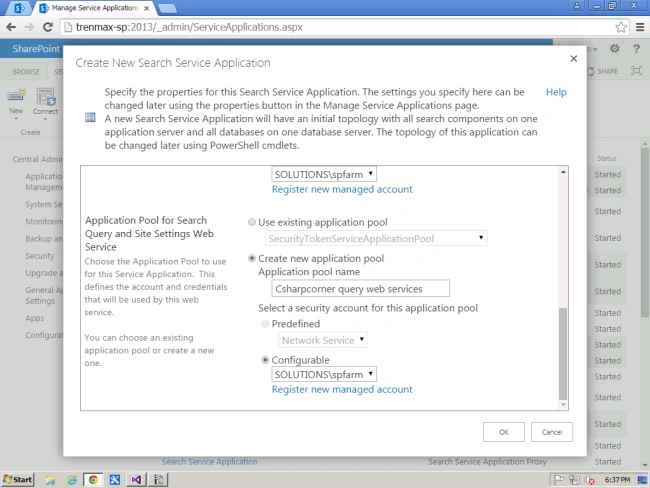
Create the new application pool for search query and site settings web service.
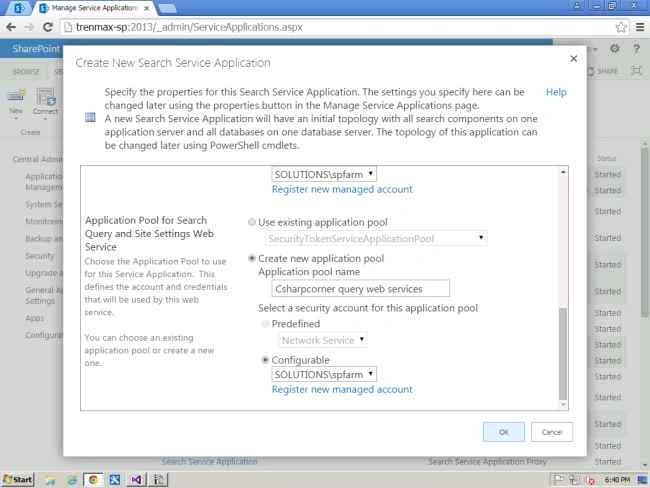
Click OK.
Now it will start creating a new search service application.
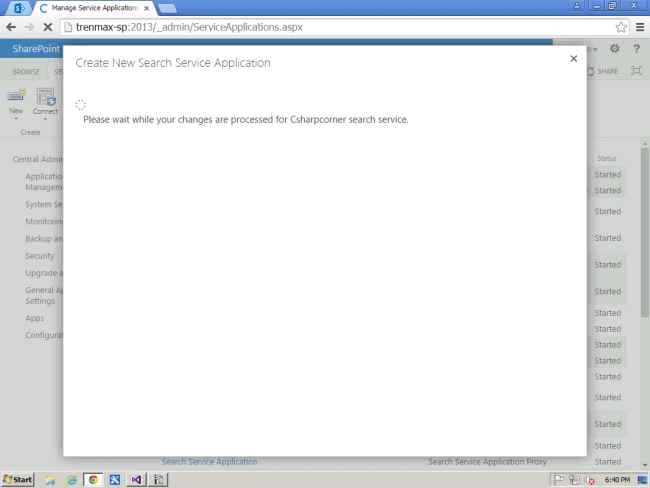
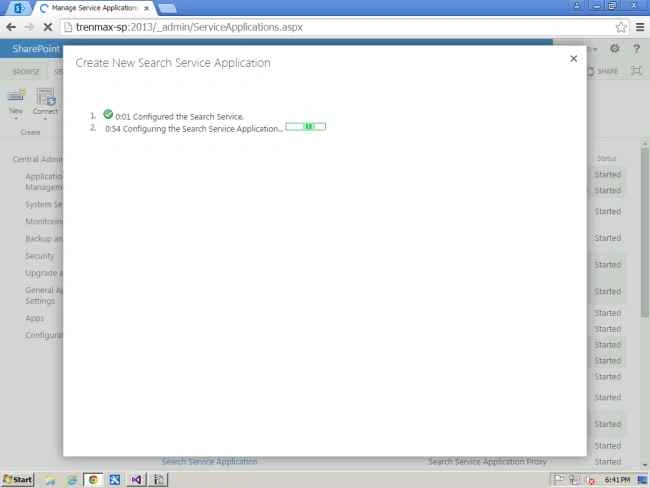
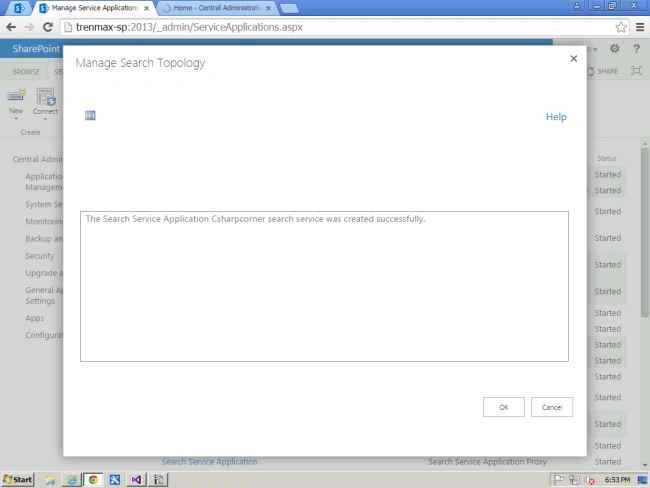
So now the search service application created successfully.
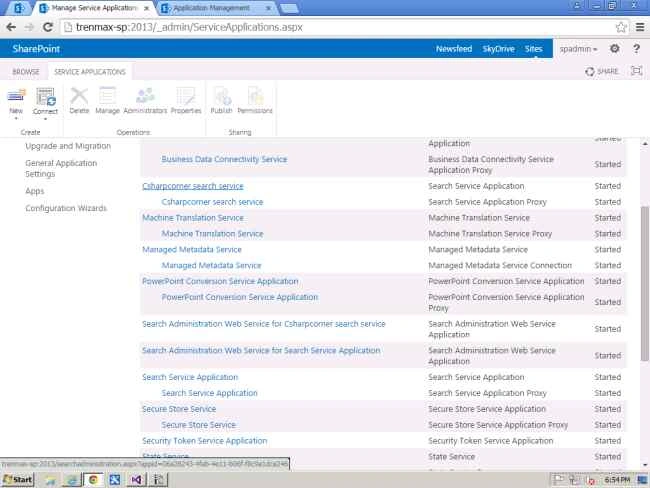
Click on the created service application.
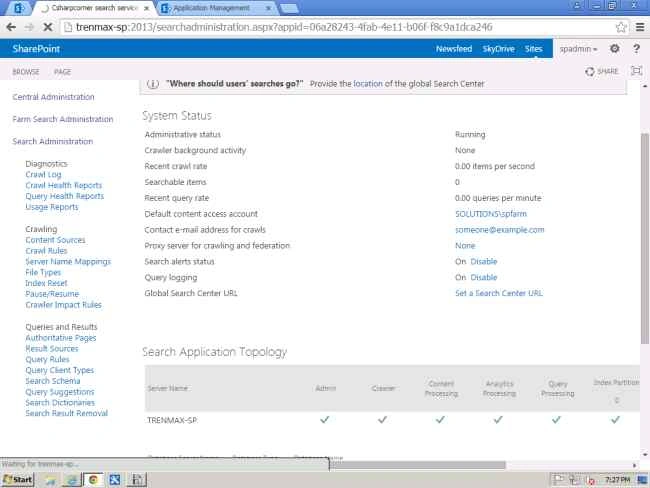
Click content sources on the right side
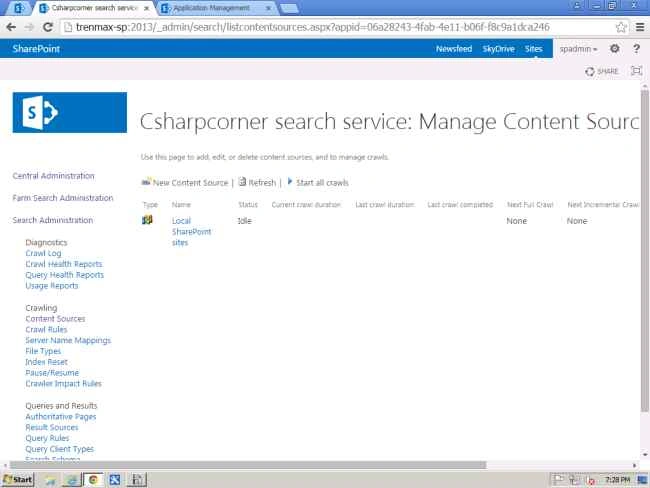
In the next article iI will discuss how to create new content sources, configure and use people search in SharePoint 2013.

Create Search Service Application In SharePoint 2013 - Part 1
Join the conversation! Your thoughts help the community grow.
Sign in to leave a comment
It is the same account you read, post and publish with — and you will come straight back to this page.
Vinodh NarayananPosted Sep 15, 2015, 2:22 AM
Thans a lot vipilin
Vipin TyagiPosted Sep 15, 2015, 2:16 AM
Nice Article
Vinodh NarayananPosted Sep 9, 2015, 4:58 AM
Ankit Bansal thanks a lot
Ankit BansalPosted Sep 9, 2015, 4:34 AM
thanks for sharing..
Vinodh NarayananPosted Sep 9, 2015, 12:23 AM
Sumit Deshmukh Thanks a lot
Sumit DeshmukhPosted Sep 9, 2015, 12:22 AM
Nice Share, Thank you
Vinodh NarayananPosted Sep 8, 2015, 11:46 PM
Karthikeyan K. Thanks a lot
Karthikeyan KPosted Sep 8, 2015, 11:34 PM
Good one sir...Thanks for sharing
Vinodh NarayananPosted Sep 8, 2015, 11:10 PM
Pankaj Kumar Choudhary thank you
Vinodh NarayananPosted Sep 8, 2015, 11:10 PM
Santhakumar Munuswamy thanks a lot sir
Vinodh NarayananPosted Sep 8, 2015, 11:08 PM
Mohammed Ibrahim thank you
Pankaj Kumar ChoudharyPosted Sep 8, 2015, 7:59 PM
Nice Explain Sir.......
Santhakumar MunuswamyPosted Sep 8, 2015, 3:18 PM
Thanks for nice share
Mohammed IbrahimPosted Sep 8, 2015, 3:11 PM
nice share