

Introduction
This article provides some more explanation of SVG Text that shows how texts can be decorative as well.
Before reading further, read the following articles.
- Overview of Scalable Vector Graphics (SVG)
- Scalable Vector Graphics - Rectangle
- Scalable Vector Graphics - Circle
- Scalable Vector Graphics - Ellipse
- Scalable Vector Graphics - Line
- Scalable Vector Graphics - Polyline
- Scalable Vector Graphics - Polygon
- Scalable Vector Graphics - Path 1
- Scalable Vector Graphics - Path 2
- Scalable Vector Graphics - Path 3
- Scalable Vector Graphics - Text 1
Now let's proceed to learn more about SVG decorative texts.
We will decorate the texts using the previous tags learned in previous parts of the article series. By using those we will make some interesting text.
Example 1. Simple coloured texts
- <html>
- <body>
- <svg height="200" width="600">
- <text x="20" y="60" style="fill:lime; font-size:60px;"> Text with Stroke only </text>
- <text x="120" y="100" style="fill:red; font-size:35px;"> Text with Stroke only </text>
- <text x="60" y="150" style="fill:blue; font-size:50px;"> Text with Stroke only </text>
- </svg>
- </body>
- </html>
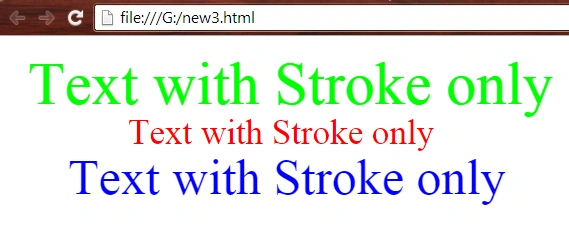
- <html>
- <body>
- <svg height="150" width="600">
- <text x="20" y="60" style="fill:none; stroke:green; font-size:60px; stroke-width:3;"> Text with Stroke only </text>
- <text x="120" y="100" style="fill:none; stroke:red; font-size:35px; stroke-width:1;"> Text with Stroke only </text>
- <text x="180" y="130" style="fill:none; stroke:blue; font-size:20px;"> Text with Stroke only </text>
- </svg>
- </body>
- </html>

- <html>
- <body>
- <svg height="150" width="700">
- <text x="20" y="130" style="fill:lightgreen; stroke:green; font-size:60px; stroke-width:2;"> Text with Stroke and fill </text>
- <text x="120" y="70" style="fill:yellow; stroke:red; font-size:40px; stroke-width:1;"> Text with Stroke and fill </text>
- <text x="190" y="30" style="fill:cyan; stroke:blue; font-size:25px;"> Text with Stroke and fill </text>
- </svg>
- </body>
- </html>
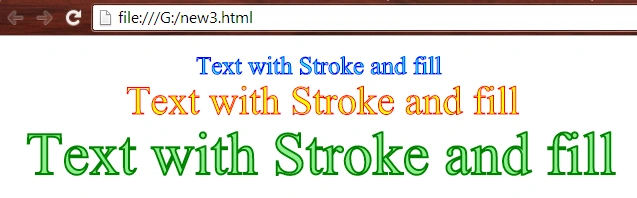
- <html>
- <body>
- <svg viewBox = "0 0 600 200">
- <defs>
- <linearGradient id = "g1" x = "0%" y = "100%">
- <stop stop-color = "red" offset = "0%"/>
- <stop stop-color = "orange" offset = "20%"/>
- <stop stop-color = "yellow" offset = "40%"/>
- <stop stop-color = "lime" offset = "60%"/>
- <stop stop-color = "green" offset = "80%"/>
- <stop stop-color = "cyan" offset = "90%"/>
- <stop stop-color = "blue" offset = "100%"/>
- </linearGradient>
- </defs>
- <defs>
- <linearGradient id = "g2" x = "0%" y = "100%">
- <stop stop-color = "blue" offset = "0%"/>
- <stop stop-color = "cyan" offset = "20%"/>
- <stop stop-color = "green" offset = "40%"/>
- <stop stop-color = "lime" offset = "60%"/>
- <stop stop-color = "yellow" offset = "80%"/>
- <stop stop-color = "orange" offset = "90%"/>
- <stop stop-color = "red" offset = "100%"/>
- </linearGradient>
- </defs>
- <g>
- <use x = "0" y = "0" xlink:href = "#r1" fill = "url(#g1)"/>
- <text font-size = "15" fill = "url(#g1)" stroke = "none">
- <tspan x = "10" y = "20">
- Multi-Color filled from red to blue.
- </tspan>
- </text>
- </g>
- <g>
- <use x = "0" y = "0" xlink:href = "#r1" fill = "url(#g2)"/>
- <text font-size = "15" fill = "url(#g2)" stroke = "none">
- <tspan x = "10" y = "40">
- Multi-Color filled just opposite to above text.
- </tspan>
- </text>
- </g>
- <g>
- <use x = "0" y = "0" xlink:href = "#r1" fill = "url(#g1)"/>
- <text font-size = "20" fill = "none" stroke = "url(#g1)" stroke-width="0.5">
- <tspan x = "10" y = "80">
- Multi-Color stroked from red to blue.
- </tspan>
- </text>
- </g>
- <g>
- <use x = "0" y = "0" xlink:href = "#r1" fill = "url(#g2)"/>
- <text font-size = "20" fill = "none" stroke = "url(#g2)" stroke-width="0.5">
- <tspan x = "10" y = "100">
- Multi-Color stroked just opposite to above text.
- </tspan>
- </text>
- </g>
- <g>
- <use x = "0" y = "0" xlink:href = "#r1" fill = "url(#g1)"/>
- <text font-size = "25" fill = "lime" stroke = "url(#g1)" stroke-width="0.5">
- <tspan x = "10" y = "140">
- Multi-Color stroked & filled from red to blue.
- </tspan>
- </text>
- </g>
- <g>
- <use x = "0" y = "0" xlink:href = "#r1" fill = "url(#g2)"/>
- <text font-size = "25" fill = "red" stroke = "url(#g2)" stroke-width="0.5">
- <tspan x = "10" y = "165">
- Multi-Color stroked & filled just opposite to above text.
- </tspan>
- </text>
- </g>
- </svg>
- </body>
- </html>
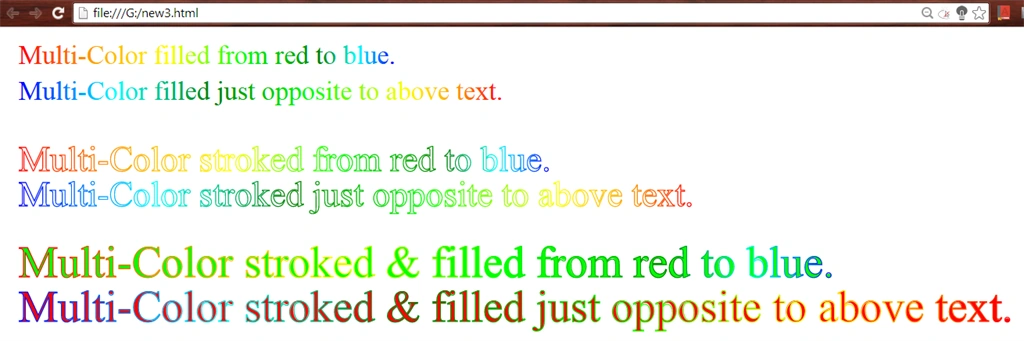
- <html>
- <body>
- <svg viewBox = "0 0 500 300">
- <defs>
- <path id = "wave" d = "M 20,90 Q 100,15 200,70 Q 340,140 350,80"/>
- </defs>
- <g fill = "blue">
- <text font-size = "20">
- <textPath xlink:href = "#wave">
- The Text is being represented like wave :) ;)
- </textPath>
- </text>
- <use x = "0" y = "0" xlink:href = "#wave" stroke = "orange" fill = "none"/>
- </g>
- <defs>
- <path id = "wave2" d = "M 20,140 Q 100,200 200,150 Q 340,90 350,150"/>
- </defs>
- <g fill = "green">
- <text font-size = "20">
- <textPath xlink:href = "#wave2">
- The Text is being represented like wave :) ;)
- </textPath>
- </text>
- <use x = "0" y = "0" xlink:href = "#wave2" stroke = "red" fill = "none"/>
- </g>
- </svg>
- </body>
- </html>
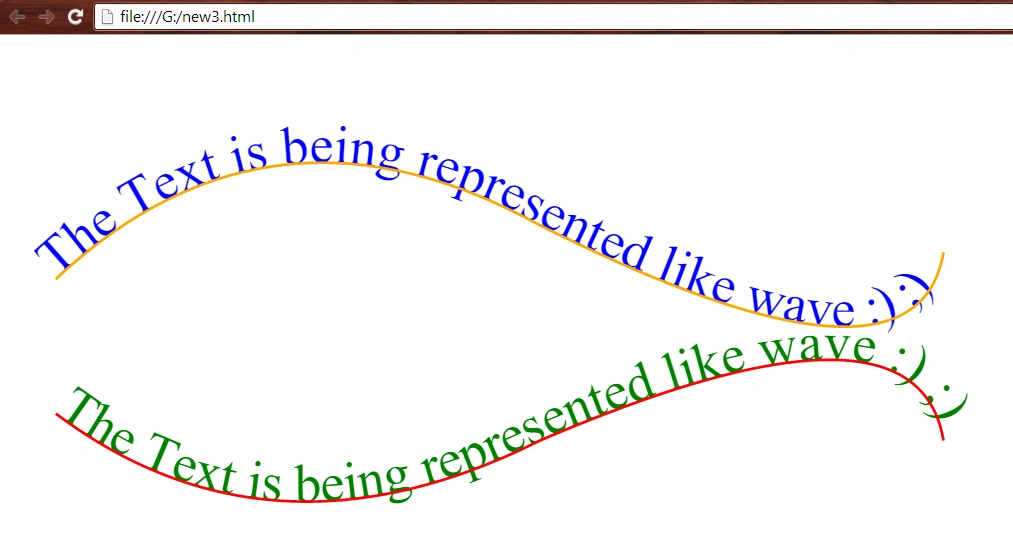
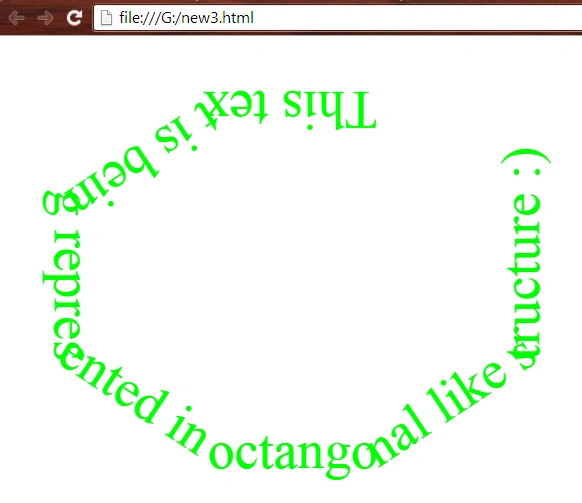
- <html>
- <body>
- <svg viewBox = "0 0 500 300">
- <defs>
- <path id = "poly" d = "M 140 20 L 80 20 L 20 60 L 20 120 L 80 160 L 140 160 L 200 120 L 200 40" fill = "green" stroke = "black" stroke-width = "1"/>
- </defs>
- <g fill = "lime">
- <text font-size = "20">
- <textPath xlink:href = "#poly">
- This text is being represented in octangonal like structure :)
- </textPath>
- </text>
- </g>
- </svg>
- </body>
- </html>
- <html>
- <body>
- <svg viewBox = "0 0 500 300">
- <defs>
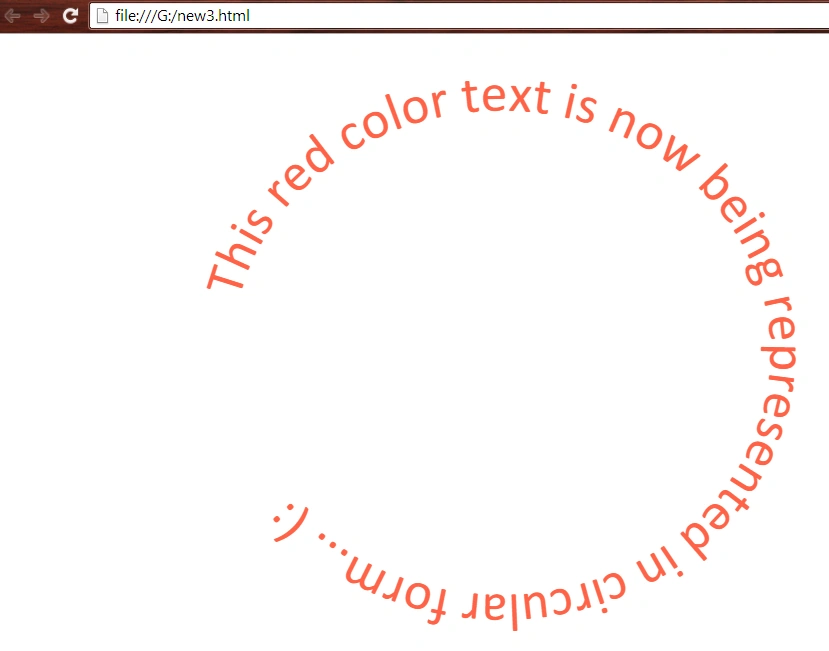
- <path id = "curve" d = "M 90,110 A 100,90 0 1 1 90,150 A 40,100 0 1 1 10,100 A 60,130 0 0 1 125,120"/>
- </defs>
- <g fill = "tomato">
- <text font-size = "20" font-family = "calibri">
- <textPath xlink:href = "#curve">
- This red color text is now being represented in circular form... (:
- </textPath>
- </text>
- </g>
- </svg>
- </body>
- </html>
Want to read more.
Summary
In this article, we learned about Scalable Vector Graphics - Text 2.
Thank you, keep learning and sharing.
Prasanna MuraliPosted May 20, 2016, 11:25 AM
Nice one....
Santhakumar MunuswamyPosted Aug 16, 2015, 2:26 AM
Good Article. Thanks for sharing
Sibeesh VenuPosted Aug 14, 2015, 6:56 AM
Nice Share :)
Vaikesh K PPosted Aug 14, 2015, 1:23 AM
Great work :)
RakeshPosted Aug 14, 2015, 12:07 AM
Good work sir
Karthikeyan KPosted Aug 13, 2015, 11:35 PM
Awesome work..Thanks for sharing