
Today I am creating a game application named BallGame in F# using WPF, Silverlight. Steps are given below.
Step 1: Firstly Open a new project in F# using Visual Studio 2010. Select F# WPF application template and give a name to it like the below image.
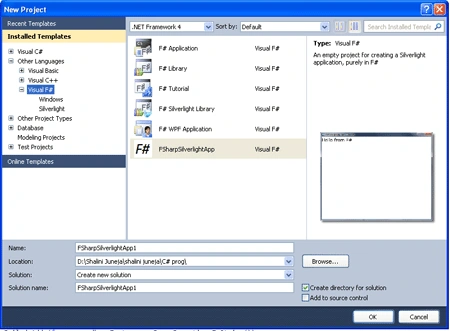
Step 2: Now add the below define references, a new F# silverlightapp project and some beep tune files to the project by right clicking on project in solution explorer.
- Accessibility
- PresentationCore
- PresentationFramework
- System
- System.Xaml
- System.Xml
- System.Core
- System.Numerics
- System.Data
- System.Drawing
- WindowsBase
- UIAutomationProvider
- UIAutomationTypes
Step 3: When you have added all these references, new project and all beep tune files your Solution Explorer will look like the below image.
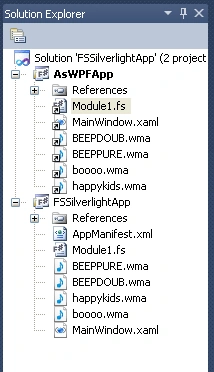
Step 4:
Now click on the Module1.fs file in the Solution Explorer and write the below code in the Module1.fs window, your window will look like below.
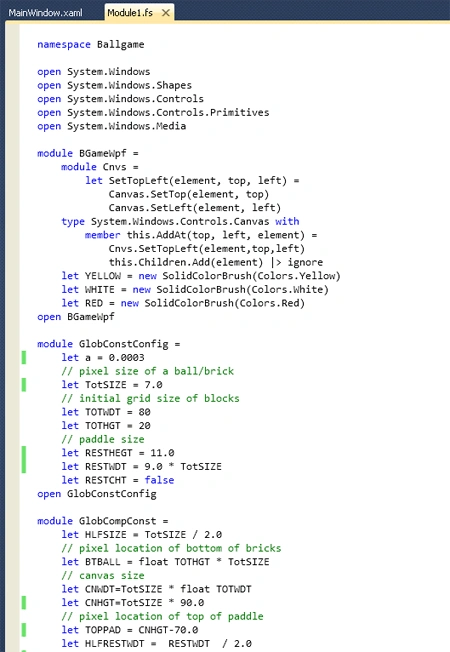
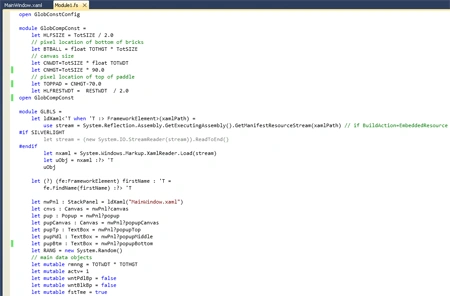
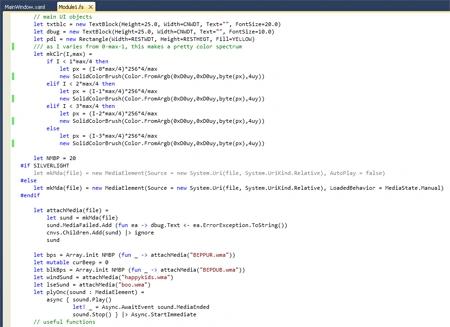
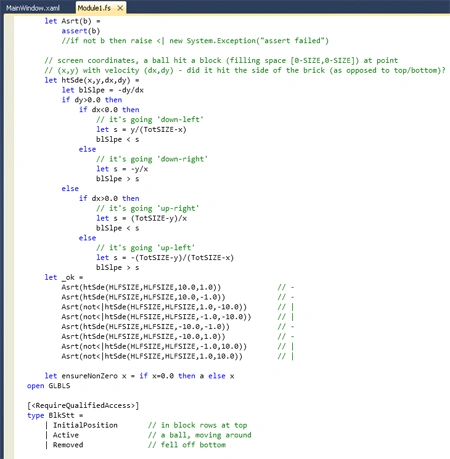
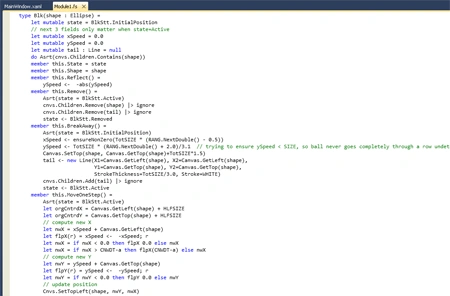
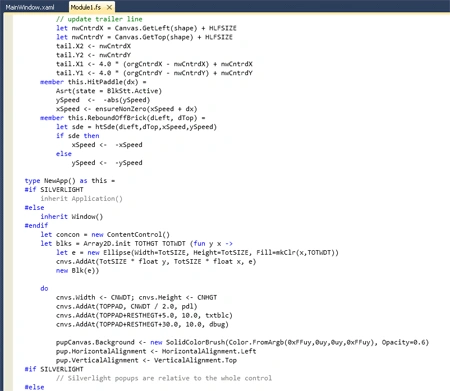
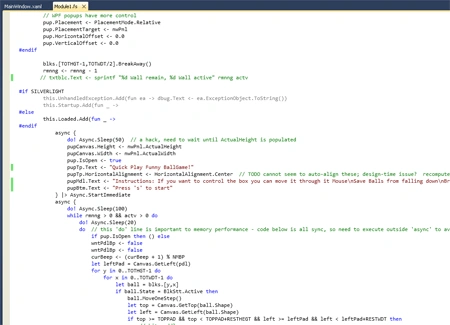
namespace Ballgame
open
System.Windows
open
System.Windows.Shapes
open
System.Windows.Controls
open
System.Windows.Controls.Primitives
open
System.Windows.Media
module BGameWpf
=
module Cnvs =
let SetTopLeft(element, top, left) =
Canvas.SetTop(element, top)
Canvas.SetLeft(element, left)
type System.Windows.Controls.Canvas
with
member this.AddAt(top, left,
element) =
Cnvs.SetTopLeft(element,top,left)
this.Children.Add(element) |> ignore
let YELLOW = new
SolidColorBrush(Colors.Yellow)
let WHITE = new
SolidColorBrush(Colors.White)
let RED = new
SolidColorBrush(Colors.Red)
open BGameWpf
module
GlobConstConfig =
let a = 0.0003
// pixel size of a ball/brick
let TotSIZE = 7.0
// initial grid size of blocks
let TOTWDT = 80
let TOTHGT = 20
// paddle size
let RESTHEGT = 11.0
let RESTWDT = 9.0 * TotSIZE
let RESTCHT =
false
open
GlobConstConfig
module
GlobCompConst =
let HLFSIZE = TotSIZE / 2.0
// pixel location of bottom of bricks
let BTBALL = float TOTHGT * TotSIZE
// canvas size
let CNWDT=TotSIZE * float TOTWDT
let CNHGT=TotSIZE * 90.0
// pixel location of top of paddle
let TOPPAD = CNHGT-70.0
let HLFRESTWDT = RESTWDT / 2.0
open
GlobCompConst
module GLBLS =
let ldXaml<'T
when 'T :> FrameworkElement>(xamlPath) =
use stream =
System.Reflection.Assembly.GetExecutingAssembly().GetManifestResourceStream(xamlPath)
// if BuildAction=EmbeddedResource
#if
SILVERLIGHT
let stream = (new System.IO.StreamReader(stream)).ReadToEnd()
#endif
let nxaml =
System.Windows.Markup.XamlReader.Load(stream)
let uObj = nxaml :?> 'T
uObj
let (?) (fe:FrameworkElement) firstName :
'T =
fe.FindName(firstName) :?> 'T
let nwPnl : StackPanel = ldXaml("MainWindow.xaml")
let cnvs : Canvas = nwPnl?canvas
let pup : Popup = nwPnl?popup
let pupCanvas : Canvas = nwPnl?popupCanvas
let pupTp : TextBox = nwPnl?popupTop
let pupMdl : TextBox = nwPnl?popupMiddle
let pupBtm : TextBox = nwPnl?popupBottom
let RANG = new
System.Random()
// main data objects
let
mutable rmnng = TOTWDT * TOTHGT
let mutable
actv= 1
let mutable
wntPdlBp = false
let
mutable wntBlkBp = false
let
mutable fstTme = true
// main UI objects
let txtblc =
new TextBlock(Height=25.0, Width=CNWDT, Text="",
FontSize=20.0)
let dbug = new
TextBlock(Height=25.0, Width=CNWDT, Text="",
FontSize=10.0)
let pdl = new
Rectangle(Width=RESTWDT, Height=RESTHEGT, Fill=YELLOW)
/// as I varies from 0-max-1, this makes a pretty
color spectrum
let mkClr(I,max) =
if I < 1*max/4
then
let px =
(I-0*max/4)*256*4/max
new
SolidColorBrush(Color.FromArgb(0xD0uy,0xD0uy,byte(px),4uy))
elif I < 2*max/4
then
let px =
(I-1*max/4)*256*4/max
new
SolidColorBrush(Color.FromArgb(0xD0uy,0xD0uy,byte(px),4uy))
elif I < 3*max/4
then
let px =
(I-2*max/4)*256*4/max
new
SolidColorBrush(Color.FromArgb(0xD0uy,0xD0uy,byte(px),4uy))
else
let px =
(I-3*max/4)*256*4/max
new
SolidColorBrush(Color.FromArgb(0xD0uy,0xD0uy,byte(px),4uy))
let NMBP = 20
#if
SILVERLIGHT
let mkMda(file) = new MediaElement(Source = new System.Uri(file,
System.UriKind.Relative), AutoPlay = false)
#else
let mkMda(file) = new
MediaElement(Source = new System.Uri(file,
System.UriKind.Relative), LoadedBehavior = MediaState.Manual)
#endif
let attachMedia(file) =
let sund = mkMda(file)
sund.MediaFailed.Add (fun ea
-> dbug.Text <- ea.ErrorException.ToString())
cnvs.Children.Add(sund) |> ignore
sund
let bps = Array.init NMBP (fun
_ -> attachMedia("BEPPUR.wma"))
let mutable
curBeep = 0
let blkBps = Array.init NMBP (fun
_ -> attachMedia("BEPDUB.wma"))
let windSund = attachMedia("happykids.wma")
let lseSund = attachMedia("boo.wma")
let plyOnc(sound : MediaElement) =
async { sound.Play()
let! _ = Async.AwaitEvent
sound.MediaEnded
sound.Stop() } |> Async.StartImmediate
// useful functions
let Asrt(b) =
assert(b)
//if not b then raise <| new
System.Exception("assert failed")
// screen coordinates, a ball hit a block
(filling space [0-SIZE,0-SIZE]) at point
// (x,y) with velocity (dx,dy) - did it
hit the side of the brick (as opposed to top/bottom)?
let htSde(x,y,dx,dy) =
let blSlpe = -dy/dx
if dy>0.0
then
if dx<0.0
then
// it's going 'down-left'
let s = y/(TotSIZE-x)
blSlpe < s
else
// it's going 'down-right'
let s = -y/x
blSlpe > s
else
if dx>0.0
then
// it's going 'up-right'
let s = (TotSIZE-y)/x
blSlpe < s
else
// it's going 'up-left'
let s = -(TotSIZE-y)/(TotSIZE-x)
blSlpe > s
let _ok =
Asrt(htSde(HLFSIZE,HLFSIZE,10.0,1.0))
// -
Asrt(htSde(HLFSIZE,HLFSIZE,10.0,-1.0))
// -
Asrt(not<|htSde(HLFSIZE,HLFSIZE,1.0,-10.0))
// |
Asrt(not<|htSde(HLFSIZE,HLFSIZE,-1.0,-10.0))
// |
Asrt(htSde(HLFSIZE,HLFSIZE,-10.0,-1.0))
// -
Asrt(htSde(HLFSIZE,HLFSIZE,-10.0,1.0))
// -
Asrt(not<|htSde(HLFSIZE,HLFSIZE,-1.0,10.0))
// |
Asrt(not<|htSde(HLFSIZE,HLFSIZE,1.0,10.0))
// |
let ensureNonZero x =
if x=0.0 then
a else x
open GLBLS
[<RequireQualifiedAccess>]
type BlkStt =
| StartPosition // in block rows at top
| Actv // a ball, moving
around
| Rmvd // fell off bottom
type Blk(shape :
Ellipse) =
let mutable
state = BlkStt.InitialPosition
// next 3 fields only matter when state=Active
let
mutable xSpeed = 0.0
let mutable
ySpeed = 0.0
let mutable
tail : Line = null
do Asrt(cnvs.Children.Contains(shape))
member this.State = state
member this.Shape = shape
member this.Reflect() =
ySpeed <- -abs(ySpeed)
member this.Remove() =
Asrt(state = BlkStt.Active)
cnvs.Children.Remove(shape) |> ignore
cnvs.Children.Remove(tail) |> ignore
state <- BlkStt.Removed
member this.BreakAway() =
Asrt(state = BlkStt.InitialPosition)
xSpeed <- ensureNonZero(TotSIZE * (RANG.NextDouble() - 0.5))
ySpeed <- TotSIZE * (RANG.NextDouble() + 2.0)/3.1
// trying to ensure ySpeed < SIZE, so ball never goes
completely through a row undetected in a single 'step'
Canvas.SetTop(shape, Canvas.GetTop(shape)+TotSIZE*1.5)
tail <- new Line(X1=Canvas.GetLeft(shape),
X2=Canvas.GetLeft(shape),
Y1=Canvas.GetTop(shape), Y2=Canvas.GetTop(shape),
StrokeThickness=TotSIZE/3.0, Stroke=WHITE)
cnvs.Children.Add(tail) |> ignore
state <- BlkStt.Active
member this.MoveOneStep() =
Asrt(state = BlkStt.Active)
let orgCntrdX = Canvas.GetLeft(shape) +
HLFSIZE
let orgCntrdY = Canvas.GetTop(shape) +
HLFSIZE
// compute new X
let nwX = xSpeed +
Canvas.GetLeft(shape)
let flpX(r) = xSpeed <- -xSpeed; r
let nwX = if
nwX < 0.0 then flpX 0.0
else nwX
let nwX = if
nwX > CNWDT-a then flpX(CNWDT-a)
else nwX
// compute new Y
let nwY = ySpeed +
Canvas.GetTop(shape)
let flpY(r) = ySpeed <- -ySpeed; r
let nwY = if
nwY < 0.0 then flpY 0.0
else nwY
// update position
Cnvs.SetTopLeft(shape, nwY, nwX)
// update trailer line
let nwCntrdX =
Canvas.GetLeft(shape) + HLFSIZE
let nwCntrdY = Canvas.GetTop(shape) +
HLFSIZE
tail.X2 <- nwCntrdX
tail.Y2 <- nwCntrdY
tail.X1 <- 4.0 * (orgCntrdX - nwCntrdX) + nwCntrdX
tail.Y1 <- 4.0 * (orgCntrdY - nwCntrdY) + nwCntrdY
member this.HitPaddle(dx) =
Asrt(state = BlkStt.Active)
ySpeed <- -abs(ySpeed)
xSpeed <- ensureNonZero(xSpeed + dx)
member this.ReboundOffBrick(dLeft, dTop) =
let sde =
htSde(dLeft,dTop,xSpeed,ySpeed)
if sde then
xSpeed <- -xSpeed
else
ySpeed <- -ySpeed
type NewApp()
as this =
#if
SILVERLIGHT
inherit Application()
#else
inherit Window()
#endif
let concon = new
ContentControl()
let blks = Array2D.init TOTHGT TOTWDT (fun
y x ->
let e =
new Ellipse(Width=TotSIZE, Height=TotSIZE,
Fill=mkClr(x,TOTWDT))
cnvs.AddAt(TotSIZE * float y, TotSIZE * float x, e)
new Blk(e))
do
cnvs.Width <- CNWDT; cnvs.Height <- CNHGT
cnvs.AddAt(TOPPAD, CNWDT / 2.0, pdl)
cnvs.AddAt(TOPPAD+RESTHEGT+5.0, 10.0, txtblc)
cnvs.AddAt(TOPPAD+RESTHEGT+30.0, 10.0, dbug)
pupCanvas.Background <- new
SolidColorBrush(Color.FromArgb(0xFFuy,0uy,0uy,0xFFuy), Opacity=0.6)
pup.HorizontalAlignment <- HorizontalAlignment.Left
pup.VerticalAlignment <- VerticalAlignment.Top
#if
SILVERLIGHT
// Silverlight popups are relative to the whole control
#else
// WPF popups have more control
pup.Placement <- PlacementMode.Relative
pup.PlacementTarget <- nwPnl
pup.HorizontalOffset <- 0.0
pup.VerticalOffset <- 0.0
#endif
blks.[TOTHGT-1,TOTWDT/2].BreakAway()
rmnng <- rmnng - 1
// txtblc.Text <- sprintf "%d Wall remain, %d
Wall active" rmnng actv
#if
SILVERLIGHT
this.UnhandledException.Add(fun ea -> dbug.Text <-
ea.ExceptionObject.ToString())
this.Startup.Add(fun _ ->
#else
this.Loaded.Add(fun _
->
#endif
async {
do! Async.Sleep(50)
// a hack, need to wait until ActualHeight is
populated
pupCanvas.Height <- nwPnl.ActualHeight
pupCanvas.Width <- nwPnl.ActualWidth
pup.IsOpen <- true
pupTp.Text <- "Quick Play
Funny BallGame!"
pupTp.HorizontalAlignment <- HorizontalAlignment.Center
// TODO cannot seem to auto-align these; design-time
issue? recompute layout?
pupMdl.Text <- "Instructions:
If you want to control the box you can move it through it Mouse\nSave Balls from
falling down\nBreak walls on Upper side to get
more\nEnjoy the Game!"
pupBtm.Text <- "Press 's' to
start"
} |> Async.StartImmediate
async {
do! Async.Sleep(100)
while rmnng > 0 && actv > 0
do
do! Async.Sleep(20)
do
// this 'do' line is important to memory performance
- code below is all sync, so need to execute outside 'async' to avoid Async
allocating
if pup.IsOpen
then () else
wntPdlBp <- false
wntPdlBp <- false
curBeep <- (curBeep + 1) % NMBP
let leftPad =
Canvas.GetLeft(pdl)
for y
in 0..TOTHGT-1 do
for x
in 0..TOTWDT-1 do
let ball
= blks.[y,x]
if ball.State =
BlkStt.Active then
ball.MoveOneStep()
let top =
Canvas.GetTop(ball.Shape)
let left =
Canvas.GetLeft(ball.Shape)
if top >=
TOPPAD && top < TOPPAD+RESTHEGT && left >= leftPad && left < leftPad+RESTWDT
then
// hit
paddle
ball.HitPaddle(dx=(left - leftPad
- HLFRESTWDT)/HLFRESTWDT)
wntPdlBp <-
true
elif
top < BTBALL then
// see
if hit a stationary brick
let
brick = blks.[int(top / TotSIZE),int(left / TotSIZE)]
if
brick.State = BlkStt.InitialPosition then
let
t = Canvas.GetTop(brick.Shape)
let
l = Canvas.GetLeft(brick.Shape)
let
intersect = left >= l && left < l+TotSIZE && top >= t && top < t+TotSIZE
if
intersect then
rmnng <- rmnng - 1
actv <- actv + 1
//txtblc.Text
<- sprintf "%d Wall remain, %d Wall active" rmnng actv
ball.ReboundOffBrick(dLeft=l-left, dTop=t-top)
brick.BreakAway()
wntBlkBp <-
true
elif
top > CNHGT then
//
fell off bottom
if
RESTCHT then
ball.Reflect()
else
ball.Remove()
actv <- actv - 1
//
txtblc.Text <- sprintf "%d Wall remain, %d Wall active" rmnng actv
if wntPdlBp
then
plyOnc(bps.[curBeep])
if wntBlkBp
then
plyOnc(blkBps.[curBeep])
if rmnng > 0
then
//txtblc.Text <- sprintf
"left %d Wall" rmnng
plyOnc(lseSund)
else
txtblc.Text <- "Hurrah
You Won!!!"
plyOnc(windSund)
} |> Async.StartImmediate
)
// to be able to get focus
concon.IsTabStop <- true
concon.IsEnabled <- true
concon.KeyDown.Add(fun keyEA
->
if keyEA.Key = Input.Key.S
then
pupCanvas.Height <- nwPnl.ActualHeight\
pupCanvas.Width <- nwPnl.ActualWidth
pup.IsOpen <- not pup.IsOpen
pupTp.Text <- "STOP"
pupMdl.Text <- "F# - 'fun' is
our keyword!"
pupBtm.Text <- "Press 's' to
unstop and continue"
)
#if
SILVERLIGHT
#else
concon.Focus() |> ignore
#endif
nwPnl.MouseMove
|> Observable.add (fun ea
->
let x =
ea.GetPosition(cnvs).X
if x < HLFRESTWDT
then
Canvas.SetLeft(pdl, 0.0)
elif x <= CNWDT - HLFRESTWDT
then
Canvas.SetLeft(pdl, x - HLFRESTWDT)
else
Canvas.SetLeft(pdl, CNWDT - RESTWDT)
)
concon.Content <- nwPnl
#if
SILVERLIGHT
#else
this.Content <- concon
this.SizeToContent <- SizeToContent.WidthAndHeight
#endif
#if
SILVERLIGHT
#else
module Main =
[<System.STAThread()>]
do
let app =
new Application()
app.Run(new NewApp()) |> ignore
#endif
Step 5: Then you will add a XAML file and write the below code in the MainWindow.xaml file.
<StackPanel xmlns="http://schemas.microsoft.com/winfx/2006/xaml/presentation"
xmlns:x="http://schemas.microsoft.com/winfx/2006/xaml"
Name="nwPnl">
<Popup Name="popup">
<Canvas Name="pupCnvs">
<TextBox Name="pupTp" FontSize="18" Canvas.Left="20" Canvas.Top="20" />
<TextBox Name="pupMdle" FontSize="14" Canvas.Left="20" Canvas.Top="60" />
<TextBox Name="pupBtom" FontSize="18" Canvas.Left="20" Canvas.Top="200" />
</Canvas>
</Popup>
<Border BorderThickness="15.0" BorderBrush="Pink">
<StackPanel Name="stackPanel1">
<TextBlock Text="BallGame!" FontSize="24" HorizontalAlignment="Center" />
<TextBlock Text="A super Fun Game for Kids - press 's' to stop" FontSize="12" HorizontalAlignment="Center" />
<Border BorderThickness="2.0" BorderBrush="Black">
<Canvas Name="canvas" Background="Black" />
</Border>
</StackPanel>
</Border>
</StackPanel>
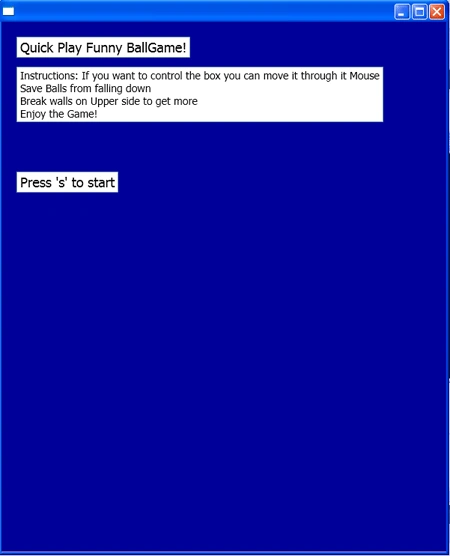
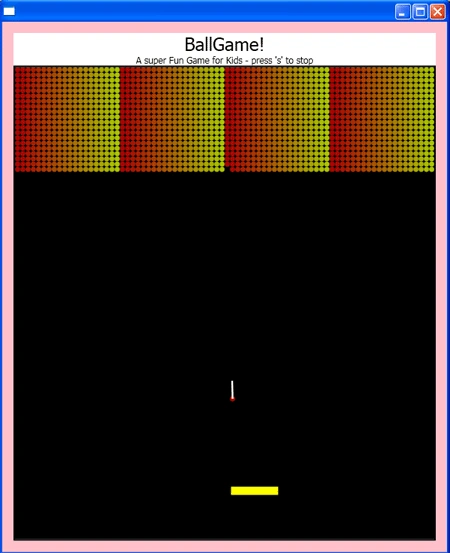
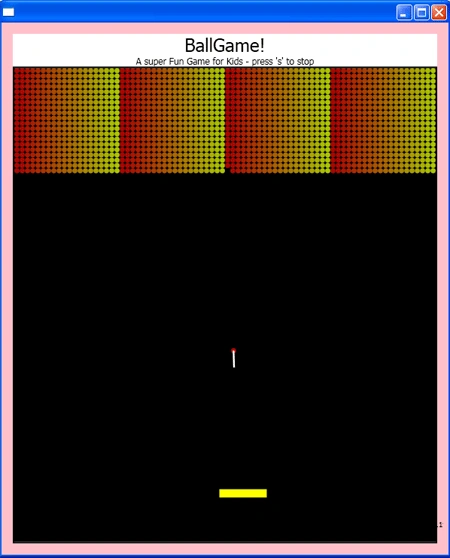
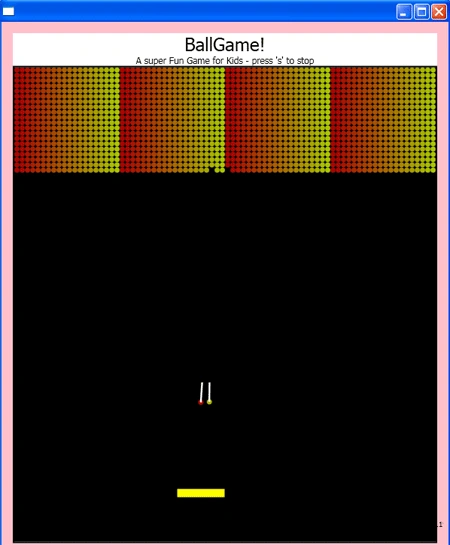
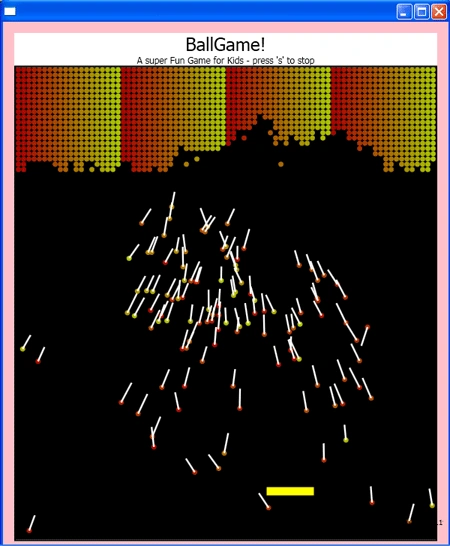
Step 6: Now press F5 to execute the code. Your game is ready to play.
Output
Summary
In this article I have discussed how you can develop a Ballgame in F# using both WPF and Silverlight.
Join the conversation! Your thoughts help the community grow.