

lThis is the continuation of AnguarJS Recipe: Part 1.
Making Controller in External File
Make a new JavaScript file named employeeController.js with the following code:
- angular.module('myApp', []).controller('employeeCtrl', function ($scope)
- {
- $scope.name = "Rahul Saxena",
- $scope.City = "Noida",
- $scope.Country = "India",
- $scope.empInfo = function ()
- {
- return $scope.name + " " + $scope.City + " " + $scope.Country;
- }
- });
- <%@ Page Language="C#" AutoEventWireup="true" CodeBehind="Default.aspx.cs" Inherits="AngularJS_Demo.Default" %>
- <!DOCTYPE html>
- <html
- xmlns="http://www.w3.org/1999/xhtml">
- <head runat="server">
- <title></title>
- <script src="http://ajax.googleapis.com/ajax/libs/angularjs/1.3.15/angular.min.js"></script>
- <script src="employeeController.js"></script>
- </head>
- <body>
- <form id="form1" runat="server">
- <div ng-app="myApp" ng-controller="employeeCtrl">
- Name:<input type="text" ng-model="name">
- <br>
- <br>
- City:<input type="text" ng-model="City">
- <br>
- <br>
- Country:<input type="text" ng-model="Country">
- <br>
- <br>
- <b>Employee Information </b>: {{empInfo()}}
- </div>
- </form>
- </body>
- </html>
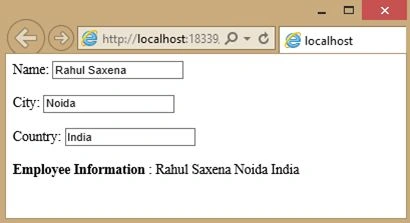
External Controller File using repeat
Add a new JavaScript file named employeeController.js with the following code:
- angular.module('myApp', []).controller('employeeCtrl', function ($scope)
- {
- $scope.Emp_Names = [
- { name: 'Rahul Saxena', country: 'India' },
- { name: 'Shambhu Sharma', country: 'USA' },
- { name: 'Abhishek Nigam', country: 'USA' },
- { name: 'Yogesh Gupta', country: 'USA' },
- { name: 'Rakesh Dixit', country: 'India' },
- { name: 'Manu Khanna', country: 'India' },
- { name: 'Saurabh Mehrotra', country: 'USA' },
- { name: 'mayank Dhulekar', country: 'India' }
- ];
- });
- <%@ Page Language="C#" AutoEventWireup="true" CodeBehind="Default.aspx.cs" Inherits="AngularJS_Demo.Default" %>
- <!DOCTYPE html>
- <html
- xmlns="http://www.w3.org/1999/xhtml">
- <head runat="server">
- <title></title>
- <script src="http://ajax.googleapis.com/ajax/libs/angularjs/1.3.15/angular.min.js"></script>
- <script src="employeeController.js"></script>
- </head>
- <body>
- <form id="form1" runat="server">
- <div ng-app="myApp" ng-controller="employeeCtrl">
- <ul>
- <li ng-repeat="x in Emp_Names">{{ x.name + ', ' + x.country }}
- </li>
- </ul>
- </div>
- </form>
- </body>
- </html>
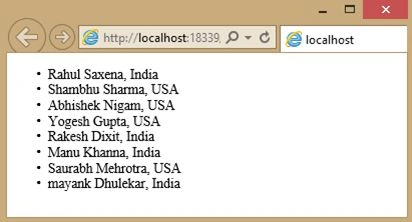
Filters in AngularJS
In AnglarJS we have the following filters:
- Currency.
- Filter.
- Lowercase.
- Order By.
- Uppercase.
Now we will see examples of all the filters.
Currency Filter
- <%@ Page Language="C#" AutoEventWireup="true" CodeBehind="Default.aspx.cs" Inherits="AngularJS_Demo.Default" %>
- <!DOCTYPE html>
- <html
- xmlns="http://www.w3.org/1999/xhtml">
- <head runat="server">
- <title></title>
- <script src="http://ajax.googleapis.com/ajax/libs/angularjs/1.3.15/angular.min.js"></script>
- </head>
- <body>
- <form id="form1" runat="server">
- <div ng-app="" ng-init="Product=5;Cost=20">
- <p>
- <b>Total Cost Of your Order:</b> {{ Product * Cost | currency }}
- </p>
- <p>
- <b>Total Cost Of your Order:</b> {{ Product * Cost | currency:"€" }}
- </p>
- <p>
- <b>Total Cost Of your Order:</b> {{ Product * Cost | currency:"₹" }}
- </p>
- </div>
- </form>
- </body>
- </html>
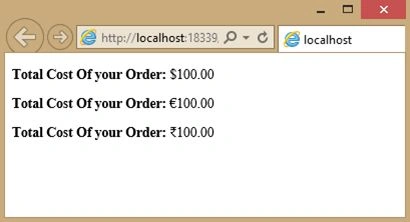
Order By Filter
My external Controller file:
- angular.module('myApp', []).controller('employeeCtrl', function ($scope)
- {
- $scope.Emp_Names = [
- { name: 'Rahul Saxena', country: 'India' },
- { name: 'Shambhu Sharma', country: 'USA' },
- { name: 'Abhishek Nigam', country: 'USA' },
- { name: 'Yogesh Gupta', country: 'USA' },
- { name: 'Rakesh Dixit', country: 'India' },
- { name: 'Manu Khanna', country: 'India' },
- { name: 'Saurabh Mehrotra', country: 'USA' },
- { name: 'mayank Dhulekar', country: 'India' }];
- });
- <%@ Page Language="C#" AutoEventWireup="true" CodeBehind="Default.aspx.cs" Inherits="AngularJS_Demo.Default" %>
- <!DOCTYPE html>
- <html
- xmlns="http://www.w3.org/1999/xhtml">
- <head runat="server">
- <title></title>
- <script src="http://ajax.googleapis.com/ajax/libs/angularjs/1.3.15/angular.min.js"></script>
- <script src="employeeController.js"></script>
- </head>
- <body>
- <form id="form1" runat="server">
- <div ng-app="myApp" ng-controller="employeeCtrl">
- <ul>
- <li ng-repeat="x in Emp_Names | orderBy:'country'">{{ x.name + ', ' + x.country }}</li>
- </ul>
- </div>
- </form>
- </body>
- </html>
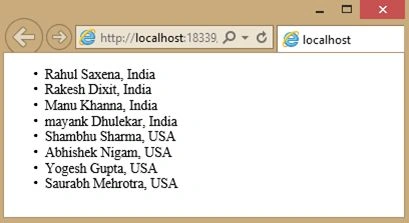
Filter By Taking User input
My external Controller file:
- angular.module('myApp', []).controller('employeeCtrl', function ($scope)
- {
- $scope.Emp_Names = [
- { name: 'Rahul Saxena', country: 'India' },
- { name: 'Shambhu Sharma', country: 'USA' },
- { name: 'Abhishek Nigam', country: 'USA' },
- { name: 'Yogesh Gupta', country: 'USA' },
- { name: 'Rakesh Dixit', country: 'India' },
- { name: 'Manu Khanna', country: 'India' },
- { name: 'Saurabh Mehrotra', country: 'USA' },
- { name: 'mayank Dhulekar', country: 'India' }
- ];
- });
- <%@ Page Language="C#" AutoEventWireup="true" CodeBehind="Default.aspx.cs" Inherits="AngularJS_Demo.Default" %>
- <!DOCTYPE html>
- <html
- xmlns="http://www.w3.org/1999/xhtml">
- <head runat="server">
- <title></title>
- <script src="http://ajax.googleapis.com/ajax/libs/angularjs/1.3.15/angular.min.js"></script>
- <script src="employeeController.js"></script>
- </head>
- <body>
- <form id="form1" runat="server">
- <div ng-app="myApp" ng-controller="employeeCtrl">
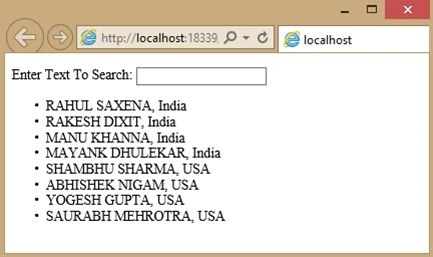
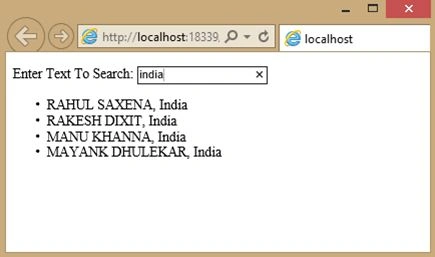
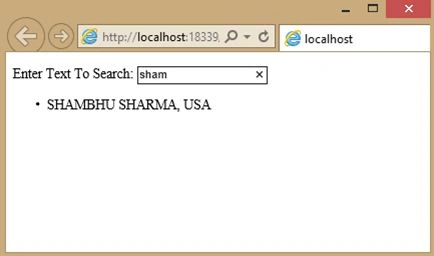
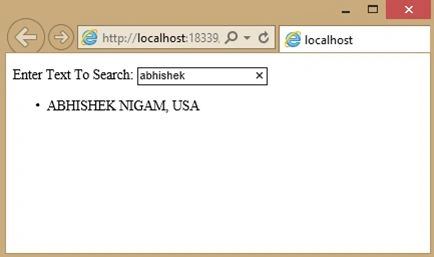
- <p>Enter Text To Search:<input type="text" ng-model="textToSearch"></p>
- <ul>
- <li ng-repeat="x in Emp_Names | filter:textToSearch | orderBy:'country'"> {{ (x.name | uppercase) + ', ' + x.country }} </li>
- </ul>
- </div>
- </form>
- </body>
- </html>
Rahul Kumar SaxenaPosted Jun 27, 2015, 1:59 AM
Thanks Sibeesh Venu...
Sibeesh VenuPosted Jun 27, 2015, 12:38 AM
Article OF The Day. Congrats
Rahul Kumar SaxenaPosted Apr 25, 2015, 11:45 PM
Thanks Sanjay Kumar...
Rahul Kumar SaxenaPosted Apr 25, 2015, 11:45 PM
Thanks Karthik Muthu Karuppan...
Rahul Kumar SaxenaPosted Apr 25, 2015, 11:45 PM
Thansk Nitin Tyagi...
Sanjay KumarPosted Apr 25, 2015, 1:20 AM
Nice Rahul Saxena
Karthik Muthu KaruppanPosted Apr 24, 2015, 5:51 PM
Good one
NitinPosted Apr 24, 2015, 2:27 PM
nice
Rahul Kumar SaxenaPosted Apr 23, 2015, 11:35 PM
Thanks Santhakumar Munuswamy...
Santhakumar MunuswamyPosted Apr 23, 2015, 2:43 PM
Good work