
This article is a warm up for :
This article is a warm up for my 4th article on .NET best practices. The 4th article was coming out to be too big to accommodate everything. So I have broken down the same in to 2 pieces, this article will show the basic steps needed for that article and the main article will talk in depth about the best practice. In case you have not read my previous articles on best practices below are some links.
.NET best practice 1:- In this article we discuss about how we can find high memory consumption areas in .NET. You can read about the same at http://www.c-sharpcorner.com/UploadFile/shivprasadk/452069230108152009163244PM/4520692301.aspx?ArticleID=50bdd822-23d0-4baa-ab0a-21314b94d9e5
.NET best practice 2:- In this article we discuss how we can improve performance using finalize / dispose pattern.
http://www.c-sharpcorner.com/UploadFile/shivprasadk/657567608232009132704PM/6575676.aspx?ArticleID=594e945a-ba48-4fee-9ecd-7b182efd076b
.NET best practice 3:- How can we use performance counters to gather performance data from .NET applications http://www.c-sharpcorner.com/UploadFile/shivprasadk/3253453409022009023755AM/32534534.aspx
Introduction and warning
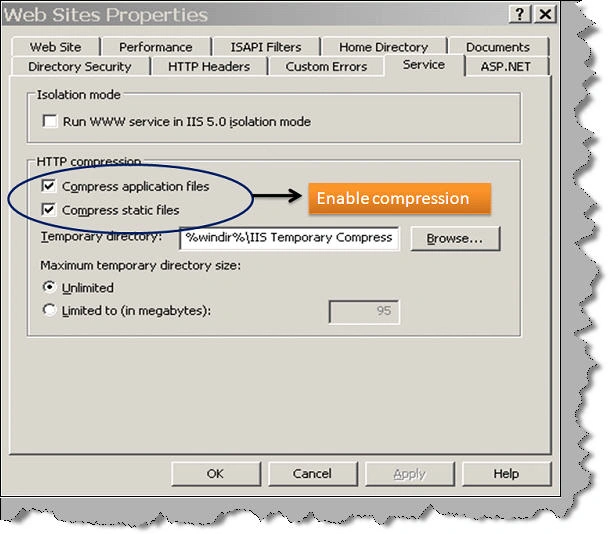
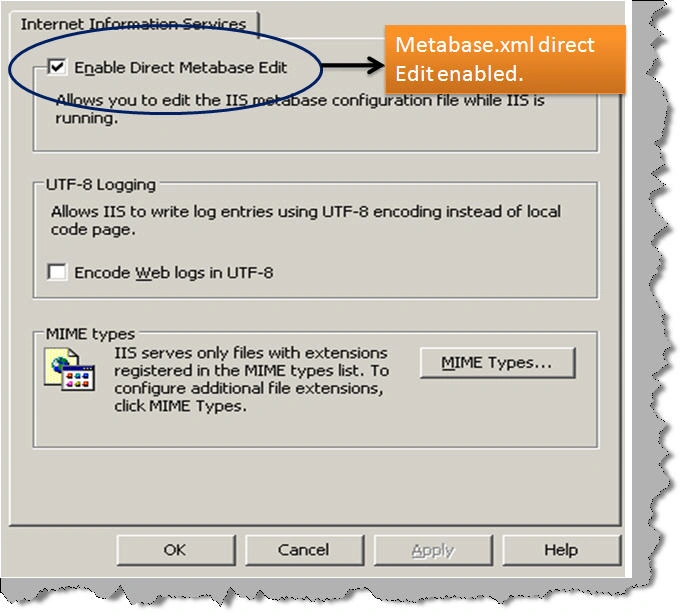
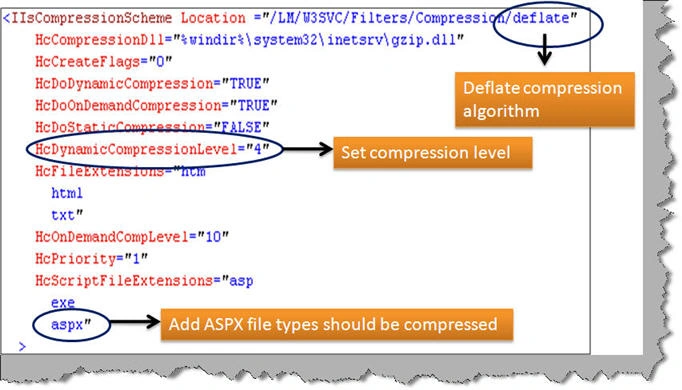
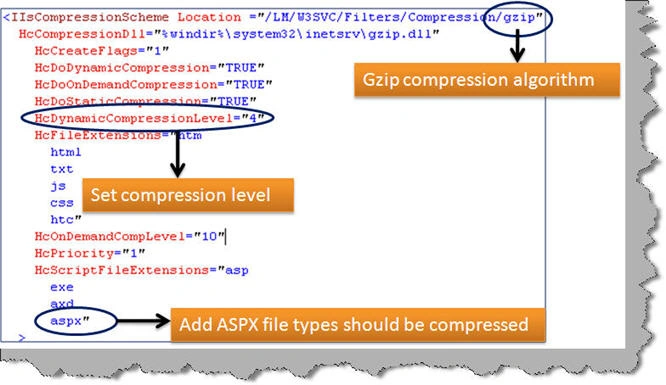
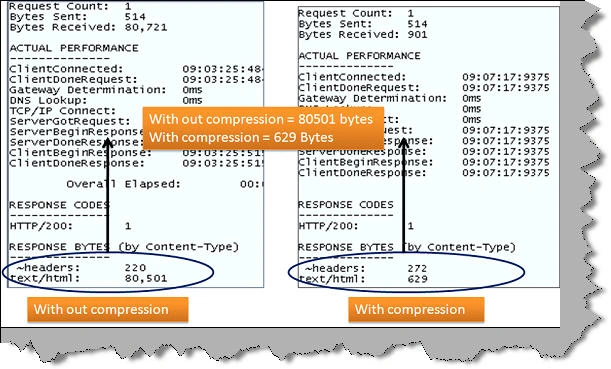
In this article we will try to understand how to enable compression on IIS 6.0. Once we have enabled compression we will use fiddler to see how bandwidth performance increases due to the same.
Please feel free to download my free 500 question and answer eBook which covers .NET , ASP.NET , SQL Server , WCF , WPF , WWF@ http://www.questpond.com .

4 steps to increase bandwidth performance for ASPX pages on IIS 6.0
Join the conversation! Your thoughts help the community grow.
Sign in to leave a comment
It is the same account you read, post and publish with — and you will come straight back to this page.
Suthish NairPosted Aug 28, 2010, 7:51 AM
Thanx Man ... good one
Francois BaronnetPosted Feb 7, 2010, 6:02 AM
One can see that the huge data is 10,000 times the same string, so it can be very well compressed... Anyway, thanks for the tip.